Infrastructure as Code Security: How to Scan IaC Before You Deploy
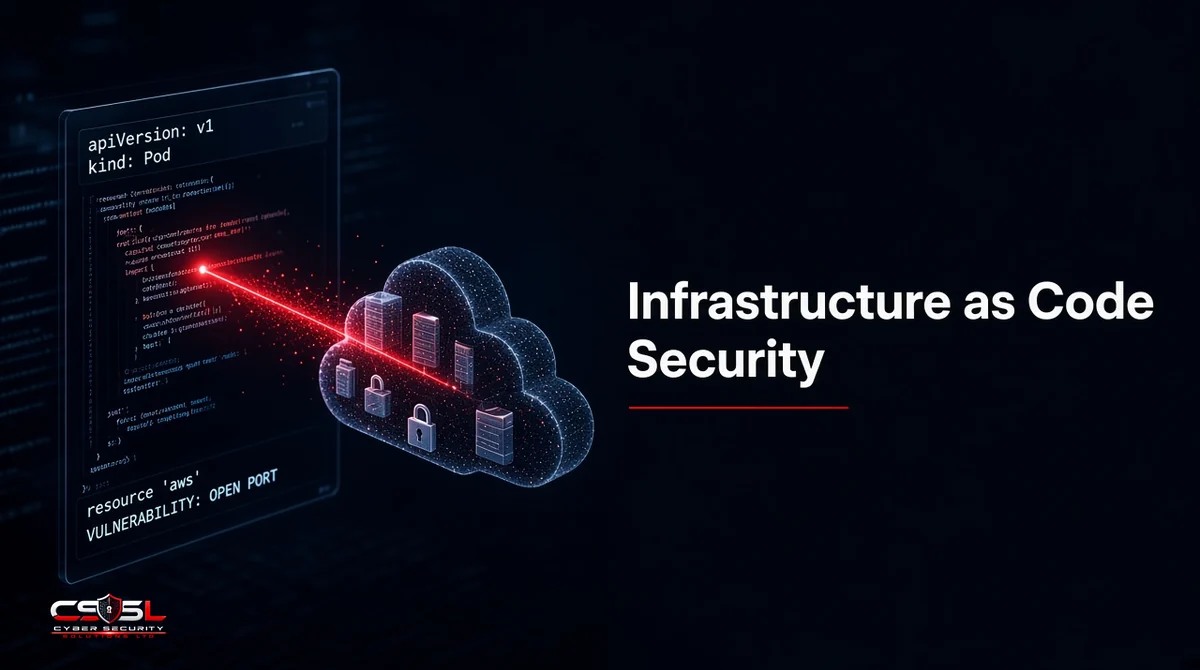
Shipping a Terraform plan that opens a storage bucket to the world takes seconds. Finding that mistake in production can take weeks. Infrastructure as code security is the practice of catching those misconfigurations in templates before they become live cloud resources.
What Is Infrastructure as Code Security?
Infrastructure as code security is the practice of scanning templates such as Terraform, CloudFormation, ARM/Bicep, Pulumi and Kubernetes manifests for misconfigurations, exposed secrets and policy violations before you deploy. The goal is to stop insecure infrastructure from ever reaching the cloud.
What Is IaC in Cyber Security?
Infrastructure as code (IaC) means defining servers, networks, identity and services in machine-readable files that tools apply automatically. In cyber security, that same code becomes an attack surface: one bad module can open hundreds of accounts.
IaC Security vs Traditional Infrastructure Security
Traditional reviews inspect running systems after they exist. IaC security shifts checks left into the code and pipeline, then keeps watching for drift after deploy. You still need runtime cloud security; scanning code does not replace it.
Why Scanning IaC Before Deploy Matters
Fixes in code are cheaper than emergency changes in a live account. Scanning before apply blocks known-bad patterns, creates an audit trail for change management and keeps every environment built from the same reviewed templates instead of one-off console clicks.
Common IaC Security Risks and Misconfigurations
Public Storage Buckets and Open Security Groups
Templates that set public ACLs or 0.0.0.0/0 on management ports are still among the most common findings.
Over-Permissive IAM Roles
Wildcards on actions and resources create privilege paths attackers love. Least privilege belongs in the template, not as a later cleanup.
Hardcoded Secrets and Exposed State Files
API keys in variables, commits or shared state backends leak credentials. State files often contain sensitive outputs and must be encrypted and access-controlled.
Unencrypted Data and Disabled Logging
Missing encryption flags and turned-off audit logs fail CIS Benchmarks and leave incidents harder to investigate.
Vulnerable Modules and Configuration Drift
Third-party modules can ship unsafe defaults. Drift happens when someone changes the cloud console and the code no longer matches reality.
How IaC Scanning Works
Static Policy Checks Against CIS and Custom Rules
Scanners parse templates and compare resources to rule packs, including CIS Benchmarks and your own standards, without needing cloud credentials for the basic pass.
Graph-Based and Plan-File Scanning
Some tools build a graph of relationships or evaluate the Terraform plan file so they see values only known after variables and modules resolve.
Policy as Code With OPA and Sentinel
Open Policy Agent (OPA) and HashiCorp Sentinel let you write policies as code that CI enforces the same way unit tests enforce application logic.
Where to Scan IaC in the Pipeline
| Stage | What to run | Failure action |
|---|---|---|
| IDE / pre-commit | Fast local rules and secret checks | Block the commit |
| Pull request | Full policy pack + plan scan | Block merge |
| CI before apply | Gate on critical findings | Block deploy |
| After deploy | Drift and runtime posture checks | Open a ticket |
In the IDE and Pre-Commit Hooks
Developers get feedback in seconds. Keep rule sets light so hooks stay fast.
Pull Request Checks
Every change gets a second opinion before merge. Require a green scan on repos that define production infrastructure.
CI/CD Gates Before Terraform Apply
The pipeline that runs plan and apply must fail on critical issues such as public data stores or admin IAM wildcards. Without that gate, reports get ignored under release pressure.
Drift Detection After Deploy
Compare live state to code on a schedule. Drift is a security signal as well as an ops problem.
IaC Security Scanning Tools
Tools are listed for reference, not ranked. Confirm current names on each project or vendor site. No prices are quoted here.
Open-Source: Checkov, Trivy, KICS, Terrascan and Conftest
Widely used scanners and policy engines that fit pre-commit and CI. Conftest pairs well with OPA policies. Trivy also covers containers and other config types.
Commercial: Snyk IaC, Wiz Code, Prisma Cloud, Orca and Datadog
Commercial platforms add broader dashboards, ticketing and often combine IaC findings with cloud runtime posture. Choose based on the rest of your stack, not on marketing lists.
Infrastructure as Code Security Best Practices
Use Hardened, Versioned Modules
Prefer internal modules with secure defaults. Pin versions and review upstream changes before upgrading.
Keep Secrets and State Out of Repositories
Use a secrets manager and remote state with encryption and strict IAM. Scan repos for accidental secrets continuously.
Tune Rules to Cut Alert Noise
Start with critical CIS failures, then add custom rules. Suppress only with documented exceptions and owners.
Fix in Code, Not in the Console
When a scan fails, patch the template and redeploy. Console hotfixes create drift and the next apply may wipe them. That discipline is what turns scanning into lasting risk reduction.
US and UK Guidance (NIST SSDF, CISA Secure by Design, OWASP, NCSC)
NIST’s Secure Software Development Framework (SSDF) expects automated checks in the pipeline. CISA’s Secure by Design guidance pushes vendors and builders to eliminate entire classes of misconfiguration. OWASP maintains an IaC security cheat sheet, and the UK NCSC cloud security principles call for secure configuration and effective change control. Map your IaC gates to those expectations for audits. Treating pipeline failures as release blockers is the practical way to meet them.
Infrastructure as code security works best as a shared rule between security and platform teams: security owns the policy pack, platform owns the pipeline gates and developers own fixing findings in the modules they maintain.
Making Infrastructure as Code Security Stick
Infrastructure as code security only works when critical findings block deploy and someone owns exceptions. This week:
- Turn on a scanner in your main infrastructure repo.
- Fail CI on public storage and open admin ports.
- Move state and secrets behind controlled backends.
- Schedule weekly drift reports.
For help embedding IaC scanning in your pipelines, contact Cyber Security Solutions Ltd through our contact page.
FAQs
No. IaC mistakes replicate across every environment that uses the template, so one bad line can open many accounts. Scanning before deploy is one of the highest-value cloud security controls you can add, especially when critical findings block the pipeline instead of sitting in a report.
Public storage, overly open security groups, wildcard IAM, missing encryption, disabled logging and hardcoded secrets show up most often. Module misuse and unpinned third-party modules are close behind. Your scanner's first month of findings will usually confirm that pattern across accounts.
Teams commonly use open-source scanners such as Checkov, Trivy, KICS and Terrascan, policy engines such as OPA or Sentinel, and commercial platforms that fold IaC into broader cloud security. Many organizations run a fast open-source check in pre-commit and a deeper platform scan in CI.
No. DevOps is a culture and set of practices for delivering software quickly and safely. IaC is a technique often used inside DevOps to provision infrastructure from code. You can practice DevOps without mature IaC, and you can write IaC without good DevOps collaboration.
Limit the first rule pack to critical CIS and company must-fix, fix those, then expand. Exclude sandboxes intentionally, document exceptions with owners and expiry dates, and scan plan files so resolved values reduce false hits from unknown variables in complex modules.
No. IaC scanning checks templates before deploy. Cloud security posture management (CSPM) checks what is really running in each cloud account. You need both: scanning to stop bad builds, and CSPM to catch drift, unmanaged accounts and resources created outside the pipeline.