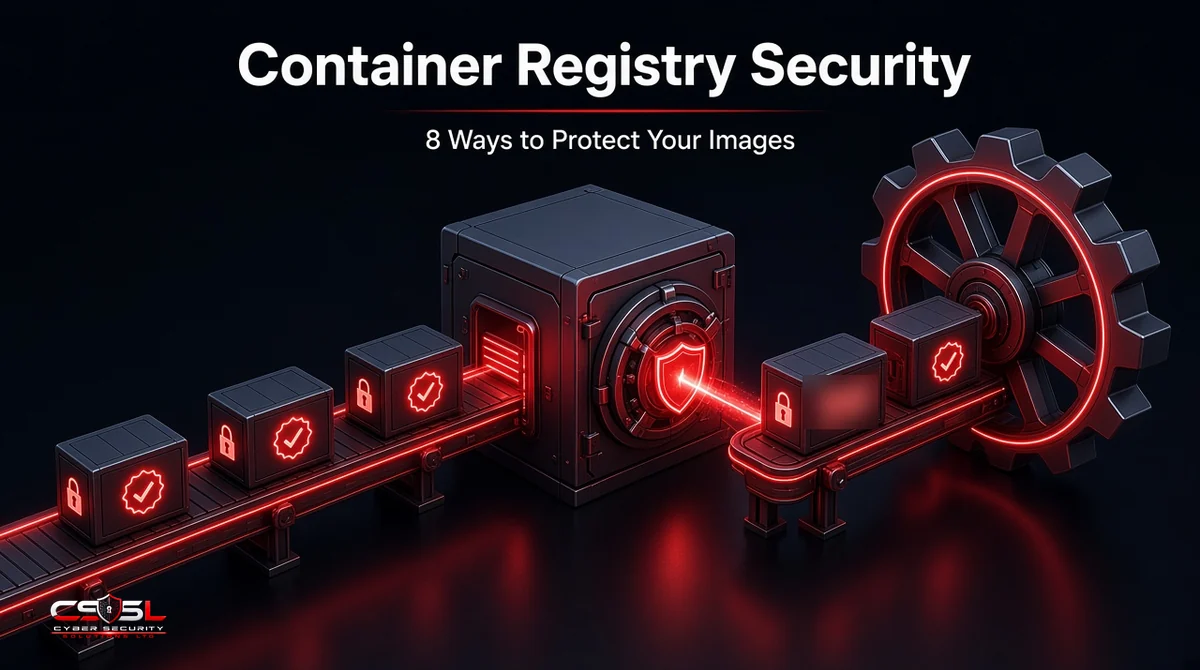
Container Registry Security: 8 Ways to Protect Your Images
Container registry security means protecting the place your container images are stored and pulled from. Keep the registry private, enforce least-privilege access with SSO and MFA, scan every image, sign and verify images, use immutable tags, restrict network access, remove stale images and log all activity. Here is how.
What Is Container Registry Security?
A container registry stores and distributes the images your workloads run. Securing it means controlling who can push and pull, making sure images are free of known vulnerabilities and secrets, proving images have not been tampered with, and keeping an audit trail of every change.
How a Container Registry Fits Into the Software Supply Chain
Code is built into an image, pushed to a registry, then pulled by clusters and hosts. Anything that compromises the registry, such as a stolen push credential or an overwritten tag, reaches every system that pulls from it. That makes the registry a high-value supply chain target.
Public vs Private Registries
Public registries such as Docker Hub host open images anyone can pull. Private registries, including Amazon ECR, Azure Container Registry and Google Artifact Registry, restrict access to your organization. Business images belong in private registries, and public base images should be vetted before use.
Top Registry Risks
Public or Misconfigured Registries
A registry or repository accidentally set to public, or one with anonymous pull enabled, can expose internal applications and the secrets inside them.
Vulnerable and Malicious Images
Images may carry outdated packages with known vulnerabilities, or come from untrusted publishers and contain malware, cryptominers or backdoors.
Secrets Leaked in Image Layers
API keys, passwords and certificates copied into a build stay in earlier image layers even if deleted later, and anyone who can pull the image can extract them.
Stolen Credentials and Over-Privileged Access
Long-lived tokens in CI systems or developer machines, shared accounts and broad push rights let an attacker who steals one credential replace images.
Image Tampering and Tag Overwrites
Mutable tags such as “latest” or “v1.2” can be pointed at a different image. If an attacker overwrites a tag, deployments pull the malicious version without any visible change.
8 Ways to Protect Your Container Images
1. Keep Registries Private and Restrict Network Access
Make every business registry private, disable anonymous access, and use private endpoints or firewall rules so only your build systems and clusters can reach it.
2. Enforce Least-Privilege Access With SSO, MFA and RBAC
Connect the registry to your identity provider, require MFA for human users, and use role-based access so most identities can only pull. Give push rights only to CI pipelines, using short-lived workload credentials instead of stored passwords.
3. Scan Every Image on Push and Continuously
Scan each image when it is pushed and rescan stored images regularly, since new vulnerabilities appear after build. Block or flag images with critical issues and scan for embedded secrets as well as vulnerable packages.
4. Sign Images and Verify Signatures at Deployment
Sign images in your pipeline with tools such as Sigstore Cosign or the Notary Project’s Notation, then use an admission controller to allow only signed images from trusted identities to run. Signing proves who built an image and that it has not changed since.
5. Use Immutable Tags and Pull by Digest
Turn on tag immutability so tags cannot be overwritten, and reference images by their content digest (sha256) in production manifests. A digest always points to exactly the same image.
6. Generate SBOMs and Track Provenance
Produce a software bill of materials (SBOM) for each image and store build provenance, such as which source commit and pipeline produced it. Frameworks such as SLSA describe levels of provenance assurance, helping you trace and respond quickly when a component becomes vulnerable.
7. Clean Up Stale Images With Retention Policies
Old images pile up with unpatched vulnerabilities and can be redeployed by mistake. Use lifecycle or retention policies to remove untagged and outdated images automatically.
8. Log, Monitor and Audit Registry Activity
Send registry audit logs to your monitoring platform and alert on unusual pushes, deletions, permission changes, public access changes and pulls from unknown locations.
Securing Popular Registries: Docker Hub, Amazon ECR, Azure ACR and Google Artifact Registry
- Docker Hub: use private repositories for business images, enforce organization SSO and access tokens, and prefer Docker Official Images or verified publishers for base images.
- Amazon ECR: enable tag immutability, scan on push and enhanced scanning through Amazon Inspector, use IAM policies and VPC endpoints, and set lifecycle policies.
- Azure Container Registry: use Microsoft Entra ID authentication, disable the admin user, use private endpoints, and enable Microsoft Defender for Containers scanning.
- Google Artifact Registry: control access with IAM, enable Artifact Analysis vulnerability scanning, use VPC Service Controls and enforce signed images with Binary Authorization.
Container Registry Security Checklist
| Control | Done? |
|---|---|
| All business registries private, anonymous access off | |
| Network access limited to build systems and clusters | |
| SSO and MFA for humans, short-lived credentials for CI | |
| Push rights limited to pipelines | |
| Scan on push plus scheduled rescans | |
| Secrets scanning on images | |
| Images signed and verified at admission | |
| Tag immutability on, production pulls by digest | |
| SBOM and provenance stored for each image | |
| Retention policy removing stale images | |
| Audit logs monitored with alerts |
Standards and Guidance (NIST SP 800-190, NIST SSDF, Microsoft Cloud Security Benchmark, NCSC)
NIST SP 800-190 identifies registry risks, including insecure connections, stale images and weak authentication, and recommends private registries and image trust controls. The NIST Secure Software Development Framework (SP 800-218) covers protecting build outputs and provenance. The Microsoft Cloud Security Benchmark includes container registry controls for Azure, and the UK NCSC’s supply chain guidance urges organizations to understand and control the components they depend on.
Container Registry Security Is Supply Chain Security
Container registry security is not storage housekeeping. Every image your clusters run passes through the registry, so protecting it protects everything downstream. Lock down access, prove where images came from and refuse anything you cannot verify. For help reviewing your container supply chain, contact Cyber Security Solutions Ltd through our contact page.
FAQs
Keep registries private with restricted network access, enforce SSO, MFA and least-privilege roles, scan images on push and continuously, sign images and verify them at deployment, use immutable tags and digests, store SBOMs and provenance, remove stale images with retention policies, and monitor audit logs for unusual activity.
Anyone can pull your images and inspect every layer, exposing internal application code, configuration and any secrets left in the image. Attackers can also study your software for vulnerabilities. If push permissions are misconfigured too, they could upload malicious images that your own systems then deploy.
Signing attaches a cryptographic signature proving which identity built an image and that it has not changed. When an admission controller requires valid signatures from trusted identities, a tampered image or one pushed with stolen credentials outside your pipeline fails verification and is blocked from running.
Not on its own. Signing proves an image came from your pipeline unchanged, but if the base image already contained malware or vulnerabilities, your signed image inherits them. Combine signing with trusted base images from verified publishers, vulnerability and malware scanning, SBOMs and pinning base images by digest.
Many organizations separate development and production, either with separate registries or strictly separated repositories and permissions. Promoting a tested, signed image from a development area to a locked-down production area reduces the chance of untested or tampered images reaching production. Smaller teams can use one registry with strict repository-level access controls.
Rescan stored images at least daily or whenever vulnerability databases update, if your registry or scanner supports it. New vulnerabilities are published constantly, so an image that was clean at build can become risky within days. Prioritize rescanning images currently running in production, and rebuild them when fixes are available.