Social Media Security: Threats Targeting Businesses Online
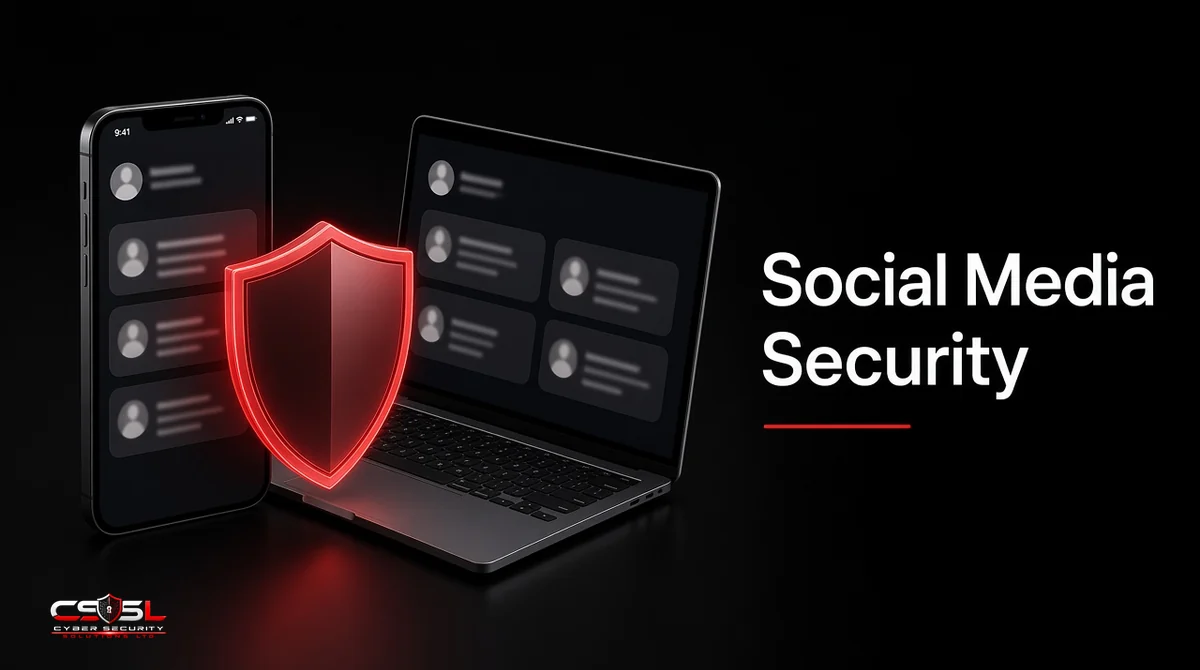
Social media security is the set of access controls, policies, monitoring and training that keeps a business’s accounts, staff and brand safe from takeover, phishing and impersonation. Your company page is a public login screen for criminals: one reused password on a shared account can hand them your audience, your customers and your reputation.
What Attackers Gain From Business Accounts
Business accounts carry trust that attackers can borrow. A hijacked company page can post scam links to thousands of followers, run fraudulent ads on a stored payment card or message customers asking for “updated” bank details. Many firms still share one login among marketing staff, agencies and freelancers, so nobody knows who has access or when a password last changed. That mix of reach, money and weak access control makes social channels an easy entry point.
Top Social Media Security Threats to Businesses
Account Takeover and Credential Theft
Attackers steal logins through phishing, password reuse from old breaches or malware on a staff laptop. Once in, they change the recovery email and lock the team out.
Social Media Phishing and Malicious DMs
Direct messages pretending to be platform support, a partner or a copyright complaint push staff toward fake login pages. Messages that threaten account suspension are especially common.
Brand and Executive Impersonation
Fake profiles copy your logo or a senior leader’s photo to scam customers, recruit victims or request payments from staff. Executive impersonation often targets finance teams.
Fake Customer Support (Angler Phishing)
Criminals watch for customers complaining about your brand, then reply from a lookalike support account and ask for card details or account logins.
Fake Recruiter and Job Scams
Bogus recruiters on professional networks send “job tests” or documents that install malware, or collect personal data from applicants under your company name.
Malware and Malicious Links
Shortened links in posts, comments and messages can lead to drive-by downloads or credential harvesting pages, often disguised as invoices or shared files.
Risky Third-Party Apps and Tool Integrations
Scheduling tools, analytics apps and browser extensions often hold OAuth tokens with posting rights. A breached or abandoned app can post on your behalf without any password.
Employee Oversharing and OSINT Reconnaissance
Staff posts about org charts, travel, tools and badge photos give attackers open-source intelligence (OSINT) for targeted phishing and pretexting.
Deepfakes and AI-Generated Scams
Cloned voices and synthetic video of executives can back up a fake payment request. The FBI has warned that criminals use generative AI to make fraud more convincing.
How Attackers Use Social Media Against Businesses
Social channels feed the whole attack chain, not just account theft. Attackers map employees and suppliers from public profiles, pick a target with payment authority, then contact them through a believable persona. Consider an illustrative case: a small logistics firm’s accounts assistant gets a LinkedIn message from a “new supplier contact” who knows the real supplier’s name and a recent project. Two days later, an email arrives asking to change bank details. The social message built the trust that made the email work. The practical takeaway is a decision rule: any payment or bank-detail change that follows contact on social media gets verified by phone using a number already on file, never one supplied in the message.
Social Media Security Best Practices for Businesses
Lock Down Access With MFA, Passkeys and a Password Manager
Turn on multi-factor authentication (MFA) or passkeys for every business account and every admin. Store unique passwords in a business password manager so nobody reuses a personal one.
Use Role-Based Access Instead of Shared Logins
Use each platform’s business manager or a social media management tool to give named people their own roles. When someone leaves or an agency contract ends, remove one user rather than resetting a shared password.
Audit Connected Apps and Admin Roles
Review connected apps and admin lists quarterly. Remove tools nobody uses and any admin who no longer needs full rights. Keep at least two trusted admins so one compromised account cannot lock out the business.
Monitor for Impersonation and Brand Abuse
Search regularly for lookalike handles, fake support accounts and copied logos, and report them through each platform’s impersonation process. Brand monitoring tools can automate the search across platforms and domains.
Train Employees on Social Media Threats
Show staff real examples of fake support DMs, recruiter lures and urgent payment requests. Short, regular sessions work better than one annual course.
How to Create a Social Media Security Policy
A usable policy fits on two pages. Cover who owns each account, who may post, how access is granted and removed, which tools are approved, what staff may share about the company, how to report a suspicious message and who leads if an account is hijacked. Name a backup owner for every account, store recovery codes securely and review the policy once a year or after any incident.
Social Media Security Checklist
- MFA or passkeys on every account and admin
- No shared logins; named roles only
- Recovery email and phone owned by the business, not a person
- Connected apps reviewed quarterly
- At least two admins per account
- Impersonation monitoring in place
- Staff trained on DM phishing and fake recruiters
- Written incident steps and contacts
What to Do If Your Business Social Media Account Is Hacked
Use the platform’s hacked-account recovery flow straight away, then reset passwords, revoke all sessions and connected apps, and check for new admins or changed recovery details. Warn followers and customers through your other channels so they ignore scam posts.
Reporting in the US (Platform, FTC, FBI IC3)
Report the compromise to the platform first. Report fraud or impersonation that harmed customers to the FTC at ReportFraud.ftc.gov, and report cybercrime losses to the FBI’s Internet Crime Complaint Center (IC3).
Reporting in the UK (Platform, Action Fraud, NCSC, ICO if Personal Data Is Exposed)
Report to the platform, then to Action Fraud, the UK’s national fraud and cybercrime reporting center. The NCSC’s guidance on recovering hacked accounts sets out recovery steps. If personal data was exposed, assess whether you must notify the ICO within 72 hours under UK GDPR, and confirm with counsel.
Keeping Social Channels From Becoming a Back Door
Social media security comes down to treating every business account like any other privileged system: named access, strong authentication, regular review and a tested recovery plan. Most takeovers start with a shared password or a convincing DM, both of which you can fix this month. Start by turning on MFA for every account and removing any shared logins. For a review of your social media and wider account security, contact Cyber Security Solutions Ltd through our contact page.
FAQs
Turn on MFA or passkeys, give each person their own role instead of a shared login, and store passwords in a password manager. Review connected apps and admins every quarter, keep recovery details under business control and train staff to spot fake support messages and urgent payment requests.
The most common risks are account takeover through phishing or reused passwords, malicious direct messages, brand and executive impersonation, fake customer support accounts, risky third-party apps and staff oversharing details attackers use for targeted scams. Most start with weak access control rather than advanced hacking.
Review admins and connected apps at least quarterly, and immediately when someone leaves or an agency contract ends. Check for impersonation accounts monthly or use automated monitoring. Revisit your social media policy once a year or after any incident or near miss.
Social media phishing uses posts, comments or direct messages to trick people into sharing logins, payment details or installing malware. Common lures include fake platform warnings, copyright complaints, job offers and lookalike support accounts. Always reach platforms or companies through official channels, never links in a message.
Yes, but through named roles in the platform's business manager, never with your main password. Grant only the rights they need, record who has access and remove it the day the contract ends. Shared logins with outside partners are one of the most common causes of takeovers.
Usually, if you act fast. Use the platform's official recovery process, provide proof of business ownership and keep recovery emails and phone numbers under company control in advance. Recovery is far harder when the only admin was a former employee or an attacker has changed every contact detail.