EDR Agents: What They Are and How They Protect Your Endpoints
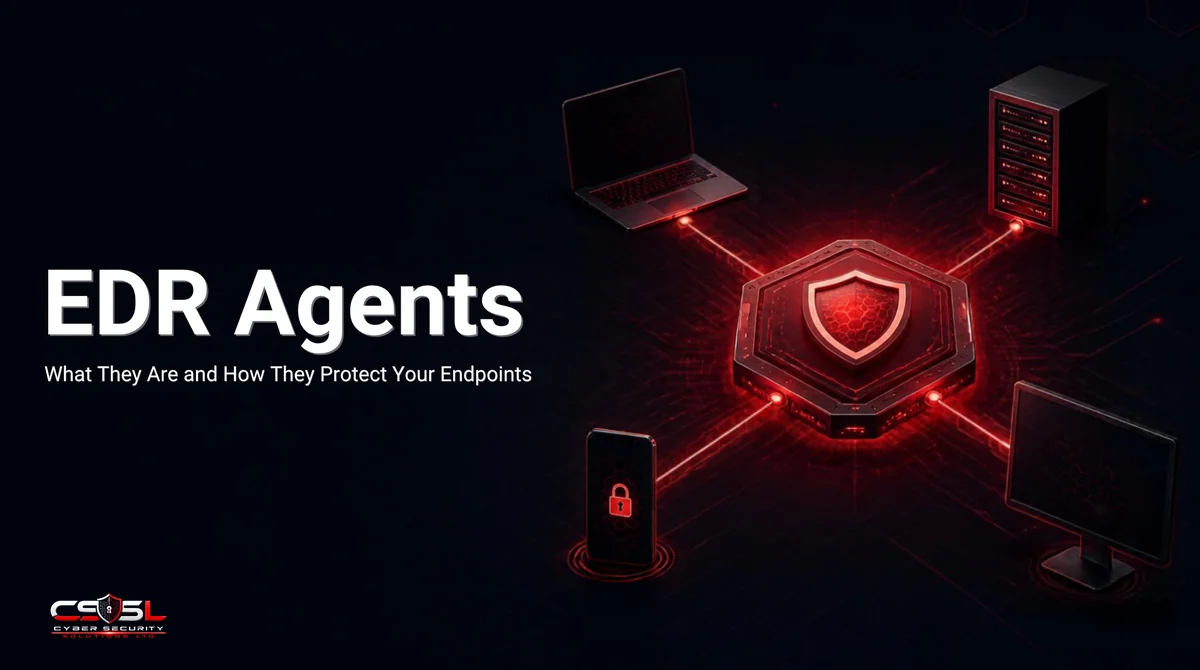
EDR agents are the lightweight software running on every protected device, continuously watching process activity and sending it off for analysis. Most businesses install one and assume the hard part is done. The real questions, what it costs your systems, whether it can crash them, and how to roll it out safely, get skipped, and that’s exactly where deployments go wrong.
What is an EDR agent, and what does it do?
An EDR agent is software installed on each endpoint that continuously collects telemetry, process creation, file changes, network connections, memory operations, and sends it for behavioral analysis against known attack patterns. Most agents combine two components: a user-space layer using API hooking, and a kernel-space layer for deeper system visibility.
The user-space component typically works by injecting itself into running processes as a DLL, intercepting specific system calls to monitor how applications interact with the operating system. This layer catches a wide range of suspicious activity without needing the deepest possible system access. The kernel-space component goes further, operating with the same privilege level as the operating system core itself, which is what gives modern EDR its strongest detection capability and, as covered next, its most serious risk.
How much does an EDR agent cost you in CPU and memory?
Vendor specification sheets and real-world user experience frequently disagree. Carbon Black’s own documentation states its sensor uses under 5% CPU and 12 to 50 MB of RAM, “designed to have no performance impact.” Independent user reviews and industry comparisons routinely describe the same product as “heavily resource intensive.”
| Source | Claim |
|---|---|
| Carbon Black official spec | <5% CPU, 12-50 MB RAM, “no performance impact” |
| Independent user reviews | “Always at the top of the list” for CPU/memory usage |
| CrowdStrike Falcon (user reports) | Consistently praised as genuinely lightweight |
This gap isn’t necessarily dishonesty on either side, it reflects that resource impact varies significantly by deployment: legacy hardware, heavy application workloads, and specific configuration choices all shift real-world usage well beyond a clean lab benchmark. CrowdStrike’s cloud-processing architecture, keeping heavy analysis off the local device, consistently earns genuinely lightweight reviews, while agents doing more local analysis tend to draw more resource complaints regardless of published specs. The practical lesson: never trust a vendor’s resource spec sheet as your only data point. Test any EDR agent against your own actual hardware and workload during a pilot, since the gap between claimed and experienced impact can be substantial, and it varies by environment in ways a generic benchmark can’t predict.
Can an EDR agent crash your system? User space vs kernel space
Yes, and the July 19, 2024 CrowdStrike outage is the clearest proof: a faulty content update to Falcon’s kernel-mode driver caused an out-of-bounds memory read, crashing an estimated 8.5 million Windows devices globally in what’s been called the largest IT outage in history.
This incident exists specifically because of the kernel-space trade-off covered above. Falcon’s sensor operates as a Windows kernel boot driver, meaning it loads with elevated, trusted privilege before most of the operating system even starts, exactly what gives it deep visibility into system behavior. When the faulty update caused the driver to attempt reading invalid memory, treating uninitialized data as a valid pointer, Windows responded the way it’s designed to when a critical kernel driver fails: it stopped the entire system rather than risk running with corrupted kernel state, producing the Blue Screen of Death visible worldwide. A user-space-only security tool experiencing the same kind of bug would typically crash just itself, not the entire operating system. This is the honest trade-off every business accepts when choosing kernel-level EDR: genuinely deeper visibility into sophisticated attacks, paired with genuine systemic risk if the vendor ships a bad update. It’s not a reason to avoid kernel-level EDR entirely, since the detection benefits are real and the incident was extraordinarily rare at this scale, but it’s a real risk worth acknowledging rather than assuming kernel-mode security software is somehow immune to the bugs that affect any other software.
The right way to roll one out: a detect-only pilot, not a big-bang deployment
A detect-only pilot means deploying the agent to a small group of endpoints in monitoring mode only, logging and observing activity without blocking or containing anything, for a minimum of 30 days before enabling automated response or expanding further.
Start with roughly 5% to 20% of your endpoints, chosen deliberately to represent your environment’s real diversity, different operating systems, different user roles, and specifically some power users running complex tools, since they’ll surface the edge-case false positives a narrower pilot group would miss. Running in detect-only mode for the full 30-day window lets the platform establish a genuine behavioral baseline for your specific environment before it’s trusted to automatically block or quarantine anything, avoiding the scenario where an untuned agent disrupts a critical business application during its first week live. Only after this pilot phase validates stability, performance, and detection quality should you move to staged expansion, critical servers next, then the remaining fleet, typically over about 60 days total rather than a single big-bang rollout across every device at once.
When multiple security agents fight each other: a real, overlooked problem
Running two security products that perform the same function on the same device, two real-time antivirus scanners, or an EDR agent alongside an unrelated antivirus tool, creates a genuine, well-documented conflict risk, not a rare edge case. Vendors themselves explicitly warn against this configuration.
Datto’s own product documentation states plainly that running its EDR alongside a separate antivirus product like Bitdefender “is not recommended,” and Datto AV automatically disables Windows Defender specifically to prevent this exact conflict from occurring. The mechanism is straightforward: two overlapping real-time scanners compete for the same file-access locks and system resources, creating performance degradation, and worse, one security tool’s own legitimate hooking or injection behavior can get flagged as suspicious by the other, triggering false alerts or, in some configurations, one tool quarantining files the other tool needs to function correctly. Microsoft’s own official Defender for Endpoint documentation includes a dedicated “mutual exclusions” configuration process specifically for running multiple security solutions side by side safely, confirming this isn’t a theoretical concern vendors ignore, it’s a known deployment reality with an established fix. Before deploying any new EDR agent, audit your existing security stack for overlapping tools first, and configure explicit mutual exclusions between any that need to coexist, rather than discovering the conflict through degraded performance or missed detections after go-live.
What should you watch for during a pilot?
Track three specific signals during your detect-only pilot: false positive volume against normal daily activity, measured CPU and memory impact on your actual hardware, and whether the agent coexists cleanly with your existing security tools without triggering the conflicts covered above.
False positive rate matters most because it directly predicts analyst burnout at scale, industry data shows SOCs can see tens of thousands of daily alerts with only a tiny fraction representing real threats, and a high false positive rate during even a small pilot signals that ratio will only worsen fleet-wide. Resource impact should be measured on your actual hardware mix, not a vendor’s benchmark machine, since legacy or resource-constrained devices frequently show meaningfully different results than a modern test laptop. Document every finding from the pilot in writing before expanding, since these three data points are exactly what determine whether you’re ready to move to staged rollout or need another tuning cycle first.
The deployment challenges that go beyond simply installing the software
Installing the agent itself is the easy part. The harder, ongoing work is tuning detection rules, establishing exclusion lists for legitimate but unusual activity, integrating alerts into your existing SIEM or ticketing workflow, and training whoever owns triage to distinguish real threats from noise.
Businesses that treat EDR deployment as complete once the installer finishes routinely discover the real work was just beginning: an untuned agent generates enough noise that legitimate alerts get missed inside the volume, and nobody assigned clear ownership for reviewing what the agent actually reports day to day. Budget time and named responsibility for this ongoing tuning work from the start, not as an afterthought once alert fatigue has already set in.
Configuration that matters: tuning the agent for your actual environment
Effective EDR configuration means setting documented, justified exclusions for known-legitimate but unusual activity, enabling tamper protection so the agent can’t be disabled by a compromised account, and enforcing automatic updates, rather than accepting default settings as sufficient for your specific environment.
Exclusions deserve particular care: every excluded path or process is a place your EDR agent won’t watch, so each one needs a documented business reason, not a blanket exclusion added to quiet a noisy alert without understanding why it fired. Tamper protection matters specifically because an attacker who’s already gained a foothold will often try to disable security tooling as an early step, and an agent that can be turned off by any local admin account provides far less real protection than one requiring separate, protected authorization to disable. Review and re-tune this configuration periodically, not just at initial deployment, since your environment, applications, and threat landscape all shift over time in ways a one-time setup won’t account for.
A realistic pilot approach if you’re not running an enterprise rollout
Run a scaled-down version of the same detect-only methodology: pilot on 5 to 10 devices representing your riskiest and most diverse use cases, hold at 30 days in monitoring mode, then expand gradually rather than deploying to every device simultaneously regardless of your team size.
The core discipline, detect-only first, representative sample, documented findings before expansion, scales down cleanly even for a business with a handful of IT staff and no dedicated security team. What changes at smaller scale is the depth of tuning you can realistically sustain ongoing, so weight your vendor selection toward platforms with strong default detection quality and lower configuration burden, rather than maximum customization you won’t have the staff time to maintain. Cyber Security Solutions Ltd runs exactly this scaled-down pilot methodology with smaller clients, and it consistently prevents the two most common small-business EDR mistakes: deploying to the full fleet immediately without a baseline, and running the new agent alongside an existing antivirus tool nobody remembered to remove first.
Conclusion
EDR agents deliver real protection, but only when deployed with an honest understanding of their resource impact, their crash risk, and how they interact with tools you’re already running. Start with a detect-only pilot, watch the three signals that actually matter, and never trust a vendor’s spec sheet as your only data point. If you want help running a structured EDR pilot for your environment, Cyber Security Solutions Ltd can walk through it with you at cybersecuritysolutionsltd.com.
FAQs
An EDR agent is software installed on each endpoint that continuously collects telemetry, process activity, file changes, network connections, and sends it for behavioral analysis. Most agents combine a user-space component using API hooking with a kernel-space component for deeper system visibility.
It monitors endpoint activity in real time, detecting suspicious behavioral patterns that signature-based antivirus would miss. When it identifies a genuine threat, it can isolate the endpoint, terminate malicious processes, or quarantine files, while preserving forensic data for investigation.
It can, though the real-world impact varies significantly by vendor, hardware, and configuration. Vendor specification sheets often claim minimal impact, but independent user reviews sometimes report the opposite. Test any agent against your actual hardware during a pilot rather than trusting specs alone.
This varies widely by vendor and deployment. Carbon Black's official specification claims under 5% CPU and 12 to 50 MB of RAM, though independent reviews report heavier real-world usage. Cloud-processing architectures, which keep heavy analysis off the local device, tend to show lower measured impact.
Yes. The July 2024 CrowdStrike outage, caused by a faulty kernel-mode driver update, crashed an estimated 8.5 million Windows devices globally. Kernel-level EDR agents carry genuine systemic crash risk in exchange for deeper detection visibility than user-space-only security tools provide.
Running two products that perform the same function, like two real-time scanners, is generally not recommended and can cause performance conflicts or false positives. Vendors document this explicitly. If you need both, configure documented mutual exclusions to prevent them from interfering with each other.
A detect-only pilot deploys the EDR agent to a small representative group of endpoints in monitoring mode only, without blocking or containment, for a minimum of 30 days. This establishes a behavioral baseline and surfaces false positives before wider, automated deployment.