Packet Filtering Firewall: How It Works, Types, Pros and Cons
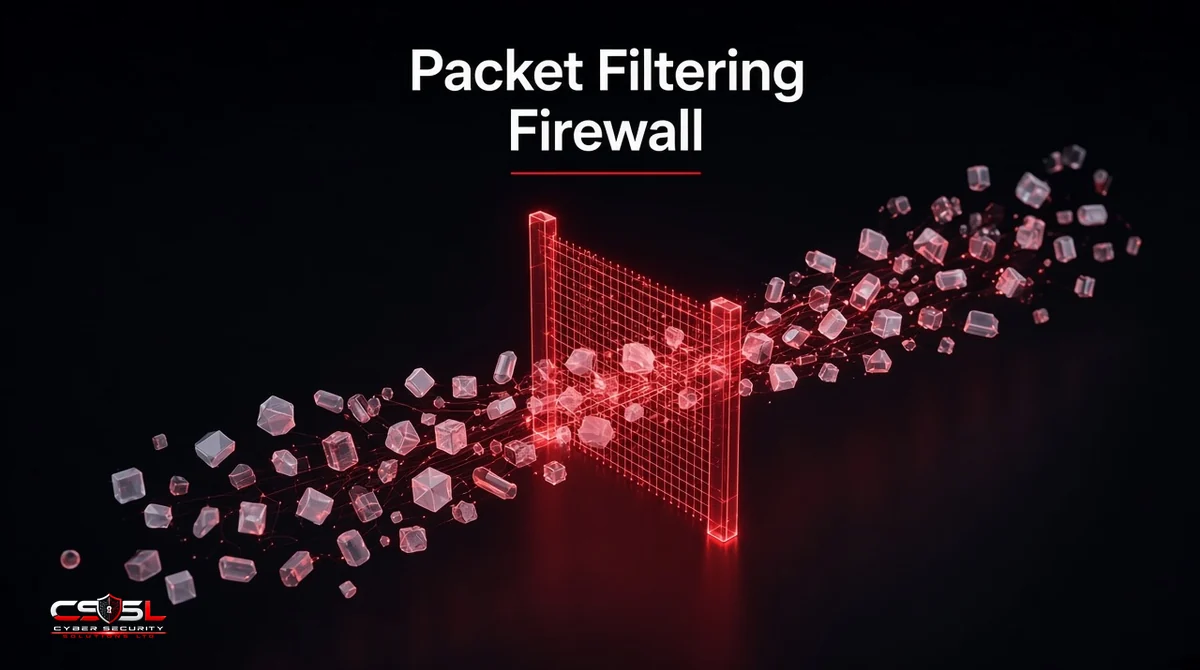
A packet filtering firewall checks each packet’s header (source and destination IP address, port and protocol) against an ordered list of rules, then allows or drops it based on the first match. It never looks at the payload. That makes it fast and cheap, and it is also why one badly ordered rule can quietly expose a server.
From Router ACLs to Cloud Security Groups: A Short History
Packet filtering was the first generation of firewall. In the late 1980s, network engineers added access control lists (ACLs) to routers so they could block traffic by address and port. Stateful inspection followed in the 1990s, then application proxies, and later next-generation firewalls (NGFWs) that inspect content and identify applications.
The early technique never went away. Every later firewall generation still runs a packet filter as its first, fastest check, and cloud platforms rebuilt the idea as network ACLs and security groups.
How a Packet Filtering Firewall Works
The filter reads the header, compares it to rules top to bottom, and acts on the first rule that matches.
The Header Fields It Checks
- Source and destination IP address: where the packet came from and where it is going.
- Source and destination port: which service it targets, such as 443 for HTTPS.
- Protocol: TCP, UDP or ICMP.
- TCP flags and interface: for example SYN or ACK, and which network interface the packet arrived on.
Rule Order, First Match and Implicit Deny
Rules are read in order and the first match wins; later rules are never consulted for that packet. If nothing matches, an implicit deny at the bottom drops it. That makes rule order a security decision. A broad “allow” placed above a specific “deny” cancels the deny.
Example Packet Filtering Rule Table
This illustrative table protects a small office web server at 203.0.113.10.
| # | Action | Source | Destination | Protocol/Port | Purpose |
|---|---|---|---|---|---|
| 1 | Deny | 10.0.0.0/8 (inbound on internet interface) | Any | Any | Block spoofed private addresses |
| 2 | Allow | Any | 203.0.113.10 | TCP 443 | Public HTTPS |
| 3 | Allow | 198.51.100.5 | 203.0.113.10 | TCP 22 | Admin SSH from office IP only |
| 4 | Deny | Any | Any | Any | Explicit default deny, logged |
Swap rules 2 and 3 for a rule allowing “Any” on TCP 22 and the server’s SSH login is open to the internet. The table still looks tidy; the exposure is invisible unless someone reads every line.
A Packet’s Path Through the Filter, Step by Step
- A packet arrives on the internet-facing interface.
- The filter reads its IP, port, protocol and flags.
- It compares those values to rule 1, then rule 2, and so on.
- At the first match, it allows or drops the packet.
- If no rule matches, the default deny drops it.
- If logging is on for that rule, the decision is recorded.
Types of Packet Filtering Firewalls
Static Packet Filtering
Rules are fixed until an administrator edits them. To allow replies, you must open return port ranges manually, which widens the attack surface.
Dynamic Packet Filtering
The firewall opens ports temporarily for a session, for example for protocols that negotiate a second channel, then closes them. It is a step toward stateful inspection.
Stateful Packet Filtering
Stateful filtering tracks each connection in a state table and allows matching return traffic automatically. It is covered in detail in our comparison of stateful and stateless firewalls.
Where You Already Use Packet Filtering
Most businesses run several packet filters without calling them that:
- Router ACLs on Cisco, Juniper and other routers.
- Cloud controls: AWS network ACLs are stateless packet filters; AWS security groups and Azure network security groups filter on the same header fields but track state.
- Linux hosts: iptables and nftables.
- Windows hosts: Windows Defender Firewall rules by port, address and program.
Pros of Packet Filtering Firewalls
- Speed: checking headers takes little processing, so filters keep up at high traffic rates.
- Low cost: the capability is built into routers, operating systems and cloud platforms.
- Transparency: users and applications do not need configuring.
- Low resource use: stateless filters hold no per-connection memory.
Cons and Limitations
No Payload or Application Awareness
A packet filter cannot see malware, a malicious file or an attack inside allowed HTTPS traffic. If port 443 is open, everything on port 443 passes.
IP Spoofing and Fragmentation Attacks
Attackers can forge source addresses to match an allow rule. Fragmented packets can split header information so later fragments slip past rules that only check the first fragment. Port scans and ACK scans also map which rules exist.
Rule Sprawl and Misconfiguration
Rules pile up over years as projects end and staff leave. NIST SP 800-41 Rev. 1, the US guidance on firewall policy, recommends regular rule review for this reason.
How to Reduce Packet Filtering Risks
- Default deny: end every rule set with an explicit, logged deny.
- Ingress and egress filtering: drop inbound packets claiming internal addresses and outbound packets with addresses you do not own, as described in IETF BCP 38.
- Specific rules: name single hosts and ports rather than ranges.
- Logging: log denies and sensitive allows, and review them.
- Quarterly rule review: every rule needs an owner and a reason; remove those without either.
Packet Filtering vs Other Firewall Types
| Type | Inspects | Tracks connections | Typical use |
|---|---|---|---|
| Packet filtering | Headers only | No | Router ACLs, edge filtering, cloud NACLs |
| Stateful | Headers plus connection state | Yes | Office and data center boundaries |
| Proxy / application gateway | Full application traffic | Yes, by terminating it | Web and email gateways |
| NGFW | Headers, state, applications and content | Yes | Main business boundary |
Deep packet inspection and application identification are what separate an NGFW from a basic filter.
When Is Packet Filtering Enough?
A packet filter alone is enough when the traffic is predictable and the risk is low: restricting a lab network, blocking unused ports on a router, filtering at a high-volume edge in front of a stronger firewall, or locking down cloud subnets alongside security groups. Use this decision rule: if any allowed service faces the internet or handles customer data, add stateful inspection and content inspection behind the filter. In the UK, the Cyber Essentials firewall control requires default-deny inbound rules with documented approval for each allowed service, which a packet filter can meet, but that is a minimum.
FAQs
Packet filtering is one type of firewall, and the oldest. The word firewall covers any control that enforces traffic rules between networks, including stateful firewalls, proxies and NGFWs. Nearly all of them still include packet filtering as a first layer before deeper inspection.
No. A packet filtering firewall reads only the header fields: IP addresses, ports, protocol and flags. It does not read the payload, so it cannot detect malware, malicious commands or data leaks inside allowed traffic. Deep packet inspection is needed for that.
Yes. Next-generation firewalls apply header-based rules first because they are fast, then run stateful tracking, application identification and threat inspection on what passes. Cloud platforms, routers and operating system firewalls also use packet filtering every day.
In practice, yes. A router access control list permits or denies traffic by address, port and protocol, which is exactly what a stateless packet filter does. Most router ACLs lack logging and management features of a dedicated firewall, so treat them as a layer, not the whole boundary.
Attacks hidden inside allowed traffic, such as malware over HTTPS, pass straight through. IP spoofing can match allow rules, and fragmentation can hide header details from simple filters. Ingress filtering, specific rules and a stateful or next-generation firewall behind the filter reduce these risks.
As the only control, rarely. As a layer, yes. Router and cloud packet filters are free and fast, and they block a lot of unwanted traffic. Most small businesses also need a stateful firewall with web filtering and security updates at the main internet connection.
Keep Your Filters, Check Your Rule Order
The packet filtering firewall is still the fastest first check on any network, and its weaknesses are well known: no payload visibility, spoofing and rule sprawl. This week, export the rules from one router or cloud network ACL and confirm each has an owner, a reason and a position that does not cancel a deny below it. For a second opinion on your firewall rules, Cyber Security Solutions Ltd offers a free, no-obligation cyber security assessment through our contact page.