OT Endpoint Security: How to Protect Industrial Workstations and HMIs
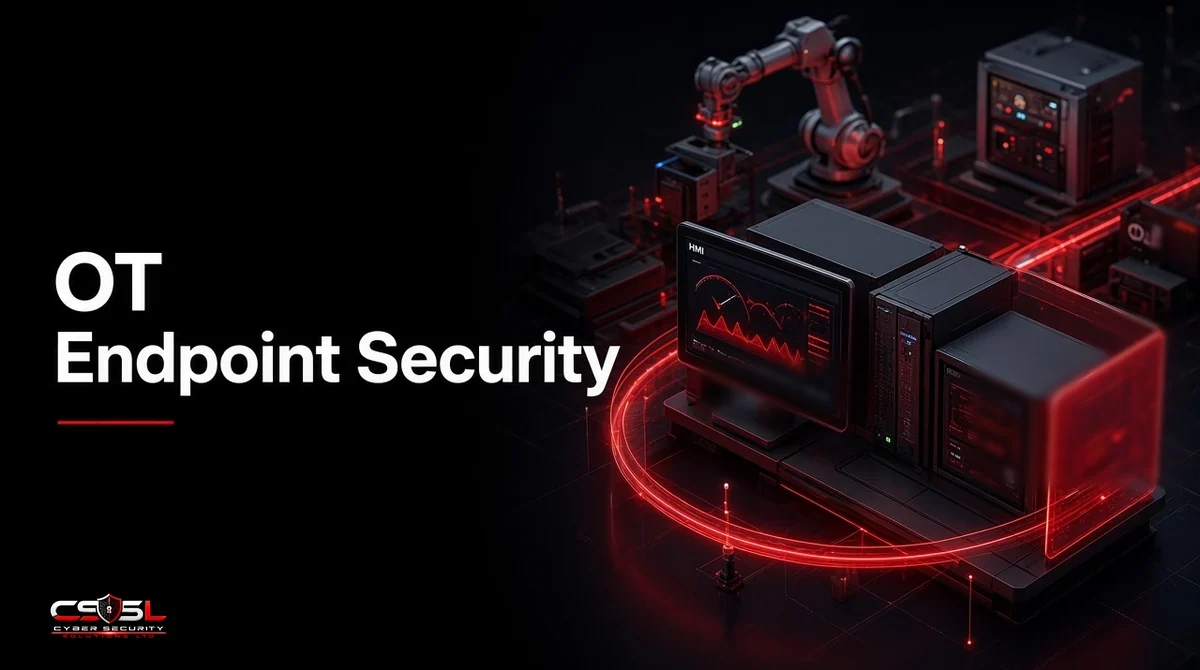
OT endpoint security protects the Windows HMIs, engineering workstations, historians and servers that run industrial processes, using application allowlisting, removable media control, hardening and OT-safe monitoring instead of standard IT antivirus. These machines often run old operating systems, cannot reboot on demand, and one bad agent update can stop a production line.
Which Devices Count as OT Endpoints
Operational technology (OT) endpoints are the general-purpose computers on the plant side, not the controllers themselves. They include:
- Human-machine interfaces (HMIs): the screens operators use to run the process
- Engineering workstations: where engineers program PLCs and change logic
- Historians: servers recording process data
- SCADA and application servers: supervisory and batch systems
- Contractor and vendor laptops that connect during maintenance
Where OT Endpoints Sit in the Purdue Model
In the Purdue reference model, HMIs and engineering workstations sit at Levels 2 and 3, above the controllers at Level 1 and below the business network at Level 4. That position makes them the bridge attackers use to move from corporate IT toward the physical process.
Why IT Endpoint Agents Fail in OT
IT security tools assume patched systems, internet access and planned reboots. Plants offer none of those reliably.
Legacy Operating Systems and Vendor Lock-In
Many HMIs run Windows versions their vendor certified years ago, sometimes Windows 7 or older. Upgrading can void the ICS vendor’s support, so the machine stays as it is for the life of the line.
Uptime, Reboots and Performance Limits
A full disk scan on an HMI can slow screen updates, and a forced reboot during a batch can cost a shift. Agents must be lightweight and changes scheduled around production.
Air Gaps, No Cloud and Signature Updates
Many OT networks have no internet route by design. Cloud-dependent agents and daily signature downloads do not work, so tools must run fully offline.
Top Threats to Industrial Workstations
The biggest risks usually arrive through ordinary IT routes rather than exotic ICS exploits.
Ransomware Spreading From IT to OT
Ransomware that starts in the office often reaches plant workstations through shared accounts, file shares or flat connections. Even when it never touches OT, companies often shut production down as a precaution.
Infected USB Drives and Contractor Laptops
Removable media and visiting laptops remain the classic route across an air gap.
Remote Access Abuse
Vendor remote access tools left always-on with shared passwords give attackers a direct path to engineering workstations.
ICS-Specific Malware
Stuxnet (discovered in 2010) spread through USB drives and engineering software. Industroyer was used against Ukraine’s power grid in 2016, and TRITON targeted safety systems in 2017. Each relied on reaching Windows machines that talk to controllers.
Core OT Endpoint Security Controls
The controls below are listed roughly in order of value for most plants.
Application Allowlisting (Lockdown)
Allowlisting lets only approved programs run. Because HMI software rarely changes, a lockdown baseline fits OT well and blocks most malware without signatures.
OT-Safe EDR and Endpoint Sensors
Endpoint detection and response (EDR) can work in OT if it is certified by your ICS vendor, runs offline and is set to detect and alert rather than automatically kill processes.
Removable Media Control and Portable Scanners
Block USB storage by default. Require every drive to be checked at a scanning kiosk at the plant entrance before use.
Hardening and Least Privilege
Remove unused software and services, disable autorun, and stop operators logging in as administrators.
Risk-Based Patching and Virtual Patching
Patch when the vendor approves and a maintenance window allows. For machines you cannot patch, virtual patching through network controls or host intrusion prevention reduces exposure.
Backups and Golden Images
Keep tested offline images of every HMI and workstation, plus PLC project files. Recovery speed matters more than anything else after an incident.
Securing a Legacy HMI You Cannot Patch
Most plants have at least one critical machine nobody is allowed to touch. Picture an illustrative food processing site with a Windows 7 HMI that runs its main mixing line. The line vendor will not support an operating system upgrade until the line is replaced, which is years away.
Leaving it alone is not the same as leaving it unprotected. Use this sequence:
- Take a full image backup during the next planned stop and test that it restores to spare hardware.
- Apply an allowlisting product certified for the HMI software, in audit mode for two weeks, then enforce.
- Disable USB storage and remove any internet or email access.
- Put the HMI in its own zone so only the historian and engineering workstation can reach it, on named ports.
- Remove standing vendor remote access and replace it with supervised, time-limited sessions.
A practical decision rule: any unpatchable OT machine must have at least three compensating controls (allowlisting, network isolation and a tested image) before the risk is accepted in writing by the plant manager. That turns “we cannot patch it” from an excuse into a managed exception.
IT vs OT Endpoint Controls at a Glance
| Control | Typical IT approach | OT approach |
|---|---|---|
| Malware defense | Signature antivirus, cloud EDR | Allowlisting, offline OT-safe EDR |
| Patching | Monthly, automatic | Vendor-approved, in maintenance windows |
| Response | Auto-isolate, kill process | Alert first, human decision |
| USB | Often allowed | Blocked, kiosk scanning |
| Updates | From the cloud | Offline or via a staging server |
OT Endpoint Security Solutions: What to Look For
Choose tools that your ICS vendors have tested with their software, that run without cloud connectivity, and that use little CPU and memory. Vendors active in this space include TXOne Networks, Nozomi Networks, Claroty, Dragos, AhnLab and Trellix; some focus on endpoint lockdown and others on network visibility. This list is unranked.
How to Secure Industrial Workstations Step by Step
- Build an asset inventory of every OT endpoint, its operating system and its vendor support status.
- Rank machines by process impact.
- Take and test golden images.
- Apply hardening and remove administrator rights.
- Deploy allowlisting in audit mode, then enforce.
- Lock down USB and remote access.
- Add OT-safe monitoring and send alerts to whoever runs security.
- Review exceptions every quarter.
Standards That Apply: ISA/IEC 62443 and NIST SP 800-82
The ISA/IEC 62443 series is the main international standard for industrial automation security and covers both asset owners and product suppliers. In the US, NIST SP 800-82 Revision 3 (2023) is the guide to OT security, and CISA publishes ICS advisories and recommended practices. In the UK, the NCSC’s Cyber Assessment Framework (CAF) is used to assess operators of essential services under the NIS Regulations.
Endpoint Security and OT Network Segmentation Work Together
Endpoint controls protect each machine. Segmentation limits what can reach it. Neither is enough alone: a locked-down HMI on a flat network is still exposed, and a segmented zone full of unprotected machines falls fast once breached.
FAQs
Only if the ICS vendor approves it. Many recommend allowlisting instead, because scans and updates can affect performance.
Use allowlisting, network isolation, USB blocking and tested image backups, and record the risk acceptance formally.
OT puts availability and safety first, so controls are lighter, offline and alert-first, while IT can patch and respond more aggressively.
No. Pair it with hardening, segmentation, removable media control and backups.
Usually a joint team: plant engineering owns the process, and IT or security owns the controls and monitoring.
Quarterly for exceptions and access, and after any line change or vendor visit.
Starting Your OT Endpoint Security Program
Effective OT endpoint security starts with knowing which machines you cannot afford to lose and protecting those first. If you want help assessing industrial workstations without disrupting production, Cyber Security Solutions Ltd offers a free, no-obligation assessment through our contact page.