Firewall as a Service (FWaaS): Software, Policy Management and How to Choose
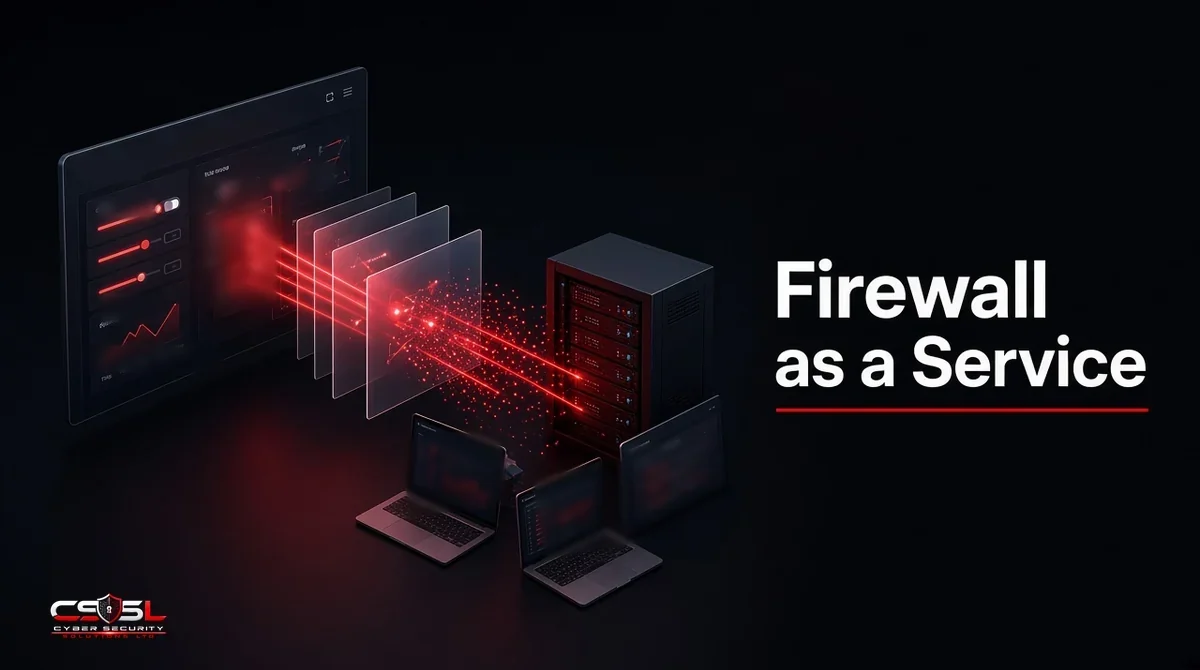
Firewall as a service (FWaaS) is a next-generation firewall delivered from a provider’s cloud, applying one policy to remote users, branch offices and cloud workloads. The buying question is less about the firewall engine, which most vendors do well, and more about how easy the policy is to manage once hundreds of rules pile up.
Inside FWaaS Software: Core Capabilities
Most FWaaS products offer a similar core feature set, so compare how each capability is managed rather than whether it exists.
Layer 3 to 7 Rules, Application Control and User Identity
Rules can match ports and addresses, but the real value is application awareness and identity. A rule such as “Finance group may use the payroll app; everyone else is blocked” follows the user wherever they connect.
Intrusion Prevention, DNS Security and TLS Inspection
Intrusion prevention (IPS) blocks known exploit traffic. DNS security stops lookups to malicious domains. TLS inspection decrypts traffic so these checks can see inside it, with exceptions for banking and health sites where privacy rules or policy require them.
How Traffic Reaches the Service
Remote users connect through a lightweight agent. Offices send traffic through IPsec or GRE tunnels, often from an SD-WAN device. Cloud networks connect through tunnels or provider integrations. Check that every location and user type you have is supported before shortlisting.
How FWaaS Policy Works
Policy is where FWaaS either saves time or creates a new mess.
One Global Policy for Users, Sites and Clouds
The main advantage over separate appliances is a single rule base. A change made once applies everywhere, which removes the drift you get when ten branch firewalls are edited by hand.
Rule Order, Objects and Identity-Based Rules
Rules usually process top-down, first match wins. Use reusable objects, such as named groups of apps, users and networks, rather than hard-coded addresses. Identity-based rules tied to your directory survive staff moves and office changes.
Policy as Code and APIs
Most FWaaS platforms expose APIs, and some support Terraform providers. Storing rules as code adds review, history and rollback.
Managing FWaaS Day to Day
The firewall engine is the vendor’s job. Policy hygiene is yours, and it is where FWaaS projects tend to slip.
Change Control and Approvals
Require a ticket, a business owner and a review for every rule change. Many platforms support staged commits or approval workflows; turn them on from day one.
Logging, SIEM Integration and Reporting
Send logs to your SIEM or log platform. Check how long the provider keeps logs, where they are stored, and whether exporting them costs extra.
Rule Reviews and Cleanup
Here is a practical routine that keeps a global policy readable. Every quarter, export the rule base with hit counts. Any rule with zero hits in 90 days gets disabled, not deleted, and is removed after another 30 days if nobody complains. Any rule allowing “any” application or “any” destination needs a named owner and a written reason. Shadowed rules, where an earlier rule already matches the same traffic, get merged or removed.
Picture an illustrative 200-person firm two years into FWaaS. It started with 40 clean rules and now has 380, many added for one-off projects. Nobody knows which are safe to remove, so every new request becomes another rule at the bottom. A quarterly hit-count review would have caught most of them early. The decision rule is simple: if the rule base grows more than 20 percent between reviews without a matching business change, pause new rules until cleanup is done.
Managing FWaaS Alongside On-Premises Firewalls
During migration, and often for good, you will run FWaaS next to data center or factory appliances. Vendor managers, such as Palo Alto Networks Strata Cloud Manager and Fortinet FortiManager, cover their own products. Independent policy tools, such as FireMon, Tufin and AlgoSec, help when several vendors are involved.
FWaaS vs NGFW Appliance vs Cloud-Native Firewall
| Option | Where it runs | Best fit |
|---|---|---|
| FWaaS | Provider’s cloud | Distributed users and branches |
| NGFW appliance | Your site or data center | Large sites, OT and local traffic |
| Cloud-native firewall | Inside your AWS, Azure or Google Cloud network | Traffic between cloud workloads |
Many organizations use all three: FWaaS for users and branches, appliances for heavy local traffic and cloud-native firewalls inside their cloud networks.
FWaaS Vendors Compared
The list below is neutral and unranked. Most of these vendors sell FWaaS as part of a secure access service edge (SASE) platform.
- Zscaler: cloud-first security service edge with FWaaS for users and branches
- Palo Alto Networks Prisma Access: SASE built on the company’s NGFW technology
- Cato Networks: single-vendor SASE with its own global backbone
- Fortinet FortiSASE: cloud service tied to the FortiGate ecosystem
- Netskope One: SASE platform with FWaaS alongside data protection
- Cisco Secure Access: security service edge with firewall functions
- Check Point: cloud firewall within its SASE offering
- Cloudflare: firewall functions delivered across its edge network
- Versa Networks: SASE with strong SD-WAN integration
How to Choose FWaaS Software: 8 Questions to Ask
- Does it support every user, site and cloud connection method we use?
- Are points of presence close to our offices and staff in the US and UK?
- How are rules staged, approved and rolled back?
- Does it integrate with our identity provider and SIEM?
- What TLS inspection exceptions can we set?
- Where are logs stored and for how long?
- Can policy be managed by API or as code?
- What happens to traffic if the service has an outage?
FWaaS Pricing and Licensing Models
Licensing is usually per user, per site or by bandwidth, and often bundled with other SASE features. We have not listed prices, because they are quote-based and change often. Ask for a written quote that separates FWaaS from bundled modules and includes log retention.
Migrating From Appliances to FWaaS
Move in phases. Start with remote users, then small branches, then larger offices. Rebuild the rule base rather than copying it, since migrating an untidy appliance policy brings the mess with it.
US and UK Considerations
NIST SP 800-41 Revision 1 remains the core US guidance on firewall policy, and CISA’s zero trust guidance treats centrally managed network controls as part of maturity. In the UK, check where traffic is processed and logs are stored under UK GDPR, and whether the service is listed on the government’s G-Cloud framework if you buy for the public sector.
FAQs
No. FWaaS is the cloud delivery model. A managed firewall is a service where someone else runs the firewall for you, which can include FWaaS.
Often, for small offices. Larger sites may keep an appliance for local traffic and use FWaaS for internet access.
Yes, FWaaS is one of the core components of SASE, alongside secure web gateway, CASB and zero trust network access.
Yes, especially for teams with remote staff and no on-site IT, as there is no hardware to patch.
Remote users can move in days. Full branch migrations usually run over weeks or months, depending on site count.
Yes, through TLS inspection, which requires installing a trusted certificate on managed devices.
Keeping FWaaS Manageable
Firewall as a service pays off when the policy stays small, owned and reviewed. Choose the platform that makes that easiest for your team. If you want a vendor-neutral view of your options or a rule-base review, Cyber Security Solutions Ltd offers a free, no-obligation assessment through our contact page.