Cloud Migration Security: How to Move to the Cloud Safely
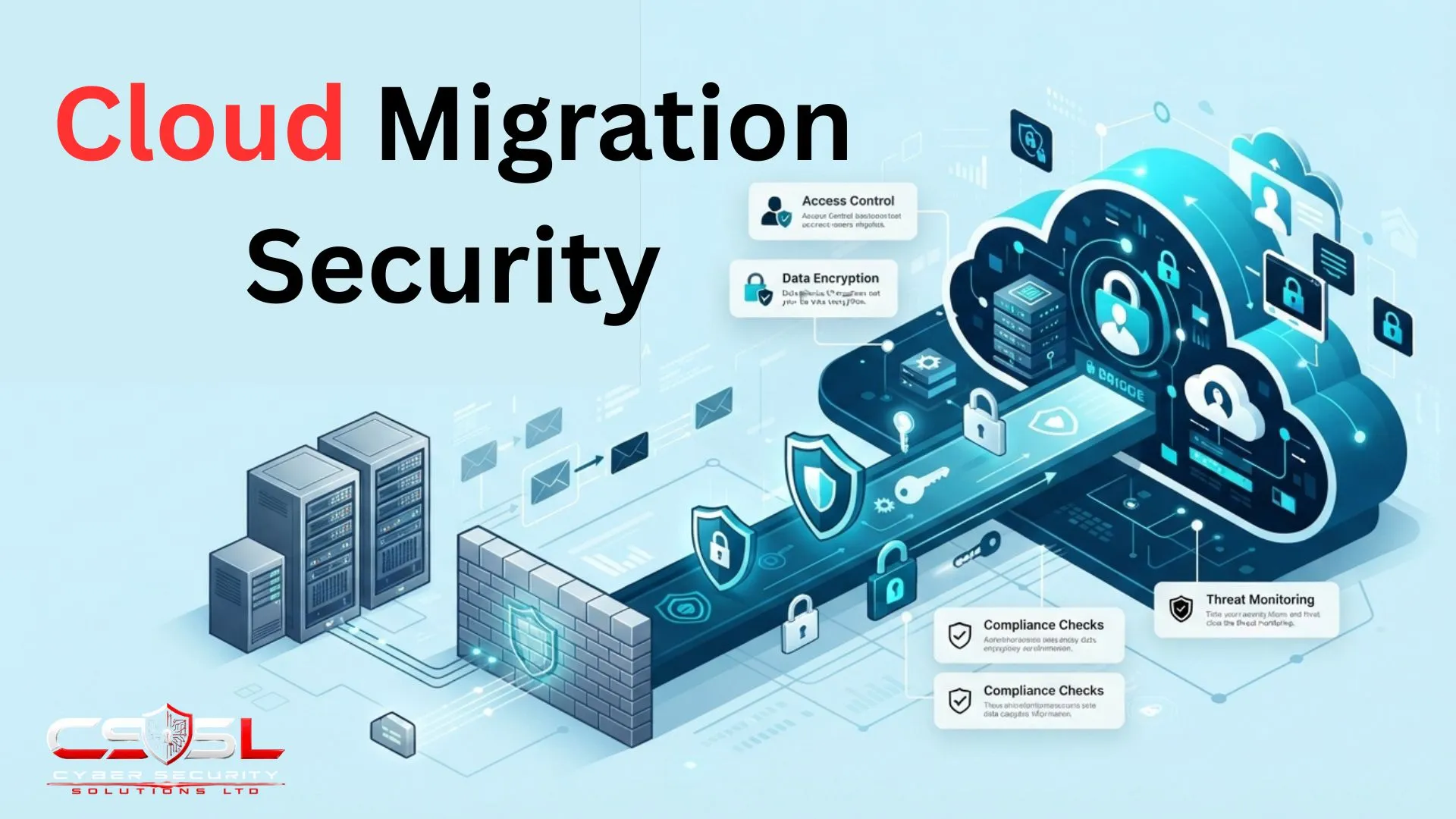
Cloud migration security means applying specific controls during the transition between environments, covering data in transit, temporary hybrid connectivity and migration tooling access. If you did a lift-and-shift migration and just realized you brought every one of your old vulnerabilities with you, this guide explains exactly why that happened.
What Is Cloud Migration Security?
This is the set of controls, processes and decisions applied specifically to protect data, workloads and identities during the transition from one environment to another, whether on-premise to cloud, cloud to cloud, or increasingly, cloud back to on-premise.
Every prior post in this series addressed a permanent state. This addresses a temporary, bounded window in which the organization operates in two paradigms simultaneously, with doubled complexity. The same principles apply symmetrically to repatriation, moving workloads back from cloud to on-premise or between clouds, an increasingly common 2026 scenario.
Migration is a disproportionately high-risk window. Verizon DBIR and CSA research consistently show that periods of significant infrastructure change correlate with elevated incident rates, since temporary configurations, rushed timelines and unfamiliar tooling create exactly the conditions misconfiguration thrives in.
What Are the 6 Rs of Cloud Migration, and How Does Each Affect Your Security Risk?
Rehost moves a workload unchanged, carrying every existing vulnerability with it. Replatform optimizes along the way. Repurchase replaces it with SaaS, shifting responsibility toward the provider. Refactor rebuilds it cloud-native, the most secure long-term option if done with discipline. Retain and Retire keep or decommission it.
| Approach | What It Means | Security Risk Profile | Key Consideration |
| Rehost | Move unchanged (lift-and-shift) | Carries every existing flaw forward | Fastest, but posture is only as good as the source |
| Replatform | Move with light optimization | Chance to fix known issues in transit | Modestly higher cost and time |
| Repurchase | Replace with SaaS equivalent | Shifts responsibility toward provider | Introduces new SaaS configuration risk |
| Refactor | Rebuild cloud-native | Most secure long-term outcome | Slowest, and risky if built without discipline |
| Retain | Keep on-premise for now | Creates ongoing hybrid exposure | Needs sustained network security treatment |
| Retire | Decommission entirely | Removes the risk outright | Needs secure, verified decommissioning |
The choice of migration approach is not just a project management or cost decision. It is a direct security decision. Rehost, lift-and-shift, carries every existing vulnerability, misconfiguration and outdated dependency directly into the new environment unchanged. A rehosted, unpatched legacy system in the cloud is not meaningfully more secure than it was on-premise, regardless of how strong the surrounding infrastructure is.
Refactor is the most security-favourable long-term outcome, since it can be built with proper discipline from the outset, but it is also the slowest and most expensive path. Retire connects directly to the legacy decommissioning risk covered later in this guide.
What Does a Cloud Migration Security Strategy Need to Cover Before You Move Anything?
This is a scoped, project-specific security plan for a defined migration effort with a start and end date, distinct from but ideally aligned with the organization’s ongoing, continuous cloud security strategy.
Confirming the destination architecture exists before migration begins matters enormously. Migrate into a properly designed landing zone, with zones, account structure and identity federation already established, rather than provisioning an ad hoc destination mid-migration.
Define success criteria and rollback conditions upfront too, a documented threshold at which a cutover will be paused or reversed, decided calmly before migration begins rather than improvised under pressure during a live cutover window. Assign named ownership for migration-specific security decisions too, consistent with the accountable-role discipline already established elsewhere in this series.
How Do You Classify and Prioritize Data Before Migration?
DSPM continuously discovers and classifies data already living in a cloud environment, but it cannot classify data that has not yet moved. Pre-migration classification is a distinct, earlier-stage exercise using the same underlying discipline.
Inventory what data exists in the source environment, classify it by sensitivity, public, internal, confidential, regulated, and use that to sequence migration. Highly sensitive or regulated data may warrant additional controls, dedicated migration windows or specific regional hosting decisions made before any transfer begins.
Encrypt data specifically during transit as part of the migration itself, separate from encryption at rest once landed. Data actively moving between source and destination represents its own discrete, time-bound exposure that steady-state encryption policy does not automatically cover.
For UK and EU organizations specifically, confirm which cloud region data will land in before migration begins. Correcting a residency decision afterward is materially harder than making it correctly the first time.
What Changes About Shared Responsibility During the Migration Itself?
During migration, responsibility temporarily widens rather than narrows. The organization keeps full responsibility for the legacy source environment while simultaneously taking on the customer side of the cloud responsibility line for the destination.
Here is the genuinely new nuance this section adds. The shared responsibility model already established in this series covers steady-state IaaS, PaaS and SaaS environments. During active migration, the organization temporarily holds full, traditional responsibility for the legacy source environment while simultaneously taking on the customer side of the cloud responsibility line for the destination. Responsibility is briefly wider, not narrower, than either state alone.
This transitional widening is routinely underestimated. Organizations planning migration frequently budget and staff for the destination state’s responsibility only, without accounting for the fact that both environments require active security attention simultaneously for the duration of the migration.
Migration planning should explicitly account for this temporary, doubled window, rather than assuming security effort can be reduced on the source side simply because attention has shifted toward the destination. A team that quietly stops watching the legacy environment the moment migration begins is leaving exactly the gap an attacker needs, since that environment remains live, connected and holding real data throughout.
What Are the Biggest Cloud Migration Security Challenges During the Move?
Data moving between source and destination represents a discrete, time-bound window of exposure distinct from data at rest in either environment, requiring the transit-specific encryption already covered above.
Configuration drift matters too. A setting correctly configured on-premise does not automatically translate into an equivalent cloud setting, meaning every migrated resource needs explicit verification against the destination architecture rather than an assumption that configuration transferred faithfully.
Timeline pressure compressing security review is a well-documented pattern, precisely the condition under which misconfiguration is most likely to occur. Incomplete inventory rounds this out, since migration frequently surfaces shadow IT and forgotten legacy systems never part of the original scope.
How Do You Secure the Hybrid State While Migration Is in Progress?
For the duration of migration, the organization is neither purely on-premise nor purely cloud. This hybrid state introduces connectivity requirements, VPN Gateway or Transit Gateway connections, that exist only temporarily but require the same rigour as permanent infrastructure.
Common hybrid-state risks specific to migration include temporary firewall rules opened for migration tooling and left in place longer than intended, synchronization tools running continuously with their own credentials, and DNS and routing that must correctly reflect which environment holds the authoritative copy of a system.
Apply the same zone and segmentation discipline already established for network security to the hybrid connection itself, treating the migration link as its own security zone, not an unmonitored, implicitly trusted pipe.
Why Does Migration Tooling Itself Introduce Security Risk?
Migration tools need broad, privileged access to both environments to function, granted for a legitimate, time-bound purpose that very often never gets revoked once migration completes.
This is the direct, concrete payoff of the shadow access pattern already established elsewhere in this series. Migration tools, database migration services, server replication tools, third-party platforms, routinely require broad, privileged access to both source and destination environments to function. That access is granted for a legitimate, time-bound purpose that very often never gets explicitly revoked once migration completes.
Why is this a genuinely common, not theoretical, gap? Access grants are typically provisioned under time pressure with a focus on getting the migration to work. Revoking that access afterward requires a deliberate, separate step that is easy to overlook once attention has moved to the next project.
The prevention discipline directly applies existing IAM guidance. Scope migration tooling access as narrowly as the specific task requires. Set an explicit, calendared expiry date at the point of granting it, rather than relying on someone remembering to revoke it later. Treat migration credentials with the same governance rigour as any other privileged, non-human identity.
An unrevoked migration tool credential is one of the most common findings Cyber Security Solutions Ltd turns up in a post-migration access review, sometimes years after the migration was declared complete and forgotten.
How Do You Securely Decommission Legacy Systems After Migration?
Successfully migrating a workload to the cloud does not automatically make the original, legacy system safe to abandon or forget about.
Secure data wiping matters, not just deletion. Sensitive data remaining on decommissioned hardware, storage media or backup systems represents genuine, ongoing exposure until it is properly and verifiably wiped, not merely deleted at the file-system level.
Revoke legacy access and credentials too. Accounts, VPN access and service credentials tied to the retired system should be explicitly revoked, since a decommissioned system with still-active credentials remains a viable attack path even though it no longer serves any legitimate function.
Update documentation and policy to reflect the post-migration reality, removing references to systems that no longer exist rather than leaving stale documentation.
Cloud Migration Security Checklist: Pre-Migration, During and Post-Migration
Pre-migration: classify data, choose a migration approach, confirm the landing zone, and scope tooling access with an expiry date. During migration: encrypt data in transit and secure the hybrid connection as its own zone. Post-migration: validate against your architecture, then securely wipe and decommission legacy systems.
| Phase | Primary Risk | Primary Control |
| Pre-migration | Unclassified data, ad hoc destination | Classification, landing zone confirmation |
| During migration (hybrid state) | Data exposure, tooling access, drift | Transit encryption, scoped access, zone discipline |
| Post-migration | Unrevoked access, stale legacy systems | Validation, secure wipe, credential revocation |
This is a project checklist for a single, bounded migration, distinct from the ongoing cloud security best-practices checklist covering any environment indefinitely, covered separately elsewhere in this series.
- Classify and inventory data before migration begins.
- Choose a migration approach, one of the 6 Rs, understanding its security implications.
- Confirm the destination landing zone is already designed before migrating into it.
- Scope and time-limit migration tooling access with an explicit expiry date.
- Encrypt data specifically in transit during the transfer itself.
- Secure the hybrid connectivity state as its own zone for the migration’s duration.
- Validate the migrated environment against your architecture and risk assessment.
- Securely wipe and decommission legacy systems and revoke all temporary access.
Conclusion
Cloud migration security is not a checkbox you tick once before the move and forget about. It is a distinct project with its own risks, its own doubled responsibility window, and its own cleanup afterward. Choose your migration approach with security in mind, not just cost and speed, and treat legacy decommissioning as seriously as the migration itself. To get a pre-migration security assessment and oversight that catches misconfiguration, excessive tooling access and decommissioning gaps before, during and after your move, visit Cyber Security Solutions Ltd.
FAQs
Yes, provided the transition itself gets treated as its own security project. Migration is a genuinely higher-risk window than steady-state cloud security, since temporary configurations, rushed timelines and unfamiliar tooling combine to create the exact conditions misconfiguration thrives in. Planning for that window specifically is what makes the move safe.
Yes. Rehost, the lift-and-shift approach, moves a workload with minimal change, meaning every existing vulnerability, misconfiguration and outdated dependency comes along unchanged. The destination’s overall posture is only ever as good as what was already true on-premise before the move happened.
A migration security strategy is scoped to one project, with a defined start and end date, distinct from the organization’s continuous, ongoing cloud security strategy across its entire environment. The two should align closely, but answer genuinely different planning questions.
Because responsibility temporarily widens rather than narrows. The organization keeps full responsibility for the legacy source environment while simultaneously taking on the customer side of the cloud responsibility line for the destination, meaning both environments need active attention at once, not just one.
Review it directly rather than assuming. Migration tools routinely get broad, privileged access that is granted for a legitimate, time-bound purpose and very often never explicitly revoked once the project ends. Treat migration credentials with the same governance rigour as any other privileged identity.
Securely and verifiably wipe any sensitive data on the hardware, not just delete it at the file-system level. Revoke every account, VPN connection and service credential tied to the retired system, and update your policy and architecture documentation to remove references to systems that no longer exist.