Advanced Threat Protection (ATP): How It Stops Targeted Attacks
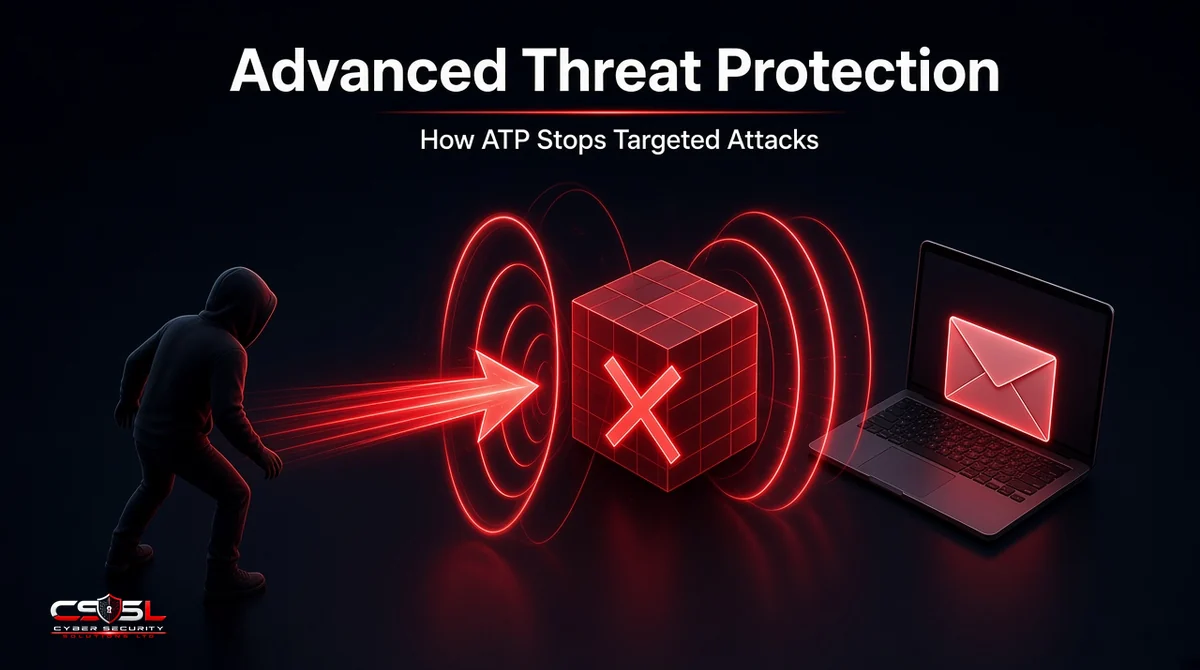
What stops an attacker who has studied your company, written a phishing email for one finance manager and used malware no antivirus has seen before? Advanced threat protection is the set of defenses built for exactly that kind of patient, targeted attack. Here is how it works, stage by stage.
What Is Advanced Threat Protection (ATP)?
Advanced threat protection (ATP) is a category of security tools that detects and blocks sophisticated, targeted attacks that signature-based antivirus misses. It combines threat intelligence, behavioral analysis, sandboxing and automated response across email, endpoints and networks. Note the letters: an APT is the threat; ATP is the defense.
What Makes a Threat “Advanced”?
An advanced threat is planned, tailored and persistent. Attackers research the target, use custom or rarely seen malware, exploit unpatched or unknown flaws, and try to stay hidden for weeks or months. Advanced persistent threat (APT) groups, often state-linked or well-funded criminals, are the clearest example.
Targeted Attacks vs Commodity Malware
Commodity malware is sent widely and reused, so signatures catch most of it. Targeted attacks are aimed at one organization, changed for each victim and often use legitimate tools, so they rarely match anything known. ATP is built for the second group.
How Does ATP Work?
Early Detection: Threat Intelligence and Behavioral Analysis
ATP tools draw on threat intelligence feeds about known attacker infrastructure, domains and techniques, often mapped to MITRE ATT&CK. Behavioral analysis then watches for suspicious activity, such as a document launching a script or a user account touching systems it never uses.
Sandboxing and Detonation of Unknown Files
Unknown attachments and downloads are opened in an isolated virtual environment, a sandbox, where the tool watches what they do. If a file tries to drop malware, change settings or contact a command server, it is blocked before it reaches the user.
Real-Time Blocking and Response
When a threat is confirmed, ATP blocks the email, link, file or connection, isolates affected devices and alerts the security team, often automatically and within seconds.
Investigation and Remediation
Analysts get a timeline of what happened, which devices and accounts were involved, and tools to remove malicious emails from every inbox, kill processes and reset credentials.
How ATP Stops a Targeted Attack, Stage by Stage
Spear Phishing and Malicious Links
A tailored email reaches the finance manager. Email ATP checks the sender’s reputation and authentication, rewrites links so they are checked at the moment of the click, and detonates the attachment in a sandbox. A malicious file is quarantined; a link that turns malicious later is blocked when clicked.
Zero-Day Exploits and Fileless Malware
If a payload gets through, endpoint ATP watches behavior rather than signatures. An Office app spawning PowerShell, code injecting into memory or an exploit of an unpatched flaw triggers detection, even when no file is written to disk.
Lateral Movement and Command and Control
Network ATP and endpoint telemetry look for an account suddenly connecting to many machines, credential theft attempts, or regular “beacon” traffic to unfamiliar domains. Blocking that command and control traffic cuts the attacker off from the compromised device.
Types of Advanced Threat Protection
Email ATP
Protects mailboxes with attachment sandboxing, time-of-click link checks, impersonation and business email compromise detection, and post-delivery removal. Email is the most common entry point for targeted attacks.
Endpoint ATP
Runs on laptops and servers, using behavioral detection, exploit prevention and automated response. Modern endpoint ATP is usually delivered as EDR.
Network ATP
Inspects traffic for intrusion attempts, malicious downloads, command and control and lateral movement, through next-generation firewalls, intrusion prevention and network detection tools.
Key Features of an ATP Solution
- Threat intelligence integration, mapped to MITRE ATT&CK
- Sandboxing of unknown files and URLs
- Behavioral and machine learning detection
- Time-of-click link protection
- Automated blocking, isolation and rollback
- Central console with investigation timelines
- Integration with SIEM, identity and other security tools
Benefits of ATP
ATP catches threats that antivirus misses, shortens the time attackers stay hidden, and gives security teams the context to respond quickly. It also reduces manual work through automation and offers evidence for incident reports and audits.
ATP vs Antivirus vs EDR vs XDR
| Antivirus | ATP | EDR | XDR | |
|---|---|---|---|---|
| Focus | Known malware | Targeted and unknown threats | Endpoint detection and response | Detection across many layers |
| Method | Signatures | Intelligence, behavior, sandboxing | Endpoint telemetry and behavior | Correlated endpoint, email, network, cloud and identity data |
| Scope | Endpoint | Email, endpoint or network | Endpoint | Multiple domains |
| Response | Quarantine file | Block, isolate, remediate | Isolate, investigate, roll back | Coordinated response across tools |
ATP is a capability category; EDR and XDR are product types that often deliver it.
Microsoft Defender ATP: What the Name Means Now
Microsoft used “ATP” in several product names and has since renamed them. Office 365 Advanced Threat Protection became Microsoft Defender for Office 365, and Microsoft Defender Advanced Threat Protection became Microsoft Defender for Endpoint. Azure ATP became Microsoft Defender for Identity. If you see “Defender ATP” in older guides, it now refers to these products.
ATP Solutions to Know
ATP capabilities appear in email security gateways and cloud email platforms, EDR and XDR suites, next-generation firewalls and network detection tools from established vendors. Rather than shortlisting by name, start with your biggest risk, usually email, and judge products on independent test results and fit with your existing tools.
How to Implement ATP in Your Business
- Identify your main attack surfaces: email, endpoints, remote access.
- Start with email ATP and endpoint protection with EDR.
- Turn on sandboxing and time-of-click link checks.
- Connect alerts to one console or a managed detection service.
- Write response playbooks and test them.
- Review detections monthly and tune policies.
Common Implementation Mistakes
- Leaving features in “monitor only” mode indefinitely
- Excluding executives or service accounts from protection
- Nobody watching alerts out of hours
- Ignoring identity and patching, which ATP cannot fix
Advanced Threat Protection in Brief
ATP layers intelligence, behavior monitoring, sandboxing and fast response so targeted attacks get caught at several stages, not just one. Start with email and endpoints, make sure someone acts on alerts, and use CISA and NCSC guidance on targeted attacks to shape your plan. For help designing or reviewing your defenses, contact Cyber Security Solutions Ltd through our contact page.
FAQs
No. An APT, or advanced persistent threat, is the attacker: a skilled group that targets an organization and stays hidden for a long time. ATP is the defense: security tools designed to detect and stop those sophisticated attacks. The similar letters cause frequent confusion.
Not exactly. Most ATP and EDR products include antivirus-style signature scanning alongside behavioral detection, sandboxing and response, so you usually do not need a separate antivirus product. Signatures still matter for catching common malware cheaply; ATP adds the layers that catch targeted and unknown threats.
Network ATP can only inspect encrypted traffic if it decrypts it, usually through TLS inspection on a firewall or secure web gateway, with exceptions for sensitive categories such as banking or health sites. Endpoint ATP avoids the problem by watching behavior on the device itself, where data is already decrypted.
Usually, yes. Small businesses are frequent targets of phishing and business email compromise, and many email and endpoint platforms include ATP features in business plans. Pairing them with a managed detection service gives small teams around-the-clock monitoring without hiring a dedicated security analyst.
Sandboxing opens unknown files or links in an isolated virtual environment and watches what they do. If the file tries to install malware, change settings or contact an attacker's server, the tool blocks it before it reaches the user. It catches new threats that have no known signature yet.
It can stop many of them. Because ATP relies on behavior and sandboxing rather than known signatures, it can detect an exploit by what it does, such as spawning unusual processes or injecting code. No tool catches everything, so patching, least privilege and monitoring remain essential alongside it.