Cloud Network Segmentation: How to Isolate Cloud Workloads
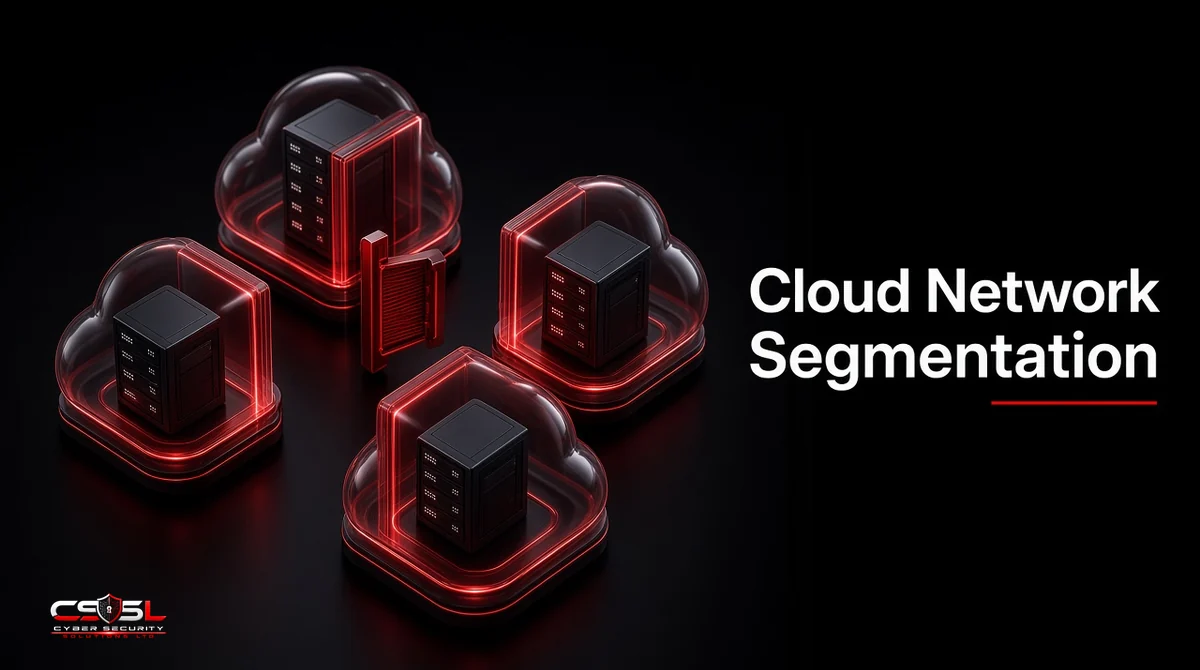
Cloud network segmentation splits your cloud environment into isolated zones, using accounts, VPCs or VNets, subnets, security groups and firewall policies, so each workload can reach only what it needs. When one server is breached, segmentation decides whether you lose one system or the whole environment.
How Cloud Segmentation Differs From On-Premises VLANs
On premises, segmentation usually means VLANs and internal firewalls between physical zones. In the cloud there is no cable to unplug. Isolation is software-defined: identity boundaries, virtual networks and rules attached to each resource. That makes it faster to build and easier to get wrong, because one permissive rule or peering link can join zones you thought were separate.
The goal is the same in both worlds: limit lateral movement and shrink the blast radius. An attacker who lands on a web server should find nothing else reachable except the one service it must call.
Layers of Cloud Segmentation
Good designs use several layers, each catching what the one above misses.
Account, Subscription and Project Boundaries
The strongest boundary is a separate AWS account, Azure subscription or Google Cloud project. Production, development and sensitive data should not share one.
VPCs, VNets and Subnets
Inside an account, virtual networks separate application tiers. Public subnets hold only load balancers; application and database tiers sit in private subnets with no direct internet route.
Security Groups, NSGs and Firewall Rules
Security groups (AWS), network security groups (Azure) and VPC firewall rules (Google Cloud) control traffic per resource. Reference other groups rather than IP ranges, so rules follow workloads as they scale.
Microsegmentation and Identity-Based Policies
Microsegmentation applies rules down to individual workloads or processes, often based on identity labels instead of addresses. Keep it for high-value systems first, because it takes careful traffic mapping.
Kubernetes Namespaces and Network Policies
By default, pods in a Kubernetes cluster can talk to each other. Network policies set a default-deny and allow only named flows, and separate node pools isolate sensitive workloads.
How to Isolate Cloud Workloads in Six Steps
Isolation works best as a repeatable process rather than a one-off project.
Step 1: Map Workloads and Traffic Flows
Use VPC Flow Logs for a few weeks to see who talks to whom. Most teams find connections nobody documented.
Step 2: Classify Workloads by Sensitivity and Environment
Group workloads into tiers such as public, internal, sensitive and regulated. Payment card data and personal data get the tightest zones.
Step 3: Design a Hub-and-Spoke or Multi-Account Topology
A central hub holds shared services and inspection, such as AWS Network Firewall or Azure Firewall, connected through AWS Transit Gateway or virtual network peering. Each spoke is an isolated workload network that reaches others only through the hub.
Step 4: Apply Default-Deny Rules
Start from deny all, then allow named ports between named groups. Remove any rule allowing all traffic from 0.0.0.0/0 except to public load balancers.
Step 5: Use Private Endpoints Instead of Public Access
AWS PrivateLink, Azure Private Link and Google Private Service Connect let workloads reach databases and platform services without touching the internet.
Step 6: Monitor With Flow Logs and Test Regularly
Alert on denied traffic patterns and on rule changes. Test quarterly by trying to reach a sensitive tier from a lower one.
Why Flat Cloud Networks Fail and How to Fix One
The most common pattern we see in SMB reviews is one large VPC created at launch, with every workload in it and a security group that allows all internal traffic “for now”. Years later, nobody dares to change it.
Picture an illustrative online retailer. A vulnerable plugin on its marketing site gives an attacker a shell. Because the network is flat, the same host can reach the order database on its standard port. The marketing site was low value. The database was not.
Fixing a flat network does not need a rebuild. Use this order: first move the database to a private subnet and allow only the application tier’s security group to reach it. Second, split production and development into separate accounts. Third, add a hub with central inspection. A practical threshold: if any workload can reach your sensitive data tier without passing through an explicitly named rule, treat that as a priority finding. Each step reduces blast radius on its own, so you see value from week one.
Two habits keep the fix from sliding back. First, write every new rule as code in the same repository as the workload, so changes get reviewed like any other release and drift shows up in a pull request rather than an incident. Second, give every security group an owner tag and a one-line purpose. When a rule has no owner and no purpose at the next quarterly review, remove it in a test environment first and watch the flow logs for a week. In our experience, most broad internal rules turn out to protect traffic nobody uses anymore, and removing them costs nothing but a short change window.
Segmentation in AWS, Azure and Google Cloud
| Layer | AWS | Azure | Google Cloud |
|---|---|---|---|
| Strongest boundary | Account | Subscription | Project |
| Virtual network | VPC | VNet | VPC |
| Per-resource rules | Security groups | NSGs and application security groups | VPC firewall rules |
| Central policy | AWS Network Firewall, Firewall Manager | Azure Firewall, Firewall Manager | Hierarchical firewall policies, Cloud NGFW |
| Private access | PrivateLink | Private Link | Private Service Connect |
All three providers offer strong native isolation. The weak point is almost always configuration, not the platform.
Multi-Cloud and Hybrid Segmentation
Each provider’s controls stop at its own border. For multi-cloud and on-premises links, use consistent labels and a central policy model, and treat every interconnect as an untrusted boundary with inspection. Third-party microsegmentation platforms, such as those from Illumio, Akamai Guardicore, Zero Networks and Cisco, can apply one policy across environments. This list is unranked.
Cloud Network Segmentation Mistakes to Avoid
- Peering every network to every other “to make things work”
- Using broad IP ranges instead of security group references
- Leaving management ports open to the internet
- Sharing one account for production and development
- Never reviewing rules after the original build
Segmentation, Zero Trust and Compliance
NIST SP 800-207 on zero trust architecture and the CISA Zero Trust Maturity Model both treat segmentation as a core network control, paired with strong identity. For PCI DSS, segmentation that isolates the cardholder data environment can reduce the scope of an assessment, though the assessor must be able to verify it. In the UK, the NCSC’s cloud security principles ask you to check how a provider separates customers, and the same thinking applies inside your own estate.
FAQs
No. Combine segmentation with strong identity, least privilege and monitoring, because attackers with valid credentials can use permitted paths.
It means each workload runs with only the network access, permissions and resources it needs, separated from unrelated systems.
Yes, with a platform that uses consistent labels across environments, though native controls remain the base layer in each cloud.
AWS, Azure and Google Cloud all provide strong controls. Configuration quality matters far more than the provider.
Not entirely. Security groups are stateful and per resource; network ACLs are stateless subnet rules useful as a coarse backstop.
Quarterly at minimum, and after any major architecture change.
Where to Start With Cloud Network Segmentation
Begin cloud network segmentation with your most sensitive data tier, then work outward one boundary at a time. If you want an expert check of your cloud network design and blast radius, Cyber Security Solutions Ltd offers a free, no-obligation assessment through our contact page.