What Is a Disaster Recovery Plan (DRP) in Cyber Security?
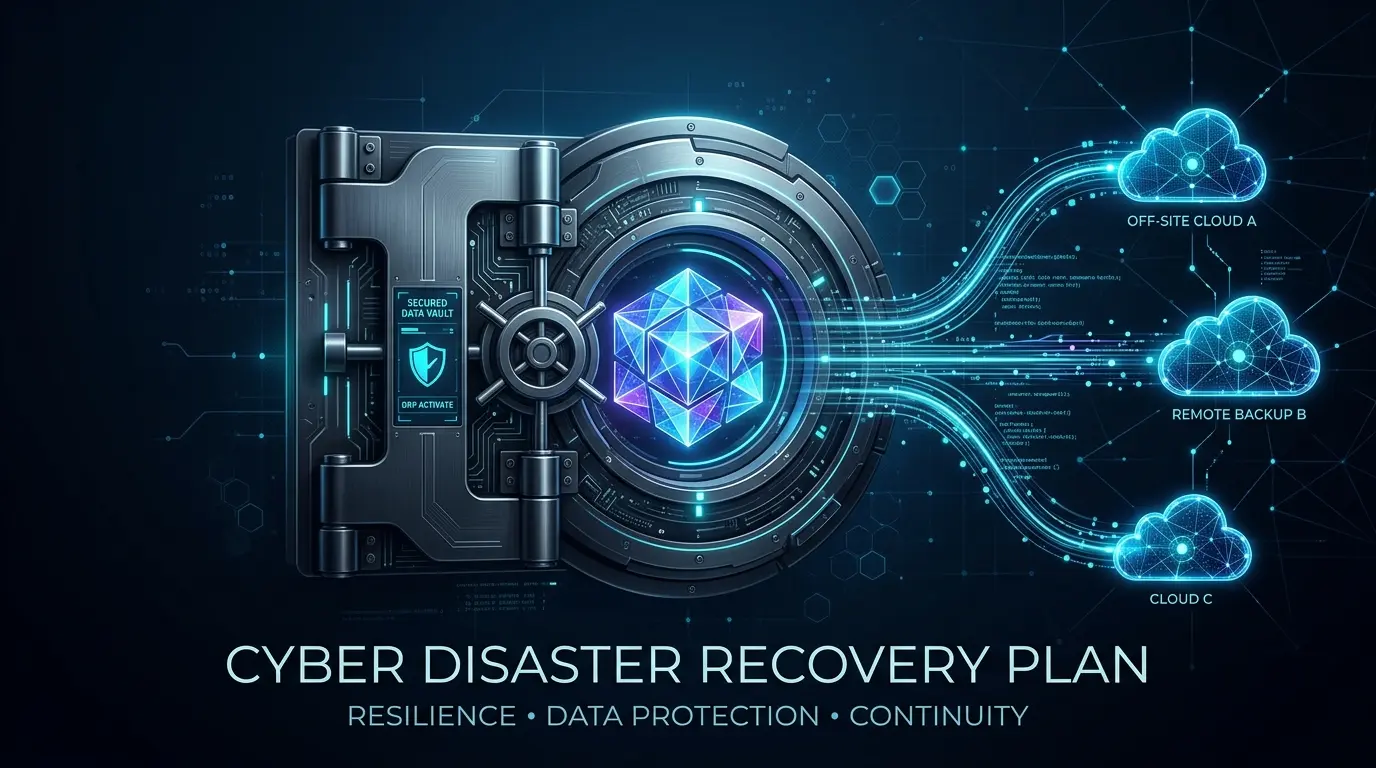
A disaster recovery plan, or DRP, is a documented, tested set of procedures for restoring IT systems, applications, and data after a disruption, whether that’s ransomware, hardware failure, or a flooded server room. That’s the short answer to what is a disaster recovery plan: a rehearsed playbook, not a folder nobody has opened since it was written.
What is a disaster recovery plan?
A disaster recovery plan is a written, tested procedure that tells your team exactly how to restore IT systems and data after an outage, attack, or disaster, in what order, and against what time targets. It’s built from a business impact analysis, which identifies which systems matter most and how much downtime each one can tolerate.
That answers what is a disaster recovery plan at the surface level, but the real value shows up in the details most businesses skip. A real DRP names who declares a disaster, who executes each recovery step, what systems get restored first, and what target time each restoration needs to hit. It also names the tools involved, backup software, failover infrastructure, cloud environments, and the exact login and access paths your team needs when your normal systems are the thing that’s down.
A DRP is not the same document as your backup policy. Backups are the raw material. The DRP is the instruction manual for using that material under pressure, when people are stressed, the clock is running, and guessing isn’t an option.
DRP vs BCP vs IRP — three plans people constantly confuse
A disaster recovery plan restores IT systems and data. A business continuity plan keeps the whole business operating, including people, vendors, and physical locations, during a disruption. An incident response plan governs the first hours of a security incident: containment, investigation, and communication, before recovery even starts.
These three plans get lumped together constantly, and the confusion causes real problems, because each one has a different owner and a different trigger point. Here’s how they separate in practice.
| Plan | Primary Focus | Typical Owner | Triggers When |
| Incident Response Plan (IRP) | Detecting, containing, and investigating a security incident | Security team / SOC | The moment a threat or breach is confirmed |
| Disaster Recovery Plan (DRP) | Restoring IT systems, applications, and data | IT / infrastructure team | Once containment is done and recovery can begin |
| Business Continuity Plan (BCP) | Keeping the overall business running, including non-IT operations | Executive / operations leadership | Any disruption serious enough to affect business operations, IT-related or not |
Think of the sequence in a ransomware attack. The IRP kicks in first: isolate infected machines, figure out what happened, stop the spread. Once containment is confirmed, the DRP takes over: rebuild systems, restore data, bring applications back online in the right order. The BCP runs alongside both, covering things IT doesn’t own, like how staff keep serving customers without email, or how a manufacturing line keeps running without its ordering system. A business that only has a DRP is covered for the technical recovery, but has no answer for the two hours before recovery starts, or for the parts of the business that never touch a server at all.
RTO and RPO — the same metrics, two different levels
RTO, recovery time objective, is how long a system can be down before the business is seriously harmed. RPO, recovery point objective, is how much data loss, measured in time, is acceptable, meaning how far back your last usable backup needs to reach. Both targets should be set per system, not once for the whole company.
This is where most DRPs go wrong. A business sets one RTO and one RPO in a planning meeting, applies it to everything, and calls the exercise done. But your payroll system, your customer database, and your internal file share do not carry the same cost of downtime. A business impact analysis is what determines these numbers correctly: it puts a dollar figure or an operational consequence on an hour of downtime for each system, and the RTO and RPO follow from that.
A quick example makes the distinction clear. If your e-commerce checkout system has an RTO of 1 hour and an RPO of 15 minutes, you need infrastructure that can restore service within an hour and lose no more than 15 minutes of transaction data. If your internal knowledge base has an RTO of 24 hours and an RPO of 24 hours, a nightly backup and a next-business-day restore is genuinely fine. Setting both systems to the same aggressive target wastes money on infrastructure the low-priority system doesn’t need. Setting both to the same relaxed target leaves the checkout system exposed.
Choosing your DR tier: Standard, Enhanced, or Real-time
Most businesses run systems that fall into three practical recovery tiers: Standard, for systems that can wait up to a day; Enhanced, for systems that need to be back within a few hours; and Real-time, for systems that can’t go down at all without direct financial or safety consequences.
Enterprise architects sometimes reference a formal Tier 0 through Tier 7 model, but that framework is built for large data center environments and rarely translates cleanly to a business running a handful of critical systems. A simpler three-tier model gets you to the same decisions faster.
| DR Tier | Typical RTO | Typical RPO | Example Systems | Underlying Approach |
| Standard | 12-24 hours | 12-24 hours | File shares, internal wikis, archive data | Nightly backup, restore on demand |
| Enhanced | 1-4 hours | 15-60 minutes | CRM, internal line-of-business apps | Frequent snapshots, standby infrastructure |
| Real-time | Minutes | Near zero | E-commerce, payment processing, patient records | Continuous replication, automatic failover |
[Data Table]
Assigning each system to one of these three tiers is the single most useful exercise a small or mid-sized business can run before writing the rest of the DRP. It forces a real conversation about what genuinely needs Real-time protection, which is expensive, versus what can reasonably sit in Standard, which is cheap. Most businesses discover they were either overspending to protect low-value systems or dangerously underprotecting the one system that generates the most revenue.
How does this connect to your actual backup strategy?
Your disaster recovery plan is the instruction set; your backup strategy is the raw material it depends on. The DRP defines what needs to come back and by when. Your backup approach, whether that’s on-premise, cloud, or hybrid, determines whether those targets are technically achievable at all.
This connection breaks down more often than businesses expect. A company might set an aggressive one-hour RTO in its DRP, then discover during a real test that its cloud backup provider’s restore speed for that data volume takes six hours, not one. The DRP was aspirational, not achievable, because nobody checked it against the backup infrastructure already in place. The reverse also happens: a business overpays for fast, expensive backup infrastructure to protect a system that only needed a Standard-tier recovery target.
The fix is straightforward but frequently skipped: every RTO and RPO in your DRP needs to be validated against what your backup and restore infrastructure can deliver, not what sounds reasonable on paper. If there’s a gap, either the backup strategy needs to improve or the DRP’s targets need to be honest about current capability. A disaster recovery plan that assumes capabilities your backups don’t have isn’t a plan, it’s a wish list.
Why recovery sequence matters as much as the backup itself
Recovery sequence is the order systems get restored in, and getting it wrong causes failed recoveries even when every backup is perfectly intact. Network infrastructure and identity systems, like DNS and Active Directory, generally need to come back before the applications that depend on them, or the applications simply won’t function once restored.
This is one of the most underrated parts of DR planning. Businesses focus heavily on backup reliability and almost never document the dependency chain between systems. A finance application might depend on a database server, which depends on network connectivity, which depends on network disaster recovery steps being completed first, which depends on DNS resolving correctly, which depends on Active Directory being available. Restore the finance application first, out of sequence, and it simply won’t connect to anything, not because the backup failed, but because nothing it depends on exists yet.
A documented recovery sequence maps these dependencies explicitly, system by system, so whoever executes the DRP during a real incident isn’t guessing at the order under pressure. This single document, often just a numbered checklist with dependency notes, is frequently the difference between a DR test that finishes on schedule and one that stalls for hours while someone works out why step twelve won’t start.
A worked example: recovering when your Active Directory is encrypted
When ransomware encrypts Active Directory itself, standard backup restoration doesn’t work as expected, because the identity system every other recovery step depends on is compromised. Recovery requires rebuilding a clean domain controller in an isolated environment before anything else can safely come back online.
Here’s how this plays out for a mid-sized business. Ransomware hits overnight and encrypts several domain controllers along with file servers. The incident response plan isolates the network and confirms the scope. Now disaster recovery has to begin, but there’s a critical decision point most DRPs never address: you cannot simply restore Active Directory from a backup taken before the attack and plug it back into a live network, because you don’t yet know how the attacker gained access, and reconnecting a restored domain controller too early can hand them a way back in.
The correct sequence, following Microsoft’s own forest recovery guidance, starts with building the first restored domain controller in a completely isolated network segment, sometimes called an isolated recovery environment, disconnected from production. From there, the team resets the krbtgt account password twice, which invalidates every Kerberos ticket an attacker might still hold. Only after that domain controller is verified clean does the team bring additional domain controllers back, then core network services, then application and file servers, following the recovery sequence documented earlier. Reconnecting to the live network happens only after this clean forest is validated, not before.
This scenario is exactly why data vaulting, covered next, and immutable backup copies matter so much specifically for identity infrastructure. A business that only backs up file servers and databases, while treating Active Directory as something that “just works,” discovers during an actual ransomware incident that their most critical system has no clean recovery path at all. Building this specific worked scenario into your DRP, not just a generic “restore from backup” line, is what separates a plan that survives contact with a real attack from one that doesn’t.
Data vaulting and why it’s now considered essential
Data vaulting is the practice of keeping a copy of critical data in a separate, isolated location, often air-gapped or logically disconnected from both production systems and primary backup infrastructure, so it survives even if both are compromised. It’s now considered essential because ransomware groups actively target backup repositories, not just production data.
This shift in attacker behavior is the entire reason data vaulting moved from a nice-to-have to a baseline recommendation in most current cyber resilience plan frameworks. Earlier ransomware strains encrypted production data and stopped there, counting on the victim not having usable backups at all. Current ransomware operations routinely search for and disable backup software, delete snapshots, and target the credentials that control backup infrastructure specifically, because a working backup is what lets a victim refuse to pay. If your only backup copy sits on the same network, reachable with the same credentials as production, it’s a target, not a safety net.
A data vault breaks this attack path by design. The vaulted copy is typically immutable for a set retention period, meaning it can’t be altered or deleted even by someone holding valid admin credentials, and it’s reachable only through a separate, tightly controlled access path rather than the normal network. Some organizations implement this through dedicated cyber vault appliances; smaller businesses can achieve a lighter version through immutable cloud storage tiers combined with credentials that are never used for daily operations. Either way, the principle is the same: assume your primary environment and your primary backup could both be compromised in the same incident, and keep one copy that neither compromise can reach. For the Active Directory recovery scenario above, this vaulted copy is often what makes a clean rebuild possible at all.
How often should you test, and what usually goes wrong the first time?
Disaster recovery plans should be tested at least annually with a full failover exercise, plus quarterly tabletop walkthroughs for critical systems. The first real test almost always reveals the same handful of problems: outdated contact lists, undocumented dependencies, and RTO targets that looked fine on paper but weren’t achievable in practice.
Testing frequency depends on how much your environment changes. A business that adds new systems, changes vendors, or grows its data volume regularly needs to test more often, since last year’s DRP may no longer match this year’s infrastructure. At minimum, a tabletop exercise, where the team talks through the plan step by step without executing it, should happen quarterly. A full technical failover test, restoring systems in an isolated environment and timing the result, should happen at least once a year, and more often for businesses with Real-time or Enhanced tier systems.
The first test rarely goes smoothly, and that’s normal, not a failure. Common discoveries include a recovery sequence that skipped a dependency nobody remembered documenting, a designated recovery lead who changed roles eight months ago and was never updated in the plan, and an RTO that assumed faster restore speeds than the backup infrastructure delivers under real load. At Cyber Security Solutions Ltd, DR test facilitation consistently surfaces at least one of these gaps, even in businesses that were confident their plan was current. This is exactly why the plan needs testing before an incident forces the test on you. A DRP that has never been executed is a theory. A DRP that’s been tested, broken, and fixed is a plan you can trust.
Conclusion
A disaster recovery plan only earns its name once it’s been written with real RTO and RPO targets, sequenced correctly, and tested against a real failure, not just filed away after a compliance review. Start with a business impact analysis, assign each system a realistic tier, and walk through the Active Directory scenario above before you ever need it for real. If you want help building or stress-testing a DRP that accounts for how ransomware behaves today, Cyber Security Solutions Ltd works with IT teams on exactly this kind of disaster recovery and resilience planning. Reach out through cybersecuritysolutionsltd.com to get your plan reviewed.
FAQs
A disaster recovery plan is a documented, tested procedure for restoring IT systems, applications, and data after a disruption. It defines what gets restored, in what order, and against what time targets, built from a business impact analysis of each system’s importance.
A disaster recovery plan restores IT systems and data. A business continuity plan keeps the entire business functioning, including people, vendors, and physical operations, during a disruption. DRP is IT-focused and technical; BCP covers the whole organization, IT and non-IT departments alike, until normal operations resume.
RTO, recovery time objective, is how long a system can stay down before serious harm occurs. RPO, recovery point objective, is how much data loss in time is acceptable. Both should be set individually per system, not applied uniformly across the business.
An incident response plan governs the first hours of a security incident: detection, containment, and investigation. A disaster recovery plan takes over once containment is confirmed, focusing on restoring systems and data rather than stopping the active threat itself from spreading further.
Most businesses use three practical tiers: Standard, for systems that can wait up to a day; Enhanced, for systems needing restoration within hours; and Real-time, for systems that cannot go down at all without immediate financial or safety consequences to the business.
At minimum, run quarterly tabletop walkthroughs and one full technical failover test every year. Businesses with fast-changing infrastructure or Real-time tier systems should test more often, since an untested plan usually fails on small details nobody thought to write down beforehand.
Recovery requires rebuilding a clean domain controller in an isolated environment first, resetting the krbtgt account password twice to invalidate compromised credentials, then bringing additional domain controllers and dependent systems back online in documented sequence before reconnecting to the live network.
Data vaulting keeps an isolated, often immutable copy of critical data separate from production and primary backup systems. It exists because ransomware now actively targets backup infrastructure, so a vaulted copy provides a clean recovery source even if both are compromised.