Data in Transit: Encryption and How to Protect It
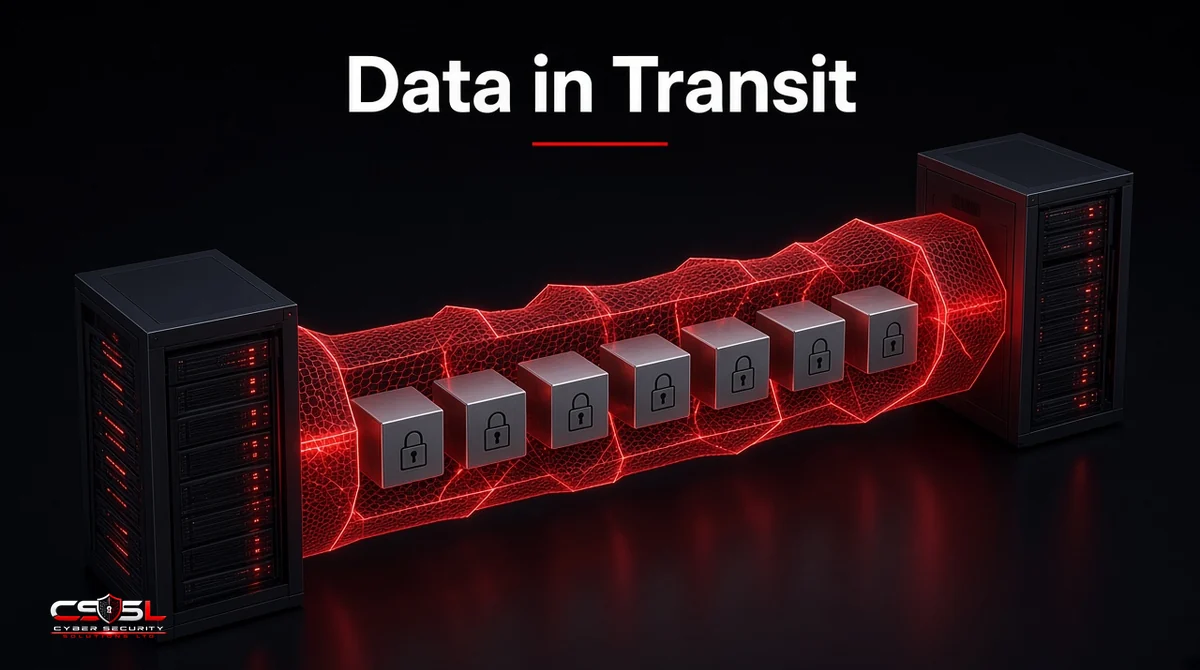
Data in transit is any data moving between two points, such as from a browser to a web server, between cloud services, over email or across an internal network. You protect it mainly with encryption through TLS 1.2 or TLS 1.3, backed by strong authentication and certificate management. Unencrypted traffic can be read or changed by anyone positioned on the network path.
Data in Transit vs Data at Rest vs Data in Use
Data has three states, and each needs its own controls.
| State | Where it is | Main threat | Main protection |
|---|---|---|---|
| In transit | Moving across networks | Interception, tampering | TLS, VPN, SSH, mTLS |
| At rest | Stored on disks, databases, backups | Theft of storage or backups | Disk, file and database encryption |
| In use | Being processed in memory | Memory scraping, insider access | Access control, confidential computing |
Encrypting stored data does nothing for the copy crossing the network, and the reverse is also true. Plan for both.
Common Examples
- Customers submitting payment details on a checkout page
- Staff opening a SaaS app or a company portal
- Email sent between mail servers
- API calls between microservices or partner systems
- Backups replicating to a cloud region
- Remote staff connecting to internal systems
- File transfers with partners over SFTP or managed file transfer
Threats to Data on the Move
Eavesdropping and packet sniffing. On open Wi-Fi or a compromised network, unencrypted traffic can be captured and read.
Man-in-the-middle attacks. An attacker sits between two parties, relays traffic and reads or alters it, often by abusing fake certificates or poor validation.
Session hijacking. Stolen session cookies let an attacker take over a logged-in session without the password.
Downgrade attacks. An attacker forces a connection to fall back to an older, weaker protocol version.
Misconfiguration. Expired certificates, weak cipher suites or internal services left on plain HTTP are among the most common real failures.
Data in Transit Encryption Protocols
TLS 1.3 and TLS 1.2
TLS 1.3, published by the IETF as RFC 8446 (2018), removes older weak ciphers, shortens the handshake and requires forward secrecy. TLS 1.2 remains acceptable when set up with modern AEAD cipher suites. RFC 8996 (2021) formally deprecated TLS 1.0 and 1.1, so disable both everywhere.
HTTPS
HTTPS is HTTP over TLS. Use it on every page, not just login and checkout, and add HTTP Strict Transport Security (HSTS) so browsers refuse plain HTTP.
VPNs (IPsec and WireGuard)
VPNs encrypt all traffic between a device and a network, or between two sites. They protect traffic that is not otherwise encrypted, though zero trust network access is replacing broad VPN access in many firms.
SSH and SFTP
SSH encrypts remote administration sessions, and SFTP uses it for file transfer. Use key-based authentication and disable password logins where possible.
Email Encryption (TLS, S/MIME, PGP)
TLS between mail servers protects messages in transit, but only hop by hop. S/MIME and PGP encrypt the message itself end to end, so only the recipient can read it.
Mutual TLS (mTLS)
In standard TLS only the server proves its identity. With mTLS both sides present certificates, which suits service-to-service traffic, APIs and zero trust designs.
How Encryption in Transit Works
A TLS connection starts with a handshake. The server presents a certificate signed by a trusted certificate authority, the client checks it, and both agree on session keys through a key exchange such as ECDHE. After that, traffic is encrypted with a symmetric cipher such as AES-GCM or ChaCha20-Poly1305, which also detects tampering. Forward secrecy means a stolen server key later cannot decrypt past sessions.
10 Best Practices
- Enforce TLS 1.2 minimum, prefer TLS 1.3. Disable SSL, TLS 1.0 and TLS 1.1.
- Use strong cipher suites. Keep AEAD suites with forward secrecy and remove CBC and RC4.
- Encrypt internal traffic too. Do not assume the internal network is safe; attackers move laterally.
- Automate certificate management. Track every certificate and renew automatically to avoid outages and expired certificates.
- Turn on HSTS. Stop browsers from connecting over plain HTTP.
- Use mTLS for service-to-service traffic. Authenticate both ends of API and microservice connections.
- Secure remote access. Use a VPN or zero trust network access with multi-factor authentication.
- Apply end-to-end encryption for sensitive messages. Use S/MIME or PGP when mail server TLS is not enough.
- Use data loss prevention on outbound traffic. Inspect and block sensitive data leaving through email, web uploads or cloud apps.
- Scan and test regularly. Check public endpoints for weak protocols and test internal services as part of vulnerability scanning.
Data in Transit Rules in the US and UK
US: HIPAA, PCI DSS v4.0 and the FTC Safeguards Rule
The HIPAA Security Rule’s transmission security standard (45 CFR 164.312(e)(1)) requires safeguards against unauthorized access to electronic health data sent over networks. PCI DSS v4.0 Requirement 4.2.1 requires strong cryptography to protect cardholder data during transmission over open, public networks. The FTC Safeguards Rule (16 CFR 314.4(c)(3)) requires covered financial institutions to encrypt customer information in transit over external networks. For federal systems, NIST SP 800-52 Rev. 2 (2019) requires TLS 1.2 and support for TLS 1.3.
UK: UK GDPR Article 32 and NCSC Cloud Security Principle 1
UK GDPR Article 32 requires security appropriate to the risk and names encryption as an example measure. The NCSC’s Cloud Security Principle 1 covers protecting data in transit against tampering and eavesdropping. Confirm specific obligations with counsel.
Tools That Help
Certificate lifecycle managers, TLS scanners such as the Qualys SSL Labs test, data loss prevention platforms, managed file transfer tools, and zero trust network access services each cover a part of the job. Most firms already have TLS settings in their load balancers and cloud services; the work is checking that they are set correctly.
Start With an Inventory
Data in transit protection begins with knowing every connection that carries sensitive data. List your public sites, APIs, internal service links, email routes and file transfers, then check each one for protocol version, certificate status and authentication. Fix the oldest and most exposed first. For help reviewing your encryption setup, contact Cyber Security Solutions Ltd through our contact page.
FAQs
HTTPS protects traffic between a browser and a web server, which covers a large share of risk. It does not cover internal service traffic, email between servers, file transfers or backups. You also need strong TLS settings, HSTS and valid certificates, or HTTPS can still be weakened or bypassed.
Yes, when configured with modern cipher suites that use AEAD encryption and forward secrecy. NIST SP 800-52 Rev. 2 still allows TLS 1.2. TLS 1.3 is preferred because it removes weak options by design. TLS 1.0 and 1.1 are deprecated under RFC 8996 and should be disabled.
Most email between major providers travels over TLS, but only between servers that support it, and it is decrypted at each hop. Messages can fall back to plain text if a server does not support TLS. For sensitive content, use S/MIME or PGP to encrypt the message end to end.
Yes. A VPN encrypts traffic between your device and the VPN endpoint, which protects you on public Wi-Fi. Traffic is decrypted at that endpoint, so the onward connection still needs its own encryption. VPNs also grant broad network access, so pair them with strong authentication and limited access.
Encryption in transit protects data on each network link, but servers along the way can read it. End-to-end encryption keeps data encrypted from sender to recipient, so only the endpoints hold the keys. Messaging apps and S/MIME email use end-to-end encryption; most web traffic uses in-transit encryption.
Run your domain through a free scanner such as the Qualys SSL Labs server test. It reports supported protocol versions, cipher suites, certificate status and known weaknesses. Aim for TLS 1.2 and 1.3 only, no weak ciphers and HSTS turned on. Re-test after any server or certificate change.