Cloud Security for Small Business: Affordable Tools and Best Practices
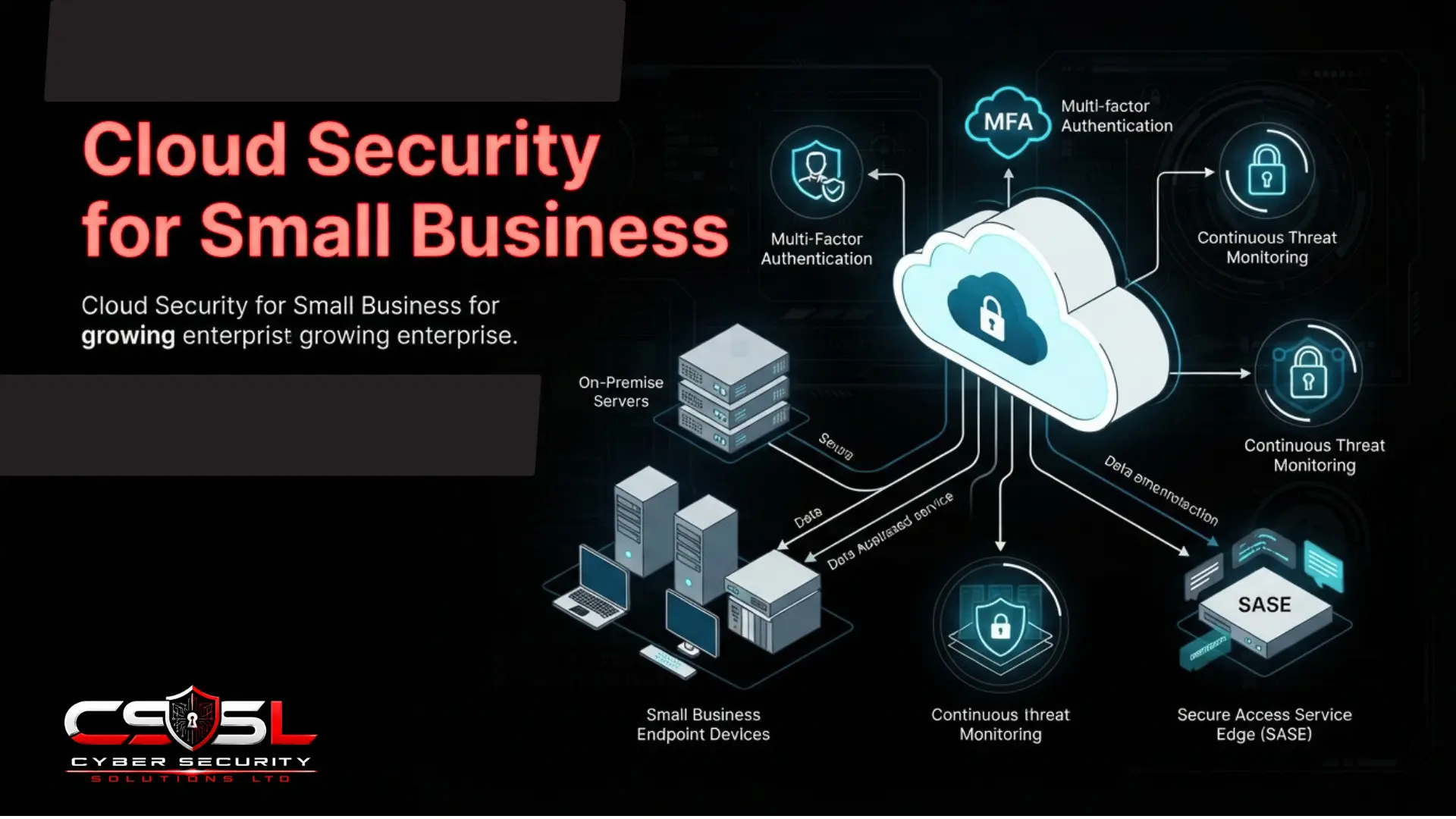
Cloud security for a small business means identifying what to do first, second, and eventually, rather than a scaled-down version of everything larger organizations need. The highest-impact controls for this audience are free and take an afternoon to implement, not an enterprise budget or dedicated headcount.
If you are a fifteen-person company that assumed your cloud provider was already handling your security, or you got a quote from a major cloud security platform that was clearly built for a company ten times your size, this guide gives you the genuinely proportionate starting point.
What Does Cloud Security for Small Business?
Cloud security for a small business, roughly under 250 employees with no dedicated in-house security specialist, means identifying what to do first, second, and eventually. The highest-impact controls for this audience are free and take an afternoon to implement, not an enterprise budget or dedicated headcount.
Stating directly which parts of broader cloud security guidance are simply disproportionate for this audience, rather than silently assuming or silently ignoring them, is a genuine act of honesty most competitor content never provides, and it matters as an opening statement rather than a scoping footnote buried later in the article.
Quantified risk methodology using formal loss-magnitude and loss-event-frequency calculation, the kind of analysis a dedicated risk or finance team might produce for a board presentation, is appropriate for organizations with dedicated security budget and headcount to act on its findings. A small business owner reading content built around this methodology reasonably concludes the entire topic requires resources they do not have, when in fact the underlying risk-reduction value is achievable through much simpler means. Enterprise-tier CNAPP platforms, built for correlating findings across dozens of connected cloud accounts and complex multi-tool stacks, similarly represent genuine overkill for a business running a handful of SaaS subscriptions with no self-managed cloud infrastructure at all. Formal, steering-group-led governance structures with named executive sponsors and defined escalation paths assume an organizational complexity most small businesses simply do not have.
This post substitutes lighter, genuinely proportionate equivalents for each of these: a straightforward, prioritized checklist instead of formal risk quantification, free native tooling instead of enterprise platforms, and a simple, direct conversation with an existing IT provider instead of a formal governance committee. A small business owner who reads generic cloud security content written for enterprise readers often concludes the whole topic is unaffordable or irrelevant to their situation, when the highest-impact controls available to them cost nothing and require no specialist expertise to implement.
See Cloud Security Fundamentals: What Every Business Must Understand for the broader domain structure this proportionate approach draws from.
Why Do Small Businesses Assume the Cloud Provider Handles Security, and Why Is That Assumption Dangerous?
The cloud provider secures the infrastructure beneath a service; the customer remains responsible for identity, access, and data configuration regardless of service tier. A Global Admin account with no multi-factor authentication is entirely the customer’s own responsibility to secure, regardless of how sophisticated Microsoft’s or Google’s own datacentre security genuinely is.
This misconception deserves correction with genuine empathy rather than implicit criticism of the business owner’s judgement, because most competitor content frames “our provider handles security” as a simple knowledge gap or oversight, missing why this is such a natural and understandable conclusion for this specific audience to reach in the first place.
A small business adopts Microsoft 365 or Google Workspace specifically to offload IT burden that the business has neither the time nor the specialist knowledge to manage internally. This is a genuinely sensible business decision: rather than running an on-premise email server requiring dedicated maintenance, the business pays a subscription and expects the provider to handle the underlying complexity. Extending that same reasoning one step further, to assume that security itself comes bundled in the same package, is not a careless or unreasonable leap. It follows the exact same logic that made the original cloud adoption decision sensible in the first place: pay someone else to handle the parts you cannot handle yourself.
The problem is that this extension of reasoning happens to be wrong in one specific, consequential way, and understanding why matters more than simply being told the assumption is incorrect. The provider genuinely does handle an enormous amount: physical datacentre security, network infrastructure, the underlying software platform itself. What the provider does not and cannot handle is how the business configures and uses that platform, since only the business itself knows who should have access to what, which accounts hold administrative privileges, and whether multi-factor authentication has actually been switched on. A Global Admin account with no MFA is not a gap in Microsoft’s or Google’s security; it is a gap in the customer’s own configuration, sitting entirely on the customer’s side of a boundary the business never explicitly agreed to but is nonetheless fully responsible for.
See Cloud Security Shared Responsibility Model for the complete breakdown by service type.
Are Small Businesses Genuinely Targeted, or Is This an Enterprise-Only Problem?
The majority of email and cloud credential attacks are automated and opportunistic, probing any accessible tenant regardless of company size, meaning the assumption that a business is too small to be worth targeting is demonstrably false. Verizon DBIR data and Ponemon Institute research on the disproportionate operational and financial impact of a breach on smaller organizations both apply with full force here.
Fewer existing controls, less active monitoring, and the cloud security skills gap all hit proportionally harder on a five-person IT function than a five-hundred-person one, meaning small businesses face not just equal targeting but genuinely reduced capacity to detect and respond compared to larger organizations facing the identical attack.
What Free Controls Should Every Small Business Implement Before Spending Anything?
| Control | Cost Tier | Priority |
| Multi-factor authentication | Free | Immediate |
| Admin access review | Free | Immediate |
| Third-party app review | Free | This week |
| Native audit logging | Free (included) | This week |
| Backup restore test | Free | This month |
| Dedicated SSPM/backup tooling | Low cost | As needed |
Enable multi-factor authentication on every single account without exception, free within Microsoft 365 and Google Workspace at every tier and the single highest-impact control available regardless of budget. Conduct a simple admin-count review, checking how many people hold Global Admin or equivalent elevated access and whether each genuinely needs it, a lightweight, manual application of entitlement review requiring no dedicated tooling. Review connected third-party applications in the admin console, a free, native equivalent of shadow IT and OAuth-grant discovery achievable entirely through the built-in interface.
Enable native audit logging, typically already included in the subscription tier most small businesses already pay for, simply requiring activation rather than additional purchase. Verify that cloud storage backups actually exist and have been tested, not just assumed to exist, since an untested backup is not a genuine recovery guarantee.
Why Small Businesses Need SaaS Security Thinking More Than Infrastructure Security Thinking
For SaaS-heavy, infrastructure-light organizations, SaaS configuration thinking often addresses the more immediate and more exposed risk than cloud infrastructure posture management, since sensitive data commonly lives in Microsoft 365, Google Workspace, or a CRM rather than in self-managed cloud infrastructure. Most small businesses run no AWS, Azure, or Google Cloud infrastructure at all, meaning the correct starting priority is SaaS configuration review.
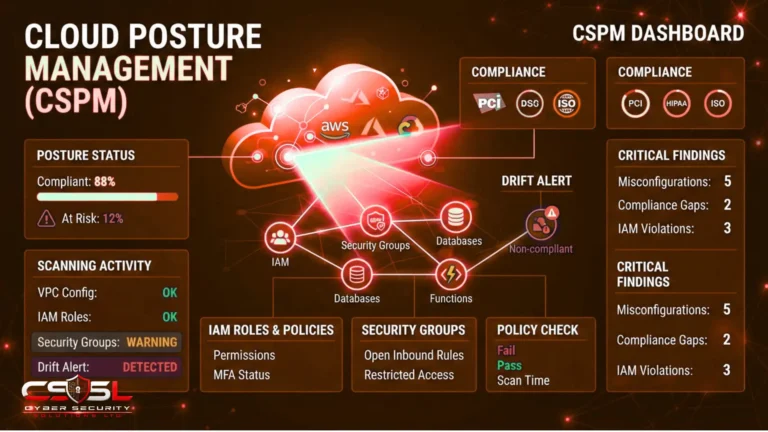
Most generic cloud security content defaults to discussing cloud infrastructure posture management first: securing virtual networks, configuring identity and access management across cloud accounts, monitoring configuration drift across storage buckets. This default ordering makes sense for an organization actually running infrastructure on AWS, Azure, or Google Cloud. It makes considerably less sense as the starting point for a business that runs no such infrastructure at all.
The practical reality for the majority of small businesses is that their entire operational technology footprint is SaaS. Client records, financial data, email correspondence, and internal documents all live in Microsoft 365, Google Workspace, and perhaps a CRM platform, none of which involves any self-managed cloud infrastructure a CSPM tool would even have anything to scan. For this business, leading with infrastructure security advice actively misdirects limited attention toward a category of risk that barely exists for them, while the actual repository of sensitive, valuable data, their SaaS configuration, external sharing settings, connected third-party applications, admin account hygiene, receives comparatively little specific attention in most generic content.
The correct starting priority for this specific audience is SaaS configuration review, not infrastructure posture management. A small SaaS or software business genuinely running its own product on AWS, Azure, or Google Cloud is the honest exception to this framing and should apply the broader cluster’s infrastructure-specific guidance in full.
See SSPM vs CSPM: What Is the Difference and Which Do You Need? for the full comparison this framing draws on.
What Does Affordable Cloud Security Cost, Tier by Tier?
| Feature | Business Standard | Business Premium |
| Baseline spam/malware filtering | Yes | Yes |
| Conditional Access-equivalent controls | No | Yes |
| Device management | No | Yes |
| Advanced threat protection | Not included | Included |
This tiering confusion deserves the same specific, direct treatment already given to equivalent licensing confusion identified for enterprise-tier posture management tools, because “we have Microsoft 365” can describe meaningfully different actual security coverage depending entirely on which specific subscription tier sits behind that statement, and this gap is genuinely common precisely because most small businesses never think to check.
A business running Microsoft 365 Business Standard has solid baseline productivity and collaboration tools, but meaningfully less built-in security capability than Business Premium, which adds device management, conditional access-equivalent controls, and stronger threat protection as standard inclusions rather than separate purchases. An organization that assumes it has adequate security simply because it pays for Microsoft 365 at all, without confirming which specific tier, may be missing security capability that a relatively modest tier upgrade would provide.
The practical fix costs nothing beyond five minutes: log into the admin centre, confirm the exact subscription tier currently active, and compare its specific included security features against what the business assumed it had. For many small businesses, this single check reveals that a modest, genuinely affordable tier upgrade, not a separate third-party security tool purchase, closes a meaningful protection gap the business did not realize existed. Dedicated, SMB-priced tooling exists for lightweight SSPM and backup-specific needs beyond this, priced for smaller mailbox and user counts rather than enterprise seat volumes.
Should You Rely on Your Existing IT Provider, or Do You Need a Cloud Security Specialist?
The direct question worth putting to any existing IT provider is whether cloud security is handled by a dedicated specialist team within that provider, or bundled into general support as an afterthought with no particular depth behind it.
This question deserves stating plainly rather than assuming the reader already knows to ask it, because most guidance on this topic is written for a buyer already sophisticated enough to recognize that general IT support and dedicated cloud security specialism are genuinely different things, an assumption that does not hold for this specific audience.
Many small businesses have a longstanding, trusted relationship with a general IT support provider, someone who handles hardware, network troubleshooting, and everyday technical issues reliably and well. It is entirely natural to assume that this same trusted provider also handles cloud security adequately, simply because they handle everything else IT-related. This assumption is frequently wrong, not because the IT provider is incompetent, but because cloud security specifically requires a distinct specialism that general IT support does not automatically include.
Co-managed support represents the realistic, proportionate answer for most businesses in this position, more so than the full in-house, fully managed, or fully outsourced options a larger, more resourced buyer might consider. A small business rarely needs or can justify a complete, dedicated managed security relationship, but genuinely benefits from a defined, periodic specialist engagement, a quarterly review, an initial baseline assessment, ongoing light-touch guidance, layered onto the existing general IT relationship the business already trusts and relies on daily.
See Managed Cloud Security Services: What They Are and Who Needs Them for the fuller decision framework this co-managed model sits within.
What Is Cyber Essentials, and Is It Worth Pursuing for a Business Your Size?
Cyber Essentials is a UK government-backed certification scheme covering five technical control themes, available as a self-assessed base certification or an externally verified Cyber Essentials Plus. It is increasingly required for UK government and public sector supplier contracts, making it a genuine commercial enabler, not just a security exercise.
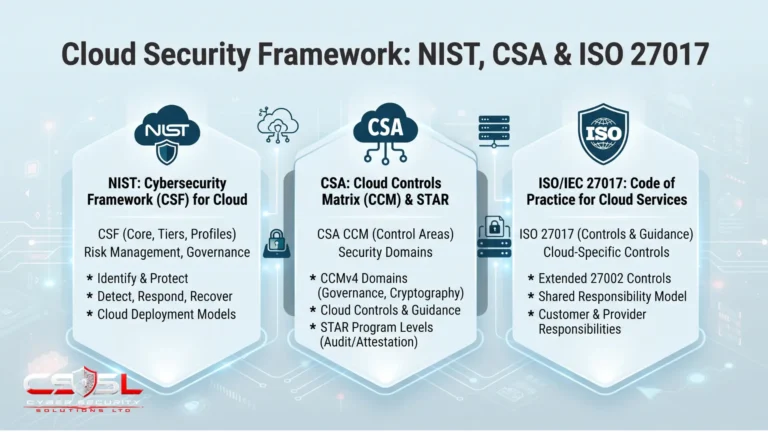
ISO 27017 and broader frameworks like NIST CSF are genuinely valuable, but they carry a scale of documentation and ongoing maintenance that assumes an organization with dedicated compliance resource, exactly the resource this specific audience typically does not have. Cyber Essentials is explicitly designed with smaller organizations in mind: lower cost, considerably lower complexity, and a self-assessment structure a business owner or a single IT-literate staff member can genuinely complete without specialist compliance expertise.
The direct business driver worth naming clearly is that Cyber Essentials increasingly functions as a genuine commercial gateway. UK government and public sector procurement processes increasingly list Cyber Essentials as a supplier prerequisite, meaning a small business without this certification may simply be ineligible to bid on certain contracts regardless of how strong its actual security practice is. For US readers, there is no direct equivalent scheme, but the underlying principle, starting with the lightest-weight, most proportionate recognized framework rather than reaching immediately for an enterprise-scale standard, applies equally.
How Do You Know If Your Current Cloud Security Is Enough?
A proportionate, small-business-appropriate self-check asks whether MFA is active on every single account, whether you know exactly how many people hold admin access, whether you have ever reviewed which third-party apps are connected to your systems, and whether your backup has ever actually been tested by restoring something from it. Escalate beyond this lightweight self-check if it reveals gaps too large to self-remediate confidently, or if the business begins handling more sensitive data that pushes it toward sector-specific considerations.
How Do You Build a Small Business Cloud Security Baseline Step by Step?
Step 1: Enable multi-factor authentication on every account today, with no exceptions.
Step 2: Review who holds admin or Global Admin access and remove it from anyone who does not genuinely need it.
Step 3: Review connected third-party applications in your admin console and remove anything unrecognized or unused.
Step 4: Confirm your current Microsoft 365 or Google Workspace subscription tier and what security capability it actually includes.
Step 5: Enable native audit logging if it is not already active.
Step 6: Test your cloud backup by actually restoring a file, not just confirming a backup job ran.
Step 7: Ask your existing IT provider directly whether cloud security is a genuine specialism for them or a bundled afterthought.
Step 8: Consider Cyber Essentials as a proportionate next step once the free baseline above is in place.
Cyber Security Solutions Ltd helps small businesses complete this exact baseline assessment and identify whether co-managed specialist support genuinely fits their size and risk profile.
Conclusion
Cloud security for a small business does not require enterprise budget or specialist headcount. It requires knowing that free controls come first, that SaaS configuration matters more than infrastructure posture for most businesses this size, and that a direct conversation with your existing IT provider often reveals exactly where the gap sits. Visit cybersecuritysolutionsltd.com for a proportionate baseline assessment and to find out whether co-managed specialist support genuinely fits your business.
FAQs
It means identifying the highest-impact controls for your specific size and risk profile, rather than scaling down enterprise guidance. For most small businesses this starts with free controls, MFA, admin review, and app auditing, achievable without dedicated budget or specialist headcount.
Adopting cloud services specifically offloads IT burden a business cannot manage internally, making it natural to assume security is bundled in the same package. The provider secures infrastructure; the customer remains responsible for identity, access, and configuration decisions regardless of tier.
Yes. Most email and cloud credential attacks are automated and opportunistic, probing any accessible account regardless of company size. Smaller businesses also face proportionally greater impact from a successful attack given fewer existing controls and less active monitoring capacity.
Enable MFA on every account, review who holds admin access, audit connected third-party applications, enable native audit logging, and test your backup by actually restoring a file. All are free within Microsoft 365 or Google Workspace at any subscription tier.
Yes, for most small businesses. Since the majority run no self-managed cloud infrastructure at all, SaaS configuration, sharing settings, connected apps, admin hygiene, is where actual sensitive data and actual risk genuinely sit, making it the correct starting priority over infrastructure posture management.
Often yes, particularly for UK businesses. It is proportionately priced and scoped for smaller organizations, unlike enterprise frameworks requiring dedicated compliance resource. It also increasingly functions as a commercial requirement for UK government and public sector contracts.