Data Classification Solutions: Best Tools for 2026
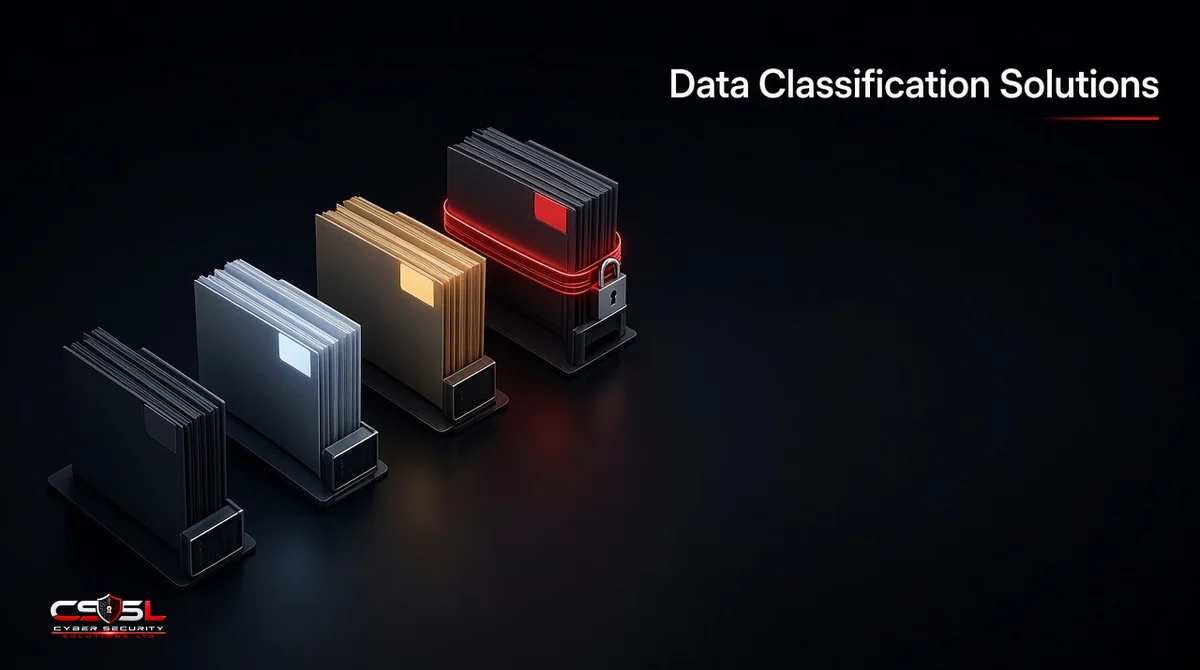
Data classification solutions are software tools that find sensitive information across your files, databases, email and cloud services and label it by type and sensitivity, so other controls such as encryption, DLP and access policies can protect it correctly. The right one depends mostly on where your data lives.
This guide compares the main options by fit. For how to design a classification scheme itself, see our separate guide to data categorization.
Types of Data Classification Tools
- User-driven labeling: staff apply labels when creating or sending documents
- Automated content classification: tools scan content using patterns, dictionaries or machine learning
- Cloud data security posture management (DSPM): agentless discovery and classification across cloud data stores
- Cloud-native services: classification built into a single cloud provider
- Data platform governance: classification inside data warehouses and lakehouses
Most organizations combine automated classification with simple user labels.
Best Data Classification Solutions for 2026
The tools below are listed by the job they suit, based on their published capabilities. Features change often, so confirm details in a trial.
1. Microsoft Purview: Best for Microsoft 365 Estates
Sensitivity labels and built-in and trainable classifiers across Exchange, SharePoint, OneDrive and Teams. Labels can apply encryption automatically. Some features are included in certain Microsoft 365 plans, which makes it the first check for Microsoft-based firms.
2. BigID: Best for Privacy and Data Governance Programs
Discovery and classification across structured and unstructured data, with a strong focus on identifying personal data for privacy compliance.
3. Varonis: Best for Unstructured File Data
Classification combined with permissions analysis and activity monitoring on file shares and cloud collaboration tools. Proofpoint announced an agreement to acquire Varonis in October 2026, expected to close in 2027; buyers should ask about the product roadmap.
4. Cyera: Best for Agentless Multicloud DSPM
Cloud-focused discovery and classification across data stores without installing agents.
5. Sentra: Best for Cloud and AI Data Flows
DSPM that tracks sensitive data as it moves between cloud services, including data used by AI tools.
6. Securiti: Best for Multi-Regulation Compliance
Classification tied to privacy, consent and regulatory workflows across many jurisdictions.
7. Netwrix: Best for Mid-Market File Servers
Classification and auditing for on-premises file servers and Microsoft environments.
8. Spirion: Best for PII Discovery on Endpoints
Scanning focused on finding personal data on laptops, servers and shares.
9. Fortra Data Classification: Best for User-Applied Labels
The Titus and Boldon James labeling tools, popular where staff must mark documents and email, including in government and defense supply chains.
10. Amazon Macie and Google Sensitive Data Protection: Best Native Options
Macie classifies data in Amazon S3. Google Cloud Sensitive Data Protection inspects and classifies data across Google Cloud services. Both suit organizations concentrated in one cloud.
Data Classification Tools Comparison Table
| Tool | Main coverage | Method | Pricing model | Best for |
|---|---|---|---|---|
| Microsoft Purview | Microsoft 365 | Labels, classifiers | Included in some plans or add-on | Microsoft estates |
| BigID | Hybrid, structured and unstructured | Automated, ML | Quote-based | Privacy programs |
| Varonis | File shares, collaboration | Automated plus permissions | Quote-based | File data |
| Cyera | Multicloud | Agentless DSPM | Quote-based | Cloud data |
| Sentra | Cloud, AI data flows | Agentless DSPM | Quote-based | Data movement |
| Securiti | Hybrid, multicloud | Automated, compliance workflows | Quote-based | Multi-regulation |
| Netwrix | On-premises, Microsoft | Automated | Quote-based | Mid-market |
| Spirion | Endpoints, servers | Pattern scanning | Quote-based | PII discovery |
| Fortra | Email and documents | User labeling | Quote-based | Marking rules |
| Macie / Google SDP | Single cloud | Automated | Usage-based | Cloud-native |
We do not list prices because most vendors quote per customer and published figures change; request quotes for your data volume and user count.
Whatever you choose, plan for ongoing ownership. Classification rules need tuning as new data types, systems and regulations appear, so name an owner and set a quarterly review.
Key Features to Look For
- Coverage of every place your sensitive data lives
- Accuracy, with ways to tune false positives
- Automatic labels that trigger encryption or DLP
- Support for the data types your regulations name
- Reporting that satisfies auditors
- Reasonable effort to deploy and maintain
How to Choose the Right Data Classification Solution
Picture an illustrative 300-person UK insurance broker. Most of its sensitive data sits in Microsoft 365, but a growing share is in an AWS data warehouse used for pricing models. It is pitched a large DSPM platform that covers everything. A more measured path starts with the Purview labeling it already owns for email and documents, then evaluates a cloud-focused tool or Macie only for the warehouse.
Use this decision rule: list where your sensitive data lives by volume, then choose the tool that covers the largest share natively, and add a second tool only for a gap that matters to regulators or customers. Run a proof of concept on your own data, because classification accuracy varies with your content. Check how the tool fits your existing DLP and encryption, and who will tune it after launch.
Rolling Out a Classification Tool
Buying the tool is the easy part. Start in monitor mode, where the tool labels and reports but does not block anything, so you can see how accurate it is on your own data. Review a sample of results with data owners and tune patterns that produce false positives, such as internal reference numbers that look like card numbers.
Next, switch on automatic labels for the clearest cases, such as documents containing payment card or national insurance numbers. Add default labels for new documents so nothing stays unlabeled. Only then connect labels to blocking actions in DLP and encryption. Brief staff before each stage and give them a way to report wrong labels. A phased rollout over several months is common and avoids the backlash that follows when a new tool suddenly blocks legitimate work.
Data Classification Compliance Requirements in the US and UK
Laws rarely name classification, but they expect you to know where regulated data is. UK GDPR requires appropriate security for personal data, and the ICO expects organizations to understand what personal data they hold. In the US, HIPAA requires safeguards for health information, and NIST SP 800-171 governs controlled unclassified information for defense contractors. The UK Government Security Classifications policy is a useful model for simple labels.
FAQs
Classification labels data by sensitivity. DSPM uses discovery and classification to assess cloud data risk, such as exposure and excess access.
Not always. Check which Purview features your plan includes before buying.
Largely, but most programs combine automation with user labels and periodic review.
It varies by data type and tuning. Test on your own data before committing.
Some exist, but they usually need more setup and lack enterprise reporting.
Three or four, such as public, internal, confidential and restricted, is common and easy for staff.
Picking Your Data Classification Solution
The best data classification solution is the one that covers where your sensitive data lives with the least added effort. If you want an independent view before buying, Cyber Security Solutions Ltd offers a free, no-obligation review through our contact page.