SaaS Security Posture Management (SSPM): How to Secure SaaS
Verizon’s 2026 Data Breach Investigations Report found a third party was involved in 48% of breaches. Much of that risk now lives in SaaS apps and the integrations between them. SaaS security posture management (SSPM) continuously checks those apps’ settings, users and connected apps for risky misconfigurations, then guides or automates the fix.
What Is SaaS Security Posture Management (SSPM)?
SaaS security posture management (SSPM) is a category of security tool that continuously monitors SaaS apps such as Microsoft 365, Google Workspace and Salesforce for misconfigurations, excessive permissions, missing MFA and risky third-party integrations. It flags gaps, maps them to security baselines and compliance standards, and guides or automates the fixes.
What “Security Posture” Means for SaaS Apps
Posture is the sum of every security setting in an app: who is an admin, whether MFA is enforced, how external sharing works, which third-party apps have access and what gets logged. A large SaaS tenant has hundreds of these settings, and they change whenever an admin, a vendor update or a new integration touches them.
The Shared Responsibility Gap in SaaS
The SaaS provider secures the platform. You are responsible for how it is configured and who can use it. That split is easy to miss because SaaS feels fully managed. The settings are yours.
Myth 1: “The SaaS Provider Handles Security”
The provider patches and runs the service, but it does not decide your MFA rules, sharing policies or admin roles. The 2024 attacks on Snowflake customer accounts show where the gap sits. Google’s Mandiant reported in June 2024 that a threat actor used credentials stolen by infostealer malware to access customer accounts that lacked MFA, with about 165 organizations potentially exposed. Mandiant found no evidence of a breach of Snowflake’s own platform. The weakness was customer configuration.
Top SaaS Security Concerns SSPM Addresses
- Misconfigured settings and public sharing: anonymous links, open guest access and weak defaults.
- Excessive permissions and weak MFA: too many global admins, MFA not enforced, legacy sign-in methods left on.
- Risky third-party and SaaS-to-SaaS integrations: apps granted broad OAuth access to mail, files or CRM data.
- Shadow SaaS and AI agent access: apps staff connect themselves, including AI tools and agents with standing access to company data.
Myth 2: “We Configured It Securely at Setup, So We Are Done”
Settings drift. New features ship with their own defaults, admins change settings to fix urgent problems and integrations pile up. A secure setup in January can be weaker by June without anyone deciding to make it weaker.
How Does SSPM Work?
#### Connecting to SaaS Apps via APIs
The SSPM tool connects to each app with admin-approved API access and reads its configuration, users, roles and integrations. Nothing is installed on devices.
#### Checking Settings Against Benchmarks and Policies
It compares each setting with a baseline, such as the CIS Benchmarks for Microsoft 365 and Google Workspace, CISA’s Secure Cloud Business Applications (SCuBA) baselines or your own policy.
#### Prioritizing Risks and Automating Remediation
Findings are ranked by impact, such as an admin without MFA above a minor logging setting, with step-by-step fixes or one-click remediation.
#### Detecting Configuration Drift Over Time
Continuous checks catch a setting that changes, and alert on it, instead of waiting for the next annual audit.
Myth 3: “Our SaaS Apps Do Not Talk to Each Other”
They almost certainly do. Every “Sign in with Microsoft” button, calendar add-on and CRM integration is a SaaS-to-SaaS connection, often holding an OAuth token with standing access to data.
The 2025 Salesloft Drift incident shows the risk. Google Threat Intelligence Group reported in August 2025 that attackers stole OAuth tokens from the Drift chat integration and used them to export data from many organizations’ Salesforce instances. No user password was needed, and MFA did not apply, because the integration was already trusted.
This is the strongest reason to add SSPM. A practical decision rule: list every third-party app with access to your email, files or CRM, and remove any that has not been used in 90 days or asks for more access than its job needs. Then require admin approval for new OAuth consents, so staff cannot grant mailbox-wide access to an unvetted app with one click. Review the remaining integrations every quarter, and rotate or revoke tokens when a vendor reports a security incident.
Core SSPM Capabilities and Features
- Continuous configuration checks across connected SaaS apps
- Identity checks: MFA coverage, admin count, dormant and external accounts
- Third-party app and OAuth token inventory with risk ratings
- Data exposure checks: public links and external sharing
- Compliance mapping to frameworks such as SOC 2, ISO/IEC 27001 and NIST CSF 2.0
- Drift alerts and guided or automated remediation
- Integration with SIEM and ticketing tools
Benefits of SSPM for IT and Security Teams
SSPM turns hundreds of settings across many apps into one prioritized list. It gives auditors evidence of continuous control, cuts the time spent manually checking admin consoles and catches risky changes close to when they happen.
SSPM vs CSPM vs CASB vs DSPM
| Tool | Focus | Typical question it answers |
|---|---|---|
| SSPM | SaaS app configuration and integrations | “Is MFA enforced in Salesforce, and which apps can read our mail?” |
| CSPM | Cloud infrastructure (AWS, Azure, Google Cloud) settings | “Is this storage bucket public?” |
| CASB | Data and activity in SaaS apps, plus access control | “Who shared this file externally?” |
| DSPM | Where sensitive data lives and who can reach it | “Where is our customer data stored?” |
How to Secure SaaS Applications: A Step-by-Step Plan
Step 1: Inventory Every SaaS App and Integration
List sanctioned apps, apps found through sign-in logs and expense reports, and every connected third-party integration.
Step 2: Enforce SSO, MFA and Least Privilege
Route sign-ins through single sign-on (SSO), require MFA for everyone and phishing-resistant methods for admins, and keep global admin roles to the smallest number you can.
Step 3: Harden Settings in Your Critical Apps
Start with Microsoft 365, Google Workspace and Salesforce. Apply a recognized baseline, such as CISA’s SCuBA baselines or the CIS Benchmarks. CISA’s Binding Operational Directive 25-01 (December 2024) requires US federal civilian agencies to adopt SCuBA baselines, and the same baselines are free for any organization to use.
Step 4: Monitor Continuously and Fix Drift
Use an SSPM tool or native posture tools to alert when key settings change, and assign each finding an owner and deadline.
Step 5: Manage User Onboarding and Offboarding
Tie SaaS access to your identity provider so leavers lose every app at once, and review guest and external accounts regularly.
SaaS Security Tools: Where SSPM Fits
Native Tools vs Third-Party SSPM Platforms
Major platforms include native posture tools. Microsoft Secure Score rates Microsoft 365 settings, and Microsoft Defender for Cloud Apps includes SSPM features for supported apps. Google Workspace offers a security health page. Native tools cover their own platform. Third-party SSPM platforms cover many apps in one view.
SSPM Vendors at a Glance
SSPM is offered both by dedicated vendors and as a feature inside larger CASB, SSE and cloud security platforms. Compare vendors against your own app list rather than a ranking.
How to Choose an SSPM Solution
- Does it support every critical SaaS app you use, with deep checks rather than a few settings?
- Does it inventory third-party apps and OAuth tokens?
- Which baselines does it map to, such as CIS, SCuBA and SOC 2?
- Can it remediate automatically, with approval steps?
- How does it send findings to your ticketing or SIEM tools?
SSPM for Small and Midsize Businesses
A full SSPM platform may be more than a small business needs at first. Start with native tools: Microsoft Secure Score or the Google Workspace security health page, plus CISA’s free ScubaGear assessment tool for Microsoft 365. Move to a third-party SSPM once you run several critical SaaS apps or have audit requirements.
SSPM and Compliance (SOC 2, HIPAA, ISO 27001, UK GDPR)
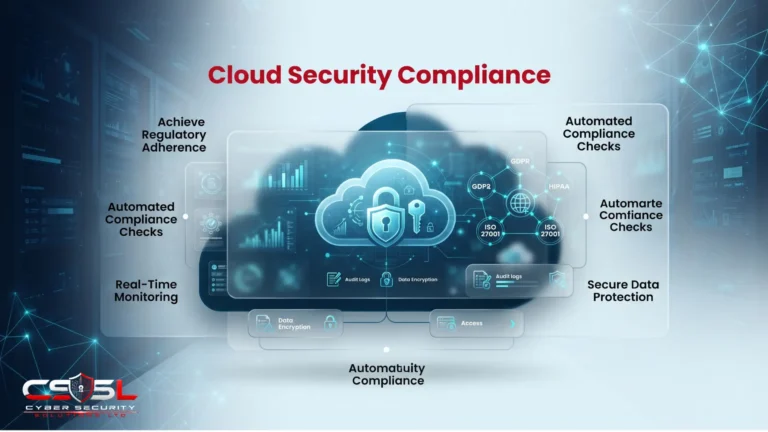
Frameworks such as SOC 2, ISO/IEC 27001 and the HIPAA Security Rule expect access control, configuration management and monitoring, and SSPM reports provide evidence for each. The UK GDPR (Article 32) requires security appropriate to the risk, which includes how SaaS apps holding personal data are configured. The National Cyber Security Centre (NCSC) publishes SaaS security guidance for UK organizations. Confirm specific obligations with your auditor.
Your Next Step for SaaS Security Posture Management
SaaS security posture management works because SaaS risk is mostly settings and integrations, not software flaws. This month, export the list of third-party apps connected to your Microsoft 365 or Google Workspace tenant and remove the ones you do not recognize. If you want help with the review, Cyber Security Solutions Ltd offers a free cloud security assessment through our contact page.
FAQs
SSPM focuses on the configuration of SaaS applications: security settings, user permissions, MFA enforcement, sharing rules and connected third-party apps. It continuously compares them with security baselines and your policies, flags risky gaps and drift, and guides fixes. It does not scan cloud infrastructure or inspect live traffic, which other tools handle.
No. An SSPM tool can only check apps it has connectors for, and check depth varies by app and vendor. Coverage is usually strongest for major platforms like Microsoft 365, Google Workspace, Salesforce and Slack. Compare a vendor's connector list with your own app inventory, and use other controls for apps it cannot reach.
SSPM checks how SaaS apps are configured, such as MFA, admin roles and integrations. DSPM, or data security posture management, finds where sensitive data lives across cloud and SaaS storage and who can access it. SSPM asks whether the app is set up safely. DSPM asks where the sensitive data is and who can reach it.
Sometimes. SSPM started as a standalone category, but many CASB and security service edge (SSE) platforms now include SSPM features, and Microsoft Defender for Cloud Apps includes SSPM checks for supported apps. Dedicated SSPM tools often go deeper on configuration and third-party app risk. Choose based on the apps and depth you need.
Partly. Microsoft Secure Score rates your Microsoft 365 configuration and suggests improvements, and Microsoft Defender for Cloud Apps adds SSPM features for supported apps, depending on your license. CISA also offers ScubaGear, a free tool that checks Microsoft 365 against its secure baselines. A third-party SSPM adds coverage across non-Microsoft apps.
Continuously, if possible, because settings drift with every update and admin change. An SSPM tool checks automatically and alerts on changes. Without one, review critical settings such as MFA, admin roles, external sharing and third-party app access at least quarterly, and immediately after any security incident at a connected vendor.