What Is Cloud Security? A Guide for New and Old Businesses
Cloud security is the set of technologies, policies, and controls that protect data, applications, and infrastructure stored and run in cloud environments. It covers identity management, data encryption, threat detection, and configuration controls that replace the physical security perimeter absent from cloud computing. It applies to any organization using cloud services, regardless of size.
If you moved to Microsoft 365 or Google Workspace and assumed the provider handles all security, or your IT provider keeps mentioning cloud security in terms you do not fully understand, this guide explains what it actually means for your business in plain, practical terms.
What Is Cloud Security?
Cloud security is the set of policies, technologies, controls, and practices designed to protect data, applications, and infrastructure hosted in cloud environments from unauthorised access, data breaches, misconfigurations, and cyber attacks.
The most useful way to understand what cloud security actually means is not through a technical definition but through a comparison your business already understands intuitively. Before cloud computing, businesses protected their information with physical controls: a locked office, a controlled server room, a filing cabinet with restricted access, a reception desk that checked who was allowed into the building. These physical controls created a natural security perimeter. Anything inside the building was relatively trusted, anything outside was not, and the boundary between inside and outside was clearly visible and physically real.
Cloud computing removes this physical perimeter entirely. Your organisation’s data, applications, and systems now live on servers in a data centre you have never visited, accessible from any device and any location through an internet connection. The locked door, the physical boundary, the controlled server room are all gone. Cloud security is the discipline of rebuilding those protections for this new environment: not with physical locks, but with access controls verifying who is allowed in before granting entry, encrypted data ensuring information cannot be read even if accessed, configuration settings determining what is publicly visible, and monitoring systems watching for unusual behaviour the way a security camera watches a building. The goal is identical to what the filing cabinet and the locked server room achieved. Only the mechanism has changed.
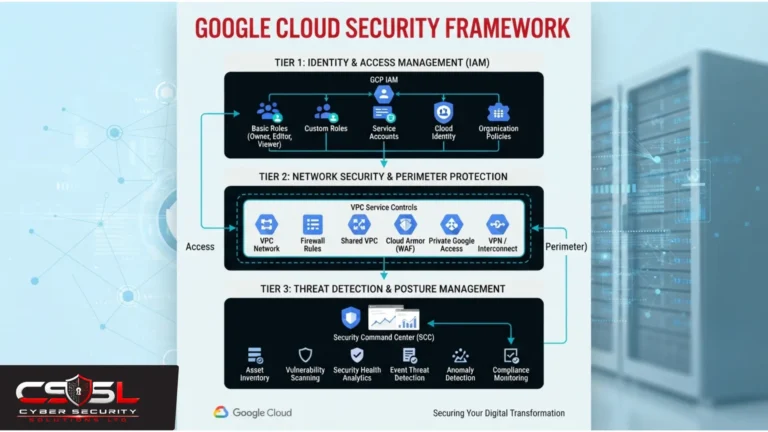
Cloud security encompasses identity and access management, data encryption, threat detection, compliance controls, network security, and application security, all applied specifically to cloud-hosted resources. See The Complete Guide to Cloud Security for the full topic map this post introduces.
What Does Cloud Security Protect?
Cloud security protects four main areas of your organisation’s digital environment.
Data comes first: every file, database, document, and piece of information stored in cloud services, from customer records in a CRM to financial data in cloud-hosted accounting software. Data is what attackers typically want and what regulators most care about protecting.
Applications are second. Cloud-based software and services the organisation runs or accesses, including SaaS platforms, custom-developed applications deployed to cloud infrastructure, and the APIs connecting systems, all require their own security controls.
Infrastructure is third. The virtual servers, storage, networking, and computing resources cloud platforms provide need protection against misconfigurations and unauthorised access just as physical servers did in traditional IT.
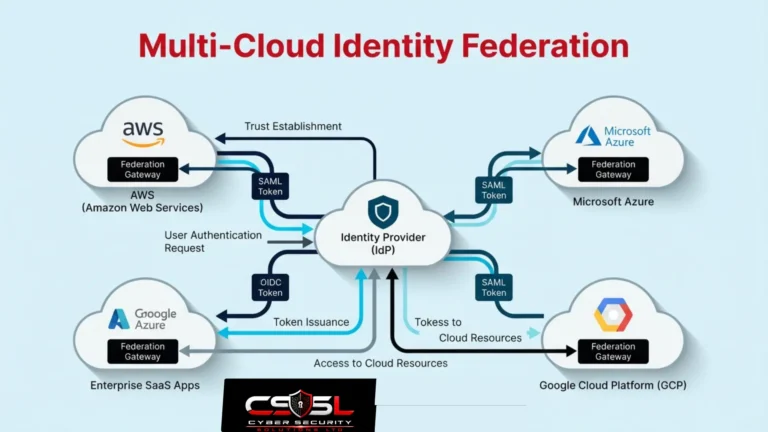
Access and identity make up the fourth area. Who can access which cloud resources, from which devices, and under what conditions matters enormously. Since the physical office perimeter no longer exists, access controls and identity management become the primary security boundary in cloud environments, a fundamental shift that shapes everything about how cloud security works in practice.
Why Is Cloud Security Different from Traditional IT Security?
| Area | On-Premise Security | Cloud Security |
| Security perimeter | Physical office and network boundary | Identity and access controls replace the perimeter |
| Responsibility model | Organisation owns and controls everything | Divided between provider and customer |
| Infrastructure ownership | Organisation-owned hardware | Provider-owned, multi-tenant infrastructure |
| Configuration risk | Changes require IT approval | Anyone with credentials can change settings instantly |
| Access control basis | Network location (inside vs outside) | Identity verification regardless of location |
| Threat detection | Network traffic monitoring | Activity and behavioural monitoring across accounts |
| Scalability of security | Manual review of new infrastructure | Automated monitoring required at cloud speed |
Traditional security assumed that everything inside the office network was relatively trusted and protected by a physical perimeter. Cloud computing removes this assumption entirely, making resources accessible from anywhere.
Cloud environments introduce shared infrastructure across many organisations, meaning the underlying hardware and networking is shared even when data and applications are kept logically separate. Cloud-specific attack surfaces, including misconfigured storage buckets exposing private data publicly, overly permissive identity roles, and insecure APIs, have no meaningful on-premise equivalent.
The pace of change creates a further challenge. Cloud environments can provision new resources in minutes through self-service portals, while traditional security review cycles operate on timeframes of days or weeks. This speed mismatch means new resources frequently go live before security configuration has been validated, which is one reason automated configuration monitoring becomes essential in cloud environments in a way it was not for on-premise IT.
What Are the Main Types of Cloud Security?
| Type | What It Protects | Example Control |
| Identity and access management | Who can access which cloud resources | Multi-factor authentication, least privilege roles |
| Data security | Information stored and moving through cloud | Encryption at rest and in transit |
| Network security | Virtual networks within cloud environments | Virtual firewalls, traffic monitoring, segmentation |
| Application security | Cloud-based apps and APIs | Vulnerability scanning, secure API authentication |
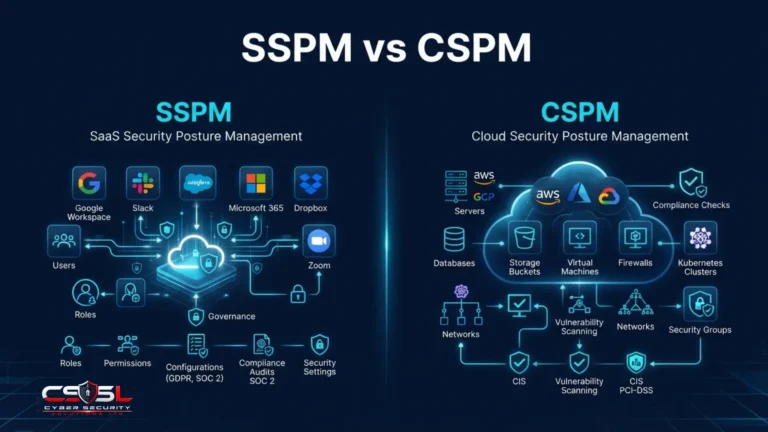
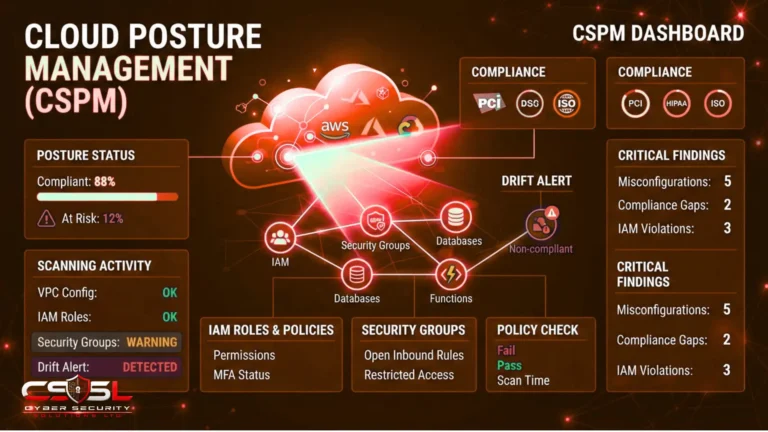
| Posture management (CSPM) | Configuration accuracy across cloud environment | Automated misconfiguration detection and alerting |
| Threat detection and monitoring | Unusual activity and active attacks | Audit logging, anomaly detection |
Identity and access management controls who can access which cloud resources, enforcing the principle of least privilege and requiring multi-factor authentication. Data security encrypts information at rest and in transit and controls who can view or share specific data. Network security secures virtual cloud networks through firewalls, segmentation, and traffic monitoring. Application security protects cloud-based applications and APIs from vulnerabilities. Cloud security posture management continuously monitors cloud environments for misconfigurations before they can be exploited. Threat detection identifies unusual activity, account compromise, and active attacks in real time so incidents are caught quickly rather than discovered after significant damage.
See Cloud Security Fundamentals: What Every Business Must Understand for the technical detail behind each type.
What Is Cloud Computing Security and Why Does It Matter for Your Business?
Cloud computing security refers to the same discipline as cloud security, with the computing element emphasising the technology infrastructure side, virtual servers, storage, and processing, rather than just the data or application layer.
The “cloud security is only for big companies” misconception is one of the most damaging assumptions small and mid-sized businesses hold about this topic, and it deserves direct correction rather than a passing reference. Most cloud security content uses enterprise examples, enterprise terminology, and enterprise price points that implicitly signal it is not content for a twenty-person accountancy firm or a fifty-person law practice, even though those organisations face identical cloud security risks from the moment they sign up for Microsoft 365 or Google Workspace.
The reality is that the most common cloud security incidents, weak or shared passwords without multi-factor authentication on a Microsoft 365 account, a SharePoint folder shared publicly by mistake, a Dropbox account accessed using a former employee’s credentials that were never revoked after they left, are structurally more likely in smaller organisations, not less. Smaller teams typically have fewer dedicated IT resources to review settings, catch configuration drift, or monitor for unusual access patterns. They also have fewer formal processes around access management, meaning a colleague sharing a link too broadly or failing to remove a departed employee’s account is simply more likely than in a larger organisation with dedicated IT governance.
IBM’s Cost of a Data Breach Report consistently identifies cloud misconfigurations and cloud-based attacks among the most common and costly breach categories, affecting organisations of all sizes. Cloud security basics matter as much, arguably more, for a small business as for a large enterprise. The threats are identical. Only the resources available to manage them differ.
Who Is Responsible for Cloud Security — You or Your Provider?
Cloud security responsibility is divided between the cloud provider and the customer in what is formally called the shared responsibility model, with where the division falls depending on the type of cloud service you are using.
Providers are always responsible for the physical security of data centres, the underlying hardware, and the core cloud platform infrastructure. Microsoft, Google, and Amazon do this extremely well; it is, in a meaningful sense, their primary function. What they do not handle, and explicitly decline to handle in every cloud service agreement, is security in the cloud: what data you put there, who you allow to access it, how you configure the settings they provide, and what you choose to encrypt or leave unencrypted.
The specific incorrect assumption this model breeds is understandable. If you are paying Microsoft or Google to host your data, surely they handle security. This assumption is wrong in a specific and important way. An S3 bucket set to public because someone ticked the wrong box during setup is not Amazon’s misconfiguration; it is the customer’s. A Microsoft 365 account with a weak password and no multi-factor authentication is not Microsoft’s gap; it is the customer’s. CSA research consistently identifies customer-side misconfigurations as the leading cause of cloud security incidents, not failures in provider infrastructure.
Understanding precisely where your responsibility starts is not a technical exercise; it is the foundation of every rational cloud security decision your organisation makes. See Cloud Security Shared Responsibility Model for the complete breakdown by service type.
What Are the Most Common Cloud Security Threats Businesses Face?
Misconfiguration is the leading cause of cloud security incidents according to CSA research. Incorrectly configured cloud settings can expose data publicly or grant overly broad access without any attacker involvement whatsoever. A misconfigured SharePoint permission or a storage bucket left publicly accessible is often not noticed until someone outside the organisation reports finding the data, sometimes months after the exposure began.
Identity and credential attacks use stolen or weak credentials to access cloud accounts. Without multi-factor authentication in place, a single compromised password can immediately grant full access to everything in that account, including all data, all connected applications, and all administrative settings.
Insecure APIs connecting cloud services are frequent attack targets since they provide programmatic access to data and functions when not properly secured and authenticated. Over-permissive access means a single compromised account exposes far more than it should, since data is accessible to more users, systems, or third parties than genuinely necessary. Insider threats, both malicious insiders exfiltrating data and accidental insiders misconfiguring settings or sharing data inappropriately, are structurally easier in cloud environments given the accessibility and sharing features cloud platforms provide by default.
See What Are the Security Risks of Cloud Computing? for the full threat taxonomy.
What Are the Basics Every Business Needs to Get Right?
Enable multi-factor authentication on every cloud account without exception. This is the single highest-impact, lowest-cost control available to any business using cloud services. A stolen password without MFA grants immediate full account access; the same password with MFA stops that access entirely at the login stage. Enable it on Microsoft 365, Google Workspace, Dropbox, and every other cloud platform your organisation uses.
Review and restrict permissions regularly. Apply the principle of least privilege consistently, ensuring users only have access to what they genuinely need and that access is removed when roles change or staff leave. Former employee accounts with active cloud credentials are one of the most consistently overlooked exposure points across organisations of all sizes.
Understand your shared responsibility boundary. Know exactly what your cloud provider covers and what you are responsible for, since this knowledge is the foundation of every rational cloud security investment decision.
Encrypt sensitive data. Verify that sensitive information stored in cloud services is encrypted both at rest and in transit, and understand the encryption key management responsibilities on your side of the boundary rather than assuming the provider handles this entirely.
Monitor for unusual activity. Enable cloud platform audit logging and alerting so that unusual access patterns or configuration changes are visible before they become significant incidents rather than discovered only after damage has occurred.
Cyber Security Solutions Ltd helps organisations identify their specific cloud security gaps across these baseline controls and beyond, with practical guidance tailored to their cloud environment and business context. See Cloud Security Best Practices: The Definitive 2026 Checklist for the complete control framework.
Conclusion
Understanding what cloud security means is the first step toward protecting your organization’s data in the environment where most of it now lives. The physical perimeter is gone, the shared responsibility model puts real obligations on your side of the line, and the most common cloud security failures are preventable with accessible controls. Visit cybersecuritysolutionsltd.com to understand how your current cloud security posture compares and where your most important gaps actually are.
FAQs
Cloud security is the set of controls and practices protecting your data, applications, and systems stored in the cloud from unauthorised access and attacks. Think of it as the modern equivalent of physical office locks and filing cabinets, rebuilt for an environment where your systems are accessible from anywhere rather than contained inside a building.
No. Any organisation using Microsoft 365, Google Workspace, Dropbox, or Salesforce faces cloud security risks. Smaller organisations are often more exposed because they have fewer resources to manage settings and access controls. Cloud security basics, particularly multi-factor authentication and permissions management, are equally important for a ten-person business as for a large enterprise.
Both, but for different things. The provider is responsible for the cloud platform itself: physical data centres, hardware, and core infrastructure. The customer is responsible for their data, who has access to their accounts, and how they configure the settings the provider gives them. Misconfigured settings and weak access controls are almost always on the customer side of this line.
Traditional IT security relied on a physical perimeter: an office building, a server room, a controlled network boundary. Cloud security removes this perimeter entirely and rebuilds protection around identity controls, configuration management, and data encryption, since cloud resources are accessible from anywhere rather than contained inside a physical environment.
Multi-factor authentication on every cloud account is the single highest-impact, lowest-cost control available. A compromised password without MFA grants immediate full account access; with MFA in place, the same compromised password is stopped at the login stage. Enable it on every cloud platform your organisation uses before anything else.
Cloud security protects data stored in cloud services, cloud-hosted applications and APIs, the virtual infrastructure (servers, storage, networking) cloud platforms provide, and identity and access controls determining who can reach what. These four areas replace the physical protections that a locked office building and server room provided in traditional on-premise IT.