Business Email Encryption: Options, Products and Pricing
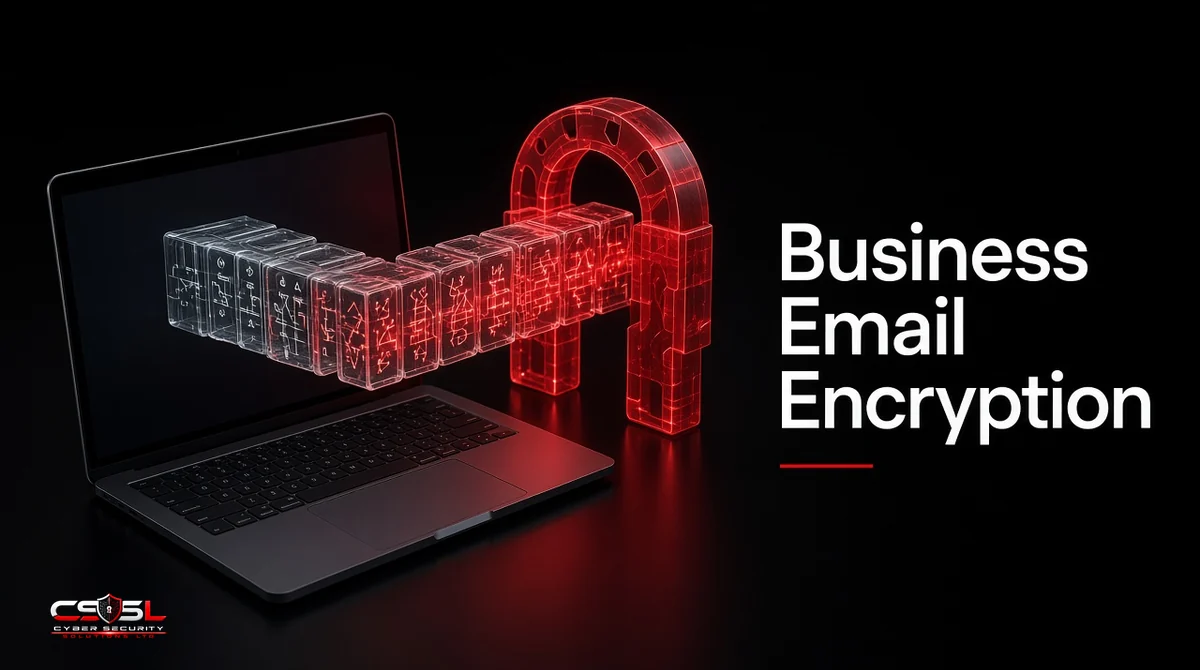
Business email encryption protects message content so only the intended recipients can read it, using TLS for messages in transit, S/MIME or PGP for end-to-end protection, or portal and platform tools that let outside recipients open secure messages. Most small and midsize firms already pay for some of this in Microsoft 365 or Google Workspace, so check that before buying anything.
Why Businesses Need Email Encryption
Email regularly carries contracts, payroll files, health details and customer records. Laws expect that data to be protected. In the US, HIPAA covers health information, the FTC Safeguards Rule covers many financial firms, and NIST SP 800-171 applies to defense contractors handling controlled information. In the UK, UK GDPR Article 32 requires appropriate security, and the ICO names encryption as an expected measure. Encryption also limits damage if a message is misdirected or intercepted.
Email Encryption Options Compared
The mechanics of each method are covered in our guides to how email encryption works and to S/MIME and PGP. Here the focus is which option fits which job.
| Option | Protects | Recipient effort | Best for |
|---|---|---|---|
| TLS | Messages between mail servers | None | Baseline for all mail |
| S/MIME | Message content end to end | Needs certificate | Regular partners, regulated firms |
| PGP | Message content end to end | Needs keys and software | Technical teams |
| Portal or pull encryption | Content held on a secure portal | Opens a link, verifies identity | Customers and outside parties |
| Platform encryption (for example Microsoft Purview) | Content plus usage rights | Low | Organizations already on that platform |
TLS should be on for everything, but it does not protect a message once it reaches the recipient’s server. For sensitive content sent outside the company, you need one of the other options.
Encryption also has limits worth knowing. It does not stop a user sending data to the wrong person, and it does not replace access controls on the mailbox itself. Pair it with MFA, data loss prevention rules and clear guidance on what may be emailed at all.
Deployment Models
- Built in: encryption features inside your email platform. Lowest effort.
- Hosted add-on or cloud gateway: a service that encrypts outgoing mail based on rules, often bundled with filtering.
- On-premises appliance: for organizations that must keep keys and processing in house.
- Client plugin: adds encryption buttons to Outlook or Gmail for specific users.
What You Already Have in Microsoft 365 or Google Workspace
Before buying an add-on, check your current licenses.
Microsoft 365. Exchange Online uses TLS by default. Microsoft 365 Business Premium includes Microsoft Purview Message Encryption, which lets users send encrypted messages that outside recipients can open, and supports rules that encrypt automatically, for example when a message contains card numbers. S/MIME is also supported. Lower plans such as Business Standard do not include Purview Message Encryption by default.
Google Workspace. Gmail uses TLS when the receiving server supports it, and admins can require it for chosen domains. Hosted S/MIME and client-side encryption are available only in certain higher editions, so check your plan in the admin console.
Picture an illustrative 40-person UK recruitment agency on Business Standard. It was quoted a separate encryption gateway for sending CVs and right-to-work documents to clients. Upgrading to Business Premium gave it message encryption plus device management and stronger identity protection, covering needs it had budgeted for separately. Use this decision rule: if your existing platform’s encryption lets outside recipients open messages easily and supports automatic rules, use it; buy an add-on only when you need features it lacks, such as encryption for a mixed mail estate, detailed audit trails for regulators, or large secure file transfer.
Email Encryption Products for Business
The main categories of product are:
- Platform tools: Microsoft Purview Message Encryption and Google Workspace client-side encryption
- Secure email gateways with encryption: products from established email security vendors that combine filtering, data loss prevention and policy-based encryption
- Dedicated encryption services: portal-based tools focused on easy external delivery, often popular in healthcare, legal and finance
- End-to-end encrypted email providers: separate mailboxes built around encryption, used where privacy matters more than integration
Business Email Encryption Pricing
Vendors usually price per user per month, often with minimum seat counts or bundles with filtering. Published figures are vendor-stated and change often, so we do not list dollar or pound amounts here. Get current quotes in $ or £ from at least two vendors for your exact user count. These factors move cost most:
- Whether you already own it: the cheapest option is often a license upgrade you partly use already
- Bundle: encryption sold alone costs differently from encryption included with filtering and DLP
- Users covered: all staff or only those who send sensitive data
- Deployment and support: setup, policy tuning and training time
- Compliance features: audit logs, retention and key management options
Total Cost of Ownership
The license fee is only part of the bill. Factor in the staff time needed to write and tune encryption rules, the help desk calls when outside recipients cannot open a message, training for users, and the effort of producing audit evidence for regulators or customers. A cheaper product that recipients find confusing can cost more in support and lost time than a slightly dearer one that just works. For a fair comparison, list each option’s license cost, estimated setup hours, expected support effort and any overlap with tools you already pay for, such as a filtering service that already offers encryption. Run a short pilot with real outside recipients before committing to an annual contract. Review the choice at renewal, because platform features change often and an add-on you needed two years ago may now be included in your existing plan.
How to Choose an Email Encryption Solution
Ask four questions. Who must receive encrypted mail, and how easy must it be for them? Which laws or contracts apply? Do you need automatic encryption based on content? Who will manage policies? If outside recipients are customers with no technical skill, portal or platform encryption suits better than S/MIME or PGP.
How to Set Up Email Encryption for Your Organization
- Confirm TLS is on, and enforce it for key partner domains.
- Check what your current licenses include.
- Classify which data must be encrypted.
- Create automatic rules for that data and a simple manual option for users.
- Test with outside recipients on different email services.
- Train staff in a short session and review logs regularly.
FAQs
Usually only in transit using TLS, and only when both servers support it. Content is not protected end to end by default.
Yes. It includes Microsoft Purview Message Encryption.
For routine mail, often yes. For sensitive data sent externally, add message-level or portal encryption.
Not with portal or platform encryption. S/MIME and PGP require certificates or keys.
Not always by name, but HIPAA, UK GDPR and similar rules expect appropriate protection, and encryption is the usual way to provide it.
It depends on users, bundle and existing licenses. Request current vendor quotes after checking what you already own.
Choosing Your Encryption Approach
The right business email encryption starts with what your platform already offers. If you want help choosing and configuring it, Cyber Security Solutions Ltd offers a free, no-obligation review through our contact page.