7 Types of Email Scams and How to Spot Each One
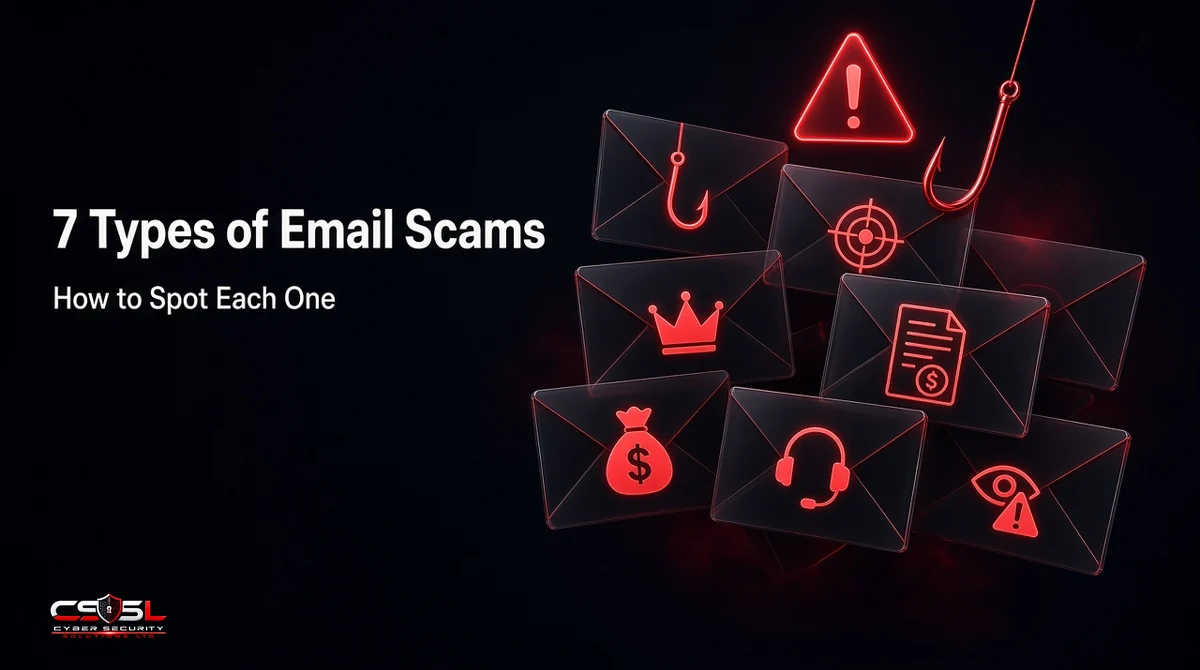
The main types of email scams are phishing, spear phishing and whaling, business email compromise (BEC), fake invoices, advance-fee fraud, tech support scams and sextortion. Each one wants something different: a password, a payment or a panicked reply. That matters, because the email that drains a business account rarely looks like the clumsy spam people expect.
What Is an Email Scam?
An email scam is a message that pretends to come from someone you trust so you will hand over money, login details or access. Some go to millions of inboxes; others are written for one person. All rely on you acting before you check.
The scale is easy to underestimate. The FBI’s 2025 Internet Crime Report from the Internet Crime Complaint Center (IC3) logged 191,561 phishing and spoofing complaints, more than any other category. Business email compromise drew fewer complaints (24,768) but caused more than $3 billion in reported losses.
7 Types of Email Scams (With Examples)
Compare them side by side, then use the spotting advice for each.
| Scam type | Typical target | What it wants | Fastest tell |
|---|---|---|---|
| Phishing | Anyone | Passwords, card details | Link to a login page you did not ask for |
| Spear phishing and whaling | Named staff, executives | Access, data, approvals | Personal detail plus an unusual request |
| BEC and CEO fraud | Finance staff | Wire transfer, gift cards | Senior “boss” who cannot take a call |
| Fake invoice and payment diversion | Accounts payable | Payment to a new account | Changed bank details |
| Advance-fee and lottery | Individuals | A fee up front | Windfall you never entered for |
| Tech support and account alerts | Individuals, small offices | Remote access, payment | Phone number to call “support” |
| Sextortion | Individuals | Cryptocurrency | Threat plus an old leaked password |
1. Phishing Emails: How to Spot Them
Phishing is the mass-market version: a fake delivery notice, bank alert or Microsoft 365 password expiry. The goal is credential harvesting through a fake login page or malicious attachment. Spot it by hovering over the link before you click. If the real destination does not match the brand’s own domain, close the email.
2. Spear Phishing and Whaling: How to Spot Them
Spear phishing targets a named person using details from LinkedIn or your website. Whaling is the same tactic aimed at executives. Spot it by separating the personal detail from the request. Knowing your manager’s name proves nothing; asking you to open a shared file or approve access outside the normal workflow is the red flag.
3. Business Email Compromise (BEC) and CEO Fraud: How to Spot It
In BEC, the attacker impersonates or takes over a trusted mailbox, often the CEO or a regular supplier, and asks for a wire transfer or gift cards. Often there is no link or attachment, so filters struggle. Spot it by the pairing of authority and secrecy: “I’m in a meeting, just get this done, don’t call.”
4. Fake Invoice and Payment Diversion Scams: How to Spot Them
UK police call this payment diversion or mandate fraud; in the US it usually falls under BEC or wire fraud. The email looks like a supplier’s normal invoice, but the bank details have changed. Spot it by treating any new or changed account number as unverified until you confirm it by phone using a number you already hold.
5. Advance-Fee, Lottery and 419 Scams: How to Spot Them
The “419” or advance-fee scam promises an inheritance, prize or business deal, then asks for a small fee to release it. IC3 recorded 7,762 advance-fee complaints in 2025. Spot it by the logic: you cannot win a lottery you never entered, and real payouts never require you to pay first.
6. Tech Support and Account Alert Scams: How to Spot Them
These emails claim a subscription renewed or your account was hacked, then give you a number to call, where “support” asks for remote access or payment. IC3 reported more than $2.1 billion in tech and customer support losses in 2025. Spot it by the phone number: real vendors rarely ask you to call about an unexpected charge.
7. Sextortion and Blackmail Emails: How to Spot Them
A sextortion email claims the sender recorded you through your webcam and demands cryptocurrency. Many quote an old leaked password to look credible. Extortion was the second most reported complaint type in IC3’s 2025 data, with 89,129 complaints. Spot it by the missing proof. Do not pay or reply; change any password it mentions.
Common Signs Shared by All Types of Email Scams
Every type above uses the same pressure tactics.
Authority, Urgency, Emotion and Scarcity
The UK National Cyber Security Centre (NCSC) lists the tell-tale signs in its guidance on how to spot a scam email, text message or call: authority, urgency, emotion, scarcity and current events. A “final notice” from HMRC (the UK tax authority) or the IRS (Internal Revenue Service) uses authority and urgency together. A fake tax refund uses current events.
Mismatched Sender Address and Display Name
Anyone can set a display name to “Accounts Team” or your CEO’s name. Tap or hover to reveal the full address behind it. A Gmail address for a bank, or a domain such as “paypa1-support.com,” settles the question quickly.
Why Spelling Mistakes Are No Longer a Reliable Sign (AI Phishing)
Most training still tells staff to look for typos. That advice has aged badly. The NCSC now says it “used to be easier to spot scams,” pointing to bad spelling and odd addresses, before warning that scams “are getting smarter and some even fool the experts.” Generative AI writes fluent, on-brand English in seconds and can mimic a supplier’s past emails. The FBI’s 2025 IC3 report included a section on artificial intelligence for the first time, logging 22,364 AI-related complaints and $893 million in losses.
In most small business environments we review, the scams that worked were clean and well written. What gave them away was the request, not the grammar. So change the test you teach. Ask staff three questions about every unexpected email: Does it ask me to log in, pay or change something? Did it arrive through a channel this sender normally uses? Can I confirm it without using anything inside the message? If the answer to the first question is yes, the other two decide what happens next. Retire “check the spelling” from your awareness slides entirely.
How to Check if an Email Is Genuine
To check if an email is genuine, inspect its authentication results, then confirm the request through a contact method you already trust.
Inspect Email Headers and SPF, DKIM and DMARC Results
Every email carries hidden headers that show where it came from. In Gmail, open the three-dot menu and choose “Show original.” In Outlook, open the message details or source view. Look for three results. SPF (Sender Policy Framework) shows whether the sending server is allowed to send for that domain. DKIM (DomainKeys Identified Mail) shows whether the message was signed and left unaltered. DMARC (Domain-based Message Authentication, Reporting and Conformance) shows whether the domain owner’s policy passed.
Here is the catch most guides skip: a pass only proves the email came from the domain it claims. A scammer who registers “yourcompany-invoices.com” can pass all three checks. So read the domain first, then the results. A “fail” or “softfail” on a message claiming to be from your bank is a strong warning. A “pass” from a lookalike domain is just as dangerous. Gmail’s “via” label, showing a different sending domain, deserves the same scrutiny. For IT managers, the practical takeaway is to publish your own DMARC policy at “quarantine” or “reject” so criminals cannot spoof your exact domain to your customers and suppliers.
Verify Through a Known Channel
The NCSC’s advice is simple: contact the organization directly using details from its official website, never the numbers or links in the message. For internal requests, call the colleague on the number in your company directory.
How Email Scams Target Small Businesses
Small businesses are attractive because one person often handles invoices, payroll and transfers with no second check. The UK government’s Cyber Security Breaches Survey 2025/2026 found phishing was the most common breach or attack, hitting 38% of businesses. Only 47% of businesses used any two-factor authentication.
Payroll and Supplier Bank Detail Change Requests
Picture a typical Friday. Your office manager gets an email from a regular supplier: “We’ve switched banks, please use the new details.” It sits in last month’s invoice thread, because the supplier’s mailbox was compromised. A payroll diversion scam works the same way, with an “employee” asking HR to update their direct deposit before payday. (This is an illustrative example, not a specific case.)
Building a Safe Payment Approval Process
Write down one rule: no bank detail change is accepted by email alone. Confirm changes by calling a number already on file, require a second approver for new payees and hold first payments to changed accounts. If money has already gone, speed matters. IC3’s Recovery Asset Team reported freezing $679 million in 2025, a 58% success rate, and the FBI urges victims to contact their bank immediately and request a recall. Turn on multi-factor authentication (MFA) for every mailbox to make account takeover harder.
What to Do If You Clicked a Link in a Scam Email
If you clicked a link in a scam email, disconnect from the internet, then change the password for any account you entered on that page, starting with email. Turn on MFA, run a security scan and tell your IT team or provider straight away. If you sent money or bank details, call your bank on the number on your card. The FTC advises using IdentityTheft.gov if a scammer has your personal or financial details.
How to Report Scam Emails in the UK and US
UK: report@phishing.gov.uk and Report Fraud
Forward suspicious emails to report@phishing.gov.uk, run by the NCSC. If you lost money or were hacked and live in England, Wales or Northern Ireland, report to Report Fraud (formerly Action Fraud) online or on 0300 123 2040. In Scotland, call Police Scotland on 101.
US: FBI IC3 and the FTC
Report BEC, wire fraud and other losses to the FBI at ic3.gov, with full transaction details. The FTC’s guide to recognizing and avoiding phishing scams asks people to forward phishing emails to reportphishing@apwg.org and report the attempt at ReportFraud.ftc.gov.
Will Your Team Catch the Next of These Types of Email Scams?
The types of email scams change their costumes, but every one asks you to log in, pay or panic. So here is the challenge: could your finance team verify a changed bank account today without using the email itself? If you are not sure, write that rule this week and test it. Cyber Security Solutions Ltd offers a free, no-obligation cyber security assessment that reviews your email controls and payment checks, and you can request one through the contact page at cybersecuritysolutionsltd.com.
FAQs
The five most common email scams are phishing, business email compromise, fake invoices, tech support scams and sextortion. Phishing is the most reported by volume, while BEC causes the largest business losses. In the FBI's 2025 IC3 data, phishing and extortion were the two most frequently reported complaint types among all cybercrime categories.
Recent email scams lean on AI-written messages that read perfectly, QR codes that push you to a fake login page on your phone, and replies inside hijacked email threads. Fake tax refunds and Microsoft 365 password alerts remain popular. Judge any email by what it asks you to do, not how polished it looks.
Opening a scam email is usually low risk on an up-to-date device. The danger starts when you click a link, open an attachment, enable macros or reply. Opening may confirm your address is active through tracking images, so expect more spam. Delete it, report it, and never download files from it.
Do not use the link in the email. Go to the courier's official website or app yourself and enter the tracking number from your own order confirmation. Treat any email asking for a small redelivery or customs fee through a link as suspect. Check the sender's full address and look for a lookalike domain with extra words or numbers.
Email scams work by impersonating a trusted sender and creating pressure to act fast. The attacker spoofs a domain, registers a lookalike or takes over a real mailbox, then asks for a login, payment or reply. Success depends on the target skipping verification, which is why urgency and secrecy appear so often.
No tool stops every scam. Filters, link scanning and DMARC enforcement block most bulk phishing and spoofing, but BEC emails often contain no link or attachment and may come from a real, compromised account. Pair tools with MFA, a call-back rule for payment changes and regular staff awareness training for the best results.