Bare Metal Backup: What It Is and When Your Business Needs It
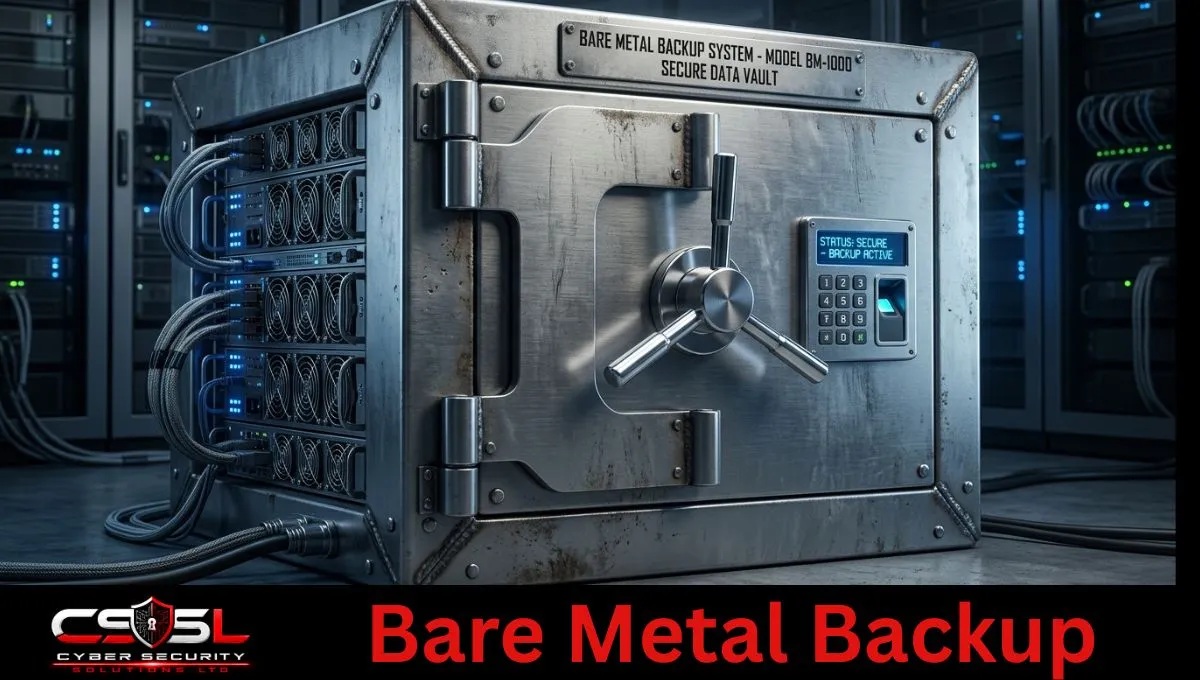
Bare metal backup is a full system backup that captures the operating system, applications, settings, and data together as one image, so you can restore an entire server, even onto different hardware, without reinstalling everything from scratch. It matters most on the day your server fails and the exact replacement part isn’t sitting on a shelf.
Most businesses assume a server failure means a slow rebuild: reinstall the OS, reapply every setting, reinstall every application, then restore the data on top. This approach skips that entire process. Whether you need it depends on your hardware, your recovery time expectations, and, increasingly in 2026, how fast you can get replacement hardware at all.
What is bare metal backup?
Bare metal backup captures an entire server, operating system, applications, configuration, and data, as a single image, allowing full restoration onto new or replacement hardware without manually installing the operating system first. It’s the difference between rebuilding a server piece by piece and deploying one complete image in a single pass.
A standard file-level backup only protects your data. If the server itself dies, you still need a working operating system, the right applications reinstalled, drivers configured, and every setting recreated before that data backup is even useful again. A bare metal backup, sometimes delivered through a dedicated server backup appliance or as part of a broader on-premise backup solution, captures the whole system state at once. Restoring it means deploying that entire image onto new hardware and having a working server again, not a blank machine waiting for hours of manual setup.
This matters most for servers running Windows Server, domain controllers, and any on-premise system where a slow rebuild directly costs the business money. Cloud-hosted virtual machines have their own recovery mechanisms, but physical, on-premise servers are exactly where this backup method earns its place.
How does bare metal restore work?
Bare metal restore boots the target machine from recovery media, a USB drive, network boot, or recovery ISO, then deploys the captured system image directly onto the hardware’s disks. The process reconstructs the entire operating environment in one pass rather than installing an OS first and restoring files afterward.
The practical sequence looks like this. You boot the replacement or repaired server from recovery media created by your backup software. The recovery environment loads a lightweight operating system just capable enough to write the backup image to disk. It partitions the drives, lays down the captured system image, and reconstructs boot records so the machine can start normally once the process finishes. On matching hardware, this restore is close to plug and play: the drivers already embedded in the image match the physical components, and the server boots the way it did before the failure.
The complication starts the moment the replacement hardware isn’t identical to the original, which is now the more common scenario than the exception.
The problem: what happens when your replacement hardware doesn’t match?
When replacement hardware differs from the original server, particularly the storage controller, network card, or motherboard chipset, a straight bare metal restore often fails to boot. The restored image still expects the original hardware’s drivers, and Windows will commonly stop with a boot error rather than start normally on unfamiliar hardware.
This is where a dissimilar hardware restore becomes its own distinct challenge, not just a variation on a normal restore. The most common failure is a storage controller mismatch. If the original server used one RAID or storage controller and the replacement uses a different model, the restored operating system frequently can’t even see the disk it was just written to, producing a boot failure that looks like corruption but is really a missing driver. Network card mismatches cause a similar but less catastrophic problem: the server boots, but has no network connectivity until the correct driver is manually installed. This exact scenario, a business grabbing whatever server is available after a hardware failure rather than an exact model match, is the single most common reason a bare metal restore stalls at the worst possible moment.
Why this matters more in 2026 than it used to (the hardware supply chain reality)
Server hardware lead times have stretched significantly longer through 2026, driven by memory and component shortages tied to surging AI infrastructure demand, which means businesses can no longer count on getting an exact replacement server quickly after a failure. Dissimilar hardware restore has shifted from an edge case to the realistic default recovery path.
A few years ago, a failed server usually meant ordering the same model or a close equivalent and having it within days. That assumption doesn’t hold up as reliably anymore. DDR4 and DDR5 memory shortages, combined with data center and cloud providers buying up server components at scale for AI workloads, have stretched configuration availability and delivery timelines across major server vendors. Businesses now regularly report needing to accept whatever configuration is available at the time, sometimes a different chassis, a different storage controller, or even a refurbished unit, rather than waiting weeks or months for an exact match.
This changes what “having a backup” needs to mean for a business running physical, on-premise servers. A recovery strategy that assumes you’ll always restore to identical hardware is planning for a supply chain that no longer reliably exists. The realistic planning assumption for 2026 is that your next server recovery will likely involve some degree of dissimilar hardware, whether that’s a different storage controller, a different network card, or an entirely different chassis picked because it was the one available at the time. Businesses that haven’t tested a dissimilar hardware restore, and instead assumed same-model replacement would always be possible, are the ones most likely to discover the gap during a real outage rather than during a planned test. This single shift in hardware availability is the strongest practical argument for taking dissimilar hardware restore seriously as a core capability, not an optional feature you might never use.
What has to go right for a dissimilar-hardware restore to actually boot
A dissimilar hardware restore succeeds when the correct mass storage, network, and chipset drivers get injected into the restored operating system before or during the boot process, a capability most backup vendors deliver through a dedicated feature like Acronis Universal Restore. Without this driver injection step, the restored system typically can’t detect its own disk controller and fails to start.
Here’s what has to happen under the hood for this to work. During restore, the driver injection tool scans the target hardware, identifies the storage controller, network adapter, and other critical components, and either selects matching drivers from a built-in database or lets you supply the correct driver package manually ahead of time. This has to happen before the operating system tries to load its boot-critical drivers, since an OS that can’t find its storage controller driver during startup will fail before it even gets far enough to install a new one on its own. Acronis Universal Restore is the most commonly referenced implementation of this process, but most enterprise backup platforms, including Veeam and Commvault, include an equivalent capability under a different name.
The practical failure point businesses hit most often isn’t the software itself, it’s not having the correct driver package ready when the restore happens. Waiting until a real outage to discover you need a driver you don’t have, downloaded from a manufacturer’s site you can’t reach because your network is also down, turns a bare metal restore into a much longer outage than it needed to be. Keeping current storage and network driver packages on hand, matched to whatever hardware you’re realistically likely to restore onto, is what separates a dissimilar hardware restore that works from one that stalls at the worst possible time. It’s a detail worth checking during any real disaster recovery readiness review, because it stays invisible until the exact moment a restore depends on it.
Why Microsoft specifically recommends this for Active Directory recovery
Microsoft’s own Active Directory forest recovery guidance specifically recommends a bare metal backup for domain controllers, stating it’s preferred because the image can be restored onto different hardware or even a different operating system instance. This flexibility is exactly what a real disaster recovery scenario, where the original server hardware may no longer be available, requires.
This recommendation carries real weight because domain controllers are usually the last system you want stuck waiting on an exact hardware match. If your identity infrastructure goes down and the only path back is an identical server model that’s now backordered for weeks, the entire business stalls behind it, since almost everything else depends on Active Directory being available. Microsoft’s guidance addresses this directly by recommending a full server image for domain controllers specifically because it isn’t locked to one physical machine.
It helps to be precise about what this recommendation does and doesn’t cover. Being restorable to different hardware doesn’t mean the restore is automatically simple or risk-free for a domain controller. It still depends on the same driver injection process covered above, and Microsoft’s forest recovery guidance places this restore within a carefully controlled process, isolating the restored domain controller, resetting security credentials, and verifying it before reconnecting it to the network, rather than treating it as a plug-and-play swap. The recommendation is about giving recovery teams hardware flexibility when they need it most, not a shortcut that skips careful execution.
Is this even relevant if you’re already fully virtualised?
Bare metal backup remains relevant even in a mostly virtualized environment, because the hypervisor hosts themselves are still physical servers, and any remaining physical servers, branch office equipment, or specialized hardware still need this protection. Virtual machines sitting on top of a hypervisor are largely hardware-independent already, which is where its role shifts rather than disappears.
For virtual machines, the hardware abstraction layer the hypervisor provides already solves most of the dissimilar hardware problem, since a VM restored to a different physical host still sees the same virtual hardware it always did. This is a genuine advantage of virtualization. But the physical hosts running that hypervisor layer are exactly the kind of server where this kind of backup and dissimilar hardware restore still matter, since a hypervisor host failure with no matching replacement hardware creates the same problem covered earlier in this guide.
P2V, physical to virtual recovery, adds another layer of relevance here. Some backup platforms let you restore a bare metal backup of a physical server directly into a virtual machine, which becomes a practical stopgap when replacement physical hardware isn’t available fast enough. A business that loses a physical file server and can’t get a matching replacement for two weeks can sometimes restore that same backup into a temporary VM on existing virtualization infrastructure, keeping the business running while proper hardware gets sourced. Fully virtualized shops still benefit from understanding this option, since it’s often the fastest path back online during exactly the supply chain delays covered earlier in this guide.
A practical readiness checklist before you need this
Getting real value out of this backup method means preparing before a failure happens, not during one. A short readiness checklist covers most of what determines whether a restore succeeds on the day it matters.
Before you need it, confirm these basics are already in place:
- Recovery media is current and has genuinely been tested to boot on available hardware, not just created once and filed away
- Storage controller and network driver packages for your realistic replacement hardware options are downloaded and stored somewhere reachable during an outage
- At least one full dissimilar hardware restore has been tested in the last twelve months, not assumed to work based on documentation alone
- Domain controllers and other identity infrastructure have a documented, tested bare metal recovery path, not just a general assumption that “backup covers it”
- A P2V fallback option has been identified for critical physical servers, in case replacement hardware takes longer than expected to arrive
Businesses that treat this as a one-time setup task, rather than something reviewed annually, are usually the ones surprised when a real restore hits a driver gap or an untested piece of recovery media. Building this checklist into a regular disaster recovery review, something Cyber Security Solutions Ltd includes as standard in our backup and resilience assessments, is what turns this backup method from a checkbox into a recovery method you can count on.
Conclusion
Bare metal backup earns its place the moment a physical server fails and the exact replacement hardware isn’t available fast enough to wait for, which is increasingly the normal case rather than the exception in 2026’s server market. Test your dissimilar hardware restore path now, confirm your driver packages are current, and make sure Active Directory and other critical physical infrastructure have a documented recovery route that doesn’t depend on identical hardware. If you want a second set of eyes on whether your current backup setup would survive a real dissimilar hardware restore, Cyber Security Solutions Ltd reviews backup and disaster recovery readiness as part of our security assessments. Reach out through cybersecuritysolutionsltd.com to get your setup checked.
FAQs
Bare metal backup is a full system backup that captures the operating system, applications, settings, and data as a single image. It allows a complete server restore onto new or replacement hardware without manually reinstalling the operating system and reconfiguring everything from scratch.
Normal file-level backup protects only your data. Bare metal backup captures the entire system, OS, applications, and configuration included, so a failed server can be fully restored in one pass rather than requiring a fresh OS install before data even becomes useful again.
Dissimilar hardware restore deploys a bare metal backup onto hardware different from the original server. It requires injecting the correct storage, network, and chipset drivers into the restored system so it can boot and detect its hardware, since mismatched drivers commonly cause boot failures.
Driver injection is the process of adding the correct storage controller, network, and chipset drivers into a restored operating system so it recognizes new hardware during a dissimilar hardware restore. Without it, the restored system often can’t detect its own disk and fails to boot.
Acronis Universal Restore is a driver injection feature that automatically detects target hardware during a bare metal restore and installs matching storage and network drivers. It’s one of the most widely referenced tools for making dissimilar hardware restores succeed without manual driver hunting.
Yes. Microsoft’s forest recovery guidance recommends bare metal backup for domain controllers specifically because it can be restored to different hardware or a different operating system instance, giving recovery teams flexibility when original hardware is unavailable during a real incident.
Often yes, since hypervisor hosts and any remaining physical servers still need protection. Virtual machines are largely hardware-independent already, but the physical infrastructure running underneath them is exactly where dissimilar hardware restore challenges still apply during a real host failure.
P2V, physical to virtual recovery, restores a bare metal backup of a physical server directly into a virtual machine. It’s a practical stopgap when replacement physical hardware isn’t available quickly enough, letting a business keep running on existing virtualization infrastructure temporarily.