How to Stop Spam Emails: 9 Steps That Work
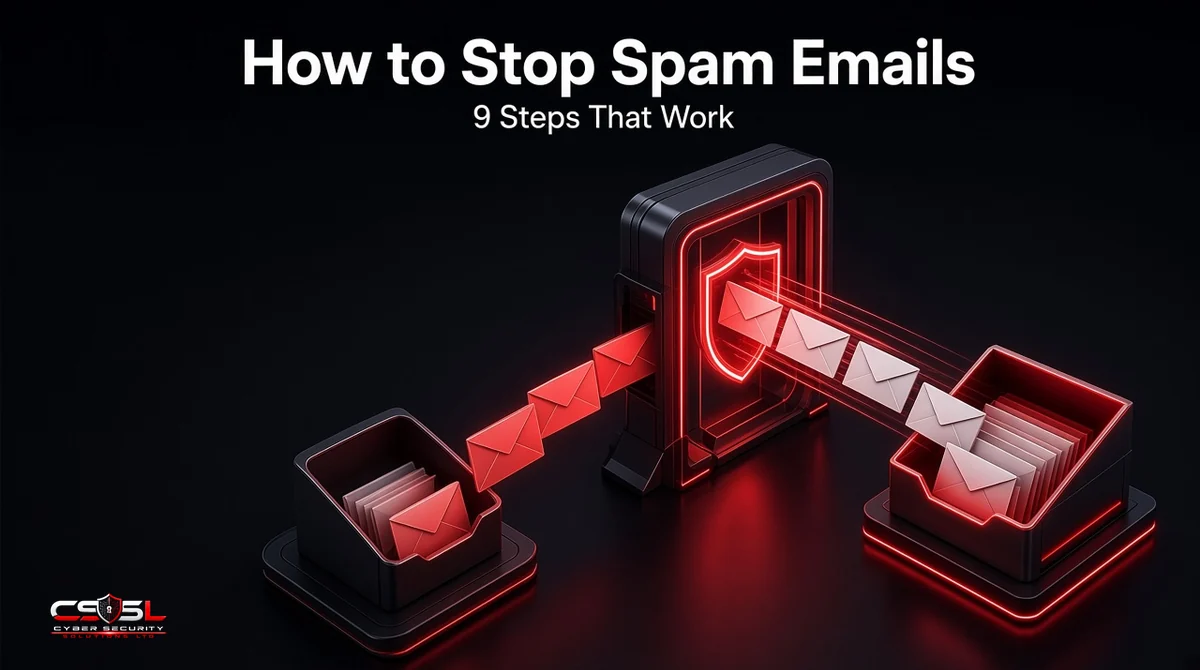
Spam is more than clutter. The UK government’s Cyber Security Breaches Survey 2025/2026 found phishing, which often arrives looking like ordinary spam, affected 38% of UK businesses in a year. Learning how to stop spam emails cuts that risk and saves time. These nine steps work for personal inboxes and business mail.
Why Am I Getting So Many Spam Emails?
Spam is cheap to send in huge volumes, so once your address is on a list, it keeps coming.
How Spammers Get Your Email Address
Addresses are harvested from websites, social profiles and public directories, bought and sold after data breaches, collected through sign-up forms and competitions, and guessed using common patterns such as firstname@company.com.
Spam vs Phishing: Know the Difference
Spam is unsolicited bulk mail, usually advertising. Phishing is designed to trick you into clicking a malicious link, opening an attachment, sharing a password or making a payment. Treat any unexpected request for money, credentials or urgent action as possible phishing.
Is It Dangerous to Open a Spam Email?
Opening a spam message in a modern, updated email app is low risk. The danger comes from clicking links, opening attachments, enabling content in documents or replying. Images can also confirm your address is active, so many apps block remote images by default.
How to Stop Spam Emails: 9 Steps
To stop spam emails, mark unwanted messages as spam instead of deleting them, block repeat senders, unsubscribe only from brands you trust and create filters for recurring subjects. Use an alias for sign-ups, keep your address off public pages, tighten filter settings, report scams and use business-grade filtering.
1. Mark Messages as Spam or Junk, Don’t Just Delete Them
Reporting a message as spam trains your provider’s filter and helps protect other users. Deleting teaches the filter nothing.
2. Block Senders and Domains
Block persistent senders. For repeat offenders using many addresses on the same domain, block the domain, but never block domains you need, such as major webmail providers.
3. Unsubscribe Only From Legitimate Senders
Ofcom’s guidance is to use the unsubscribe link only if the sender is a legitimate company you recognize. If the email is from an unknown or suspicious source, do not click any links, including unsubscribe; mark it as spam instead.
4. Create Custom Filters and Rules
Set rules that move messages with recurring subjects, senders or keywords to a folder or the trash automatically.
5. Use Email Aliases for Sign-Ups
Use a separate address or alias for shopping, newsletters and competitions. If an alias starts attracting spam, you know who leaked or sold it and can switch it off.
6. Keep Your Address Off Public Pages
Replace plain email addresses on websites with contact forms, and avoid posting your address in public forums or social profiles.
7. Tighten Your Spam Filter Settings
Most providers let you raise filter strictness, block images by default and send messages from unknown senders to a separate folder. How filters score messages is a topic of its own, but stricter settings catch more at the cost of occasional false positives.
8. Report Spam and Phishing to the Authorities
Reports help regulators and security agencies take down senders. See the UK and US reporting routes below.
9. Use Business-Grade Spam Filtering
Businesses should not rely on default settings alone. Admin-level policies, gateways and domain authentication block far more, as explained in the business section.
How to Block Spam in Gmail, Outlook and Apple Mail
- Gmail: select the message and choose Report spam; open the three-dot menu to block the sender; use Filter messages like these to create rules.
- Outlook: choose Report, then Report junk or Report phishing; use Block sender; set junk email filter levels and blocked senders lists in settings.
- Apple Mail: move messages to Junk to train the filter; block a sender from the sender’s name in the message header; create rules in Settings.
How Businesses Can Stop Spam Emails
Configure Microsoft 365 and Google Workspace Anti-Spam Policies
Microsoft 365 admins can tune anti-spam, anti-phishing and anti-malware policies in Microsoft Defender, including preset standard and strict protection. Google Workspace admins can set spam, phishing and malware rules in the Admin console, including stricter handling of unauthenticated mail.
Add a Secure Email Gateway or ICES
A secure email gateway filters mail before it reaches your mail platform. Integrated cloud email security (ICES) tools connect by API and analyze mail inside Microsoft 365 or Google Workspace, often catching targeted phishing that passes basic filters.
Train Staff to Report Suspicious Emails
Give staff a one-click report button, and explain how to spot phishing. Reported messages help admins block similar mail for everyone.
Protect Your Domain With SPF, DKIM and DMARC
Authentication will not stop spam reaching you, but it stops spammers sending mail that pretends to be from your domain, protecting customers and your reputation.
How to Report Spam Emails in the UK and US
UK: ICO, Ofcom Guidance and the NCSC Reporting Service
- Unwanted marketing emails: report them to the Information Commissioner’s Office using its online spam email form or by calling 0303 123 1113. The ICO enforces the Privacy and Electronic Communications Regulations (PECR), which usually require consent before sending marketing emails to individuals. It does not investigate every complaint but uses reports to target enforcement.
- Phishing emails: forward them to the NCSC’s Suspicious Email Reporting Service at report@phishing.gov.uk.
- Spam texts: Ofcom advises forwarding them free to 7726, then reporting persistent texts to the ICO.
- Scams that cost you money: report them to Report Fraud, the police service that replaced Action Fraud in England, Wales and Northern Ireland, or to Police Scotland on 101.
US: FTC and the CAN-SPAM Act
The CAN-SPAM Act sets rules for commercial email, including honest headers and subject lines, a valid postal address and an opt-out that must be honored within 10 business days. The FTC enforces it, and penalties can exceed $53,000 per violating email. Report scams and fraud to the FTC at ReportFraud.ftc.gov, and forward phishing emails to reportphishing@apwg.org, as the FTC advises.
What Not to Do With Spam Emails
- Do not reply, even to say stop
- Do not click links or unsubscribe in suspicious messages
- Do not open attachments or enable macros
- Do not call phone numbers in the email
- Do not forward suspicious messages to colleagues, except to your IT or security team
- Do not buy anything advertised in spam
Can You Beat Spam? A Final Challenge on How to Stop Spam Emails
You will never get spam to zero, but knowing how to stop spam emails can make it rare. Here is the challenge: this week, mark every spam message instead of deleting it, set up one alias, and check that your business has strict filtering and DMARC in place. For help tightening business email filtering, contact Cyber Security Solutions Ltd through our contact page.
FAQs
No. Spammers constantly change addresses, content and tactics, so some messages will always get through. You can reduce spam sharply by reporting messages, using aliases, keeping your address off public pages, tightening filter settings and, for businesses, adding admin-level policies, gateway filtering and staff reporting.
It is safe for legitimate companies you recognize, and in the UK and US they must honor opt-outs. For unknown or suspicious senders, Ofcom advises not clicking any links, including unsubscribe, because it can confirm your address or lead to a malicious site. Mark those messages as spam instead.
Spammers test messages against filters, use new domains and compromised accounts, and send image-only or link-light content to avoid detection. Filters also allow some borderline mail to avoid blocking legitimate messages. Reporting spam, tightening settings and, for businesses, adding layered filtering improves results over time.
Unsubscribe from legitimate senders you recognize, and mark the rest as spam. Ask your IT team whether bulk mail filtering is available, since Microsoft 365 and Google Workspace can route promotional mail away from the inbox. In the UK, persistent unwanted marketing to individuals can be reported to the ICO.
It stops that exact address, but spammers often switch addresses, so blocking alone has limited effect. Reporting messages as spam is usually more useful because it trains filters. For repeated spam from one domain you never need, blocking the domain is more effective than blocking individual addresses.
Report it. Marking a message as spam trains your filter and helps your provider protect others, while deleting does nothing to reduce future spam. Phishing should also go to the NCSC in the UK or the APWG and FTC in the US, and to your IT team at work.